
#Introduction
This article collects all my posts about portals from my Telegram channel. I gathered them in one place so they're easier to read, the information doesn't get lost, and search engines can index it.
Each post is headed by its publication date (DD.MM.YYYY). Right after the heading there are links to the Telegram posts (in Russian) it was taken from.
#24.11.2019
Source: a channel that has since been deleted.
Friends, this moment has finally come! I'm publishing a video showing the result of a project that I've been hiding from everyone for the last two years and calling my "secret project". So what did this secret project turn out to be? Watch the video and see.
Enjoy.
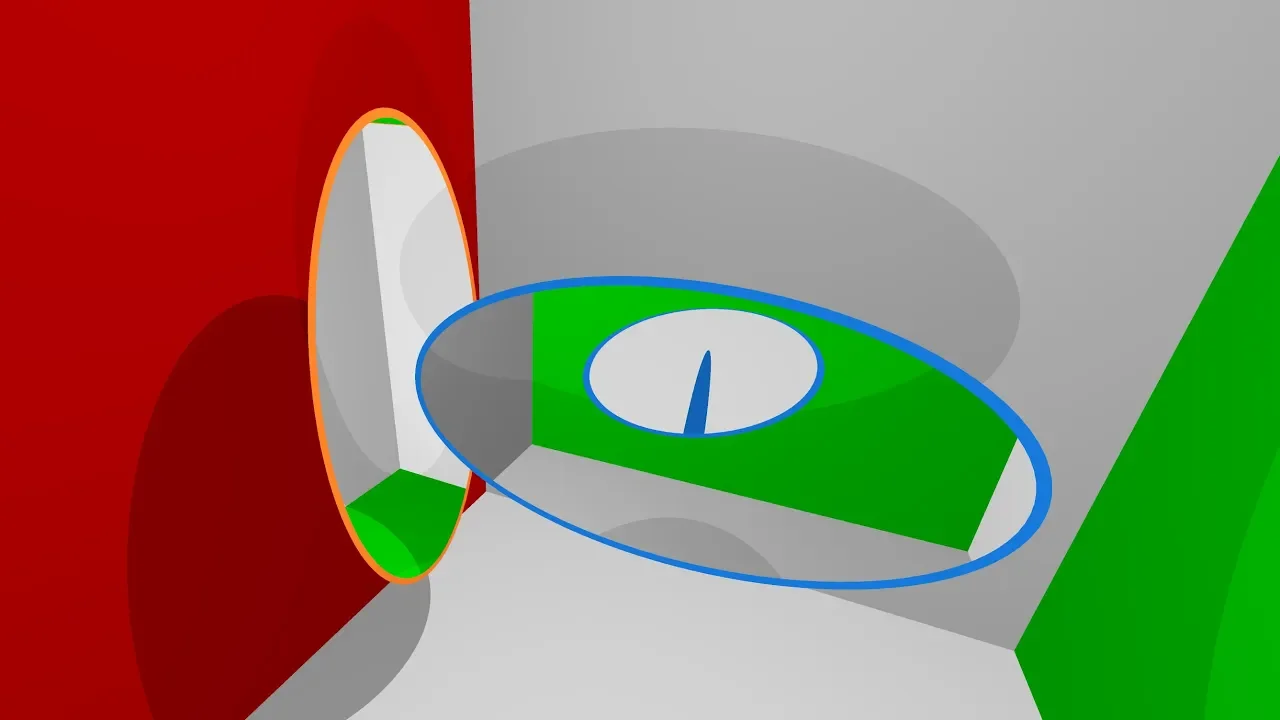
Where I posted it myself:
| Link | ❤️ | 💬 |
|---|---|---|
| pikabu (in Russian) | 2456 | 469 |
| optozorax blog VK (in Russian) | 11 | 11 |
| 6 | 4 | |
| 28 | 7 |
#24.02.2020
I wondered how fast ray tracing would run in a browser.
To begin with, it's obvious that ray tracing has to be done in shaders.
So I went to shadertoy.com and took the first shaders I came across that do it. Then I stuck those shaders into the library I'd been using for graphics in the browser: miniquad
Here's what came out of it:
#2Fairly fast ray tracing of three spheres
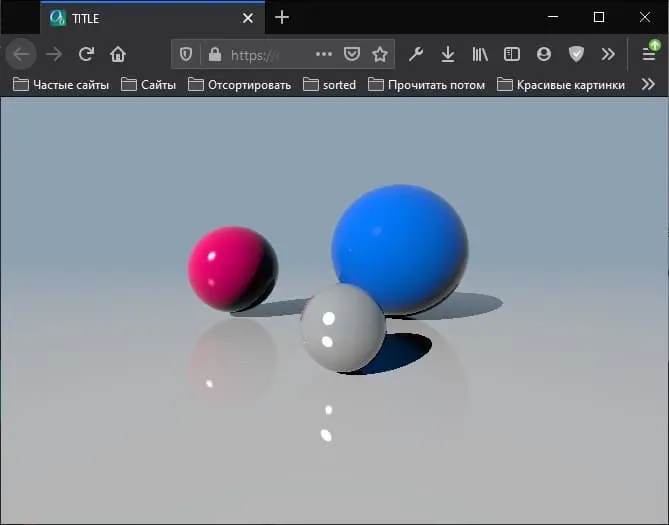

jpg
#2Very slow but very beautiful ray tracing of colored clouds
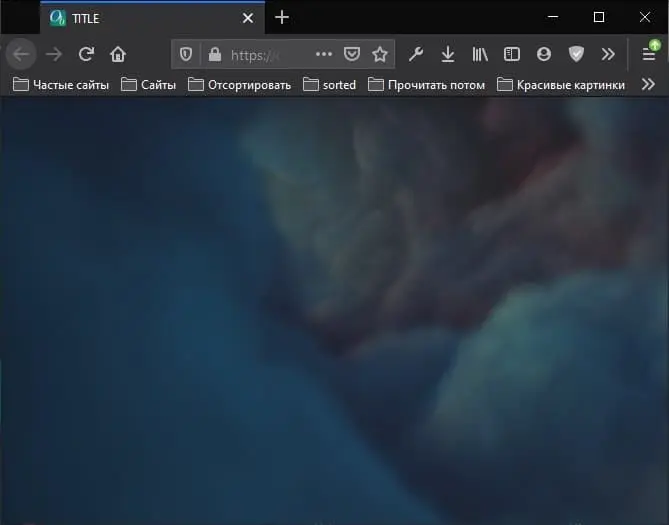
jpg
#2Conclusion
Neither the first example nor, even less so, the second one runs on my phone: Firefox just crashes. On an iPhone the first example flies. The second one works, but noticeably slower.
So the prospects of ray tracing in the browser with shaders look doubtful. And there I was, having come up with an idea in the shower: rewriting my portal viewer to use ray tracing and run in the browser. Looks like it's not meant to be, for now :)
(a spoiler from the distant future: it was meant to be, I was wrong)
#31.01.2021
#2Introduction
As you know, I've solved the problem of "what happens if you put a portal inside a portal". I wrote a program that computes it and rendered the result.
I published a short video about it on YouTube, then posted that video on Reddit, and it didn't take off there, getting 29 upvotes.
Now, a year later, I decided to make attempt #2: I uploaded the video so that it can be watched in Reddit's built-in player, made it start right at the point where the interesting part begins, and sped it up at the same time. I hope this will increase the effect.
Here's the link to the new Reddit post. Please give it a look.
#2Takeaways
Thanks everyone for the support, the post got 2.8k upvotes and stopped climbing. And now some thoughts about Reddit.
I posted it in r/Portal, which has 98k subscribers and where the most successful post of all time got 5k upvotes. That means no matter how good my post is, it's unlikely to get more than 5k, because that depends not only on the quality of the post but also on lots of other factors that have to line up at the same time. And I'd seen that cool stuff on Reddit usually gets >40k upvotes, and I was counting on roughly that. I thought Reddit had something like trending, and that any post could skyrocket if it was good. Turns out it doesn't, and if you want to skyrocket, you have to post in a subreddit that's popular to begin with.
Also, the post got 2.8k upvotes and 70 comments, while the same post on Pikabu (in Russian; Pikabu is a Russian site similar to Reddit) got 2.4k upvotes but 469 comments. Plus, on Pikabu I posted it with a backstory and attached the YouTube video, where you probably have to wait something like 30 seconds before the portal goes in. Nevertheless, a lot of people liked it and a lot of people watched it. From this we can conclude that Pikabu is a good platform with a loyal and active audience.
Another way to increase reach on Reddit is crossposting. As I found out, you can't crosspost to the subreddits most relevant to my post: r/gifs, r/gaming, r/interestingasfuck, r/nextfuckinglevel. Only "original" content can be posted there.
But you can crosspost to less popular subreddits, so I posted to r/DrosteEffect, and some guy crossposted it to r/Recursion.
Now I find out that my gif has been reuploaded and posted to r/interestingasfuck, and there the post got 4.3k upvotes.
I made the right call by putting the watermark in the middle of the picture, because given the scale at which posts get copy-pasted, that's the only way to find the original. In the future I think I'll put a link to this Telegram channel right away, writing t.me/optozorax_dev. My earlier watermark was barely visible and sat in the left corner of the picture, so some VK community cropped my animation to a square, and my watermark was gone without a trace.
I also made the right call by getting straight to the point in the gif: the entry starts 1 second in, and all the needed context is given in the title. People do this a lot, and it works. In this respect my YouTube video is just terrible, because it repeats the title, introduces a lot of unnecessary information at the beginning, and everything in it happens slowly in general. The whole thing could be sped up 1.5 times and nothing bad would happen. Also, if I'd made the video as short as possible, it would have had a much better chance of going viral on YouTube, because people on YouTube always write: "If this video less than a minute, and YouTube recommends it to me, I definitely watch it.".
I plan to post future gif posts on this topic in r/gaming or r/nextfuckinglevel, and only then crosspost them to r/Portal (crossposting there is allowed).
I hope this information will be useful to you if you want to post something on Reddit and get maximum reach.
#2Statistics
On Reddit:
| Link | ❤️ | 💬 |
|---|---|---|
| r/Portal | 3.3k | 78 |
| r/interestingasfuck | 4.4k | 127 |
| r/Recursion | 1.3k | 25 |
| r/DrosteEffect | 486 | 12 |
Stolen without credit (in Russian):
| Link | ❤️ | 💬 |
|---|---|---|
| GameTopus VK | 162 | 0 |
| SciTopus VK | 157 | 14 |
| Vidach VK | 694 | 46 |
#9.02.2021
Source:
tg/310(115 💬).
While solving the problem of a portal entering a portal, I realized that portals don't have to be flat: they can also be surface portals.
This gif shows an example of a surface portal. It consists of two pairs of flat portals connected to each other in such a way that teleportation preserves the continuity and integrity of space on both sides.
On the right you can see how a triangle gets cut as it enters this portal.
In general, in theory, portals can be placed on any surface; the main thing is that one of them forms the back of the surface and the other the front.
Also, you can play around with surface portals (in Russian) in my little program.
#14.02.2021
Source:
tg/312,tg/313,tg/314,tg/315,tg/316,tg/317(3 💬),tg/318,tg/319,tg/320,tg/322(1 💬),tg/323(19 💬).
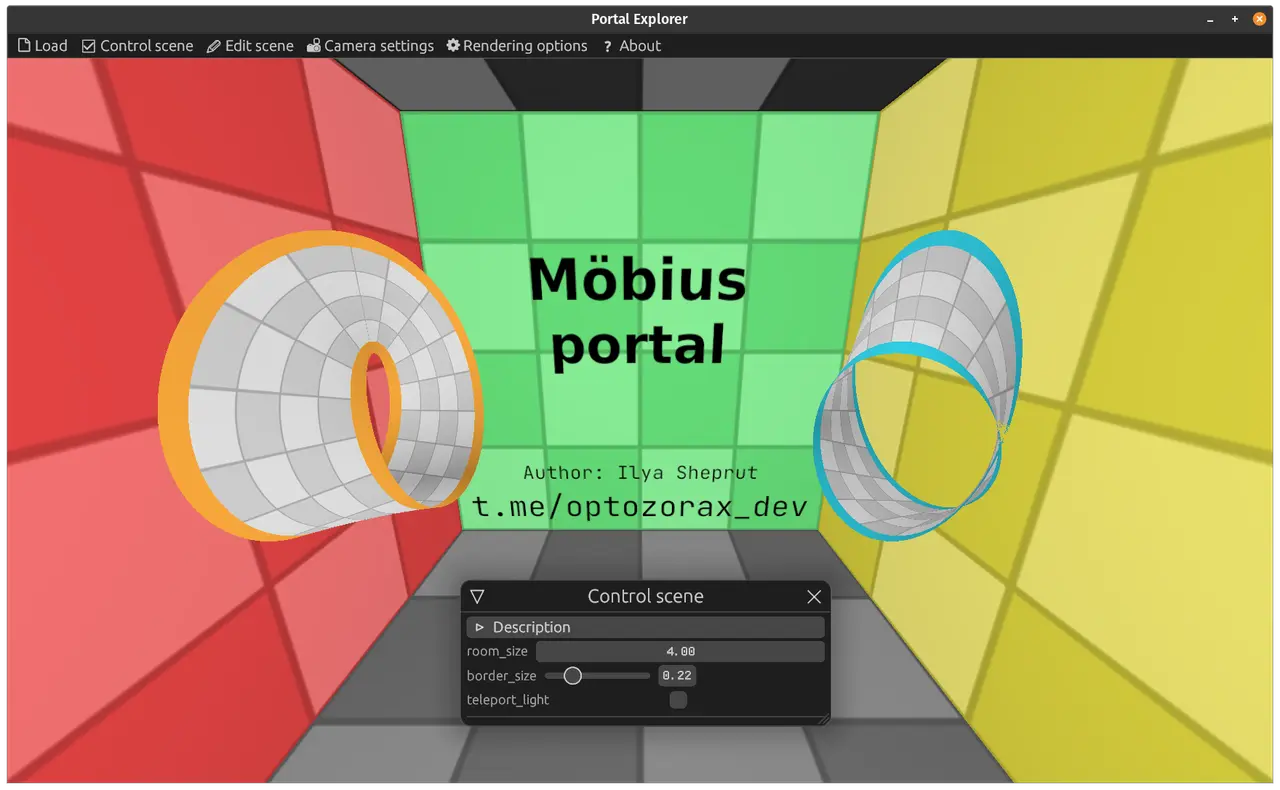
Recently I heard an interesting idea: make a portal in the shape of a Möbius strip.
I didn't want to create a boring Möbius strip portal that teleports from one place to another; I wanted to create a portal that would teleport into some part of itself, that is, to make the strip a portal consisting of a single side.
So I sat down to think: I drew on paper, cut shapes out of it, held the pieces of paper against each other, and realized that in theory it's possible: the integrity of an entering object won't be broken at the place where the Möbius strip closes onto its own back side. This is possible only if the entering object moves forward but is teleported mirrored relative to the horizontal.
To better understand what I mean, let's look at this gif.
Here is a cylinder that teleports the light entering it mirrored relative to the horizontal. This cylinder has only a lateral surface and no top. So when we look at it from above, we can see its insides.
If you look at it so that a ray crosses it twice, everything looks normal (mirror + mirror = normal). It's important to note here that at the beginning of the gif we see the blue floor through it. But if you look at it so that a ray crosses the surface once, then instead of the floor we see the white ceiling. That's the whole point of the mirroring. Now imagine the same thing being done in a Möbius strip.
At first I wanted to make the Möbius strip out of polygonal portals, but I quickly realized that it's a dead end, because the entrance and the exit can't be mapped onto each other, and there the polygons need to match 100%. So I decided to go a different way: take a segment on the Möbius strip and teleport the incoming light ray mirrored within that segment. In theory, since we now operate on segments rather than polygons, everything should work.
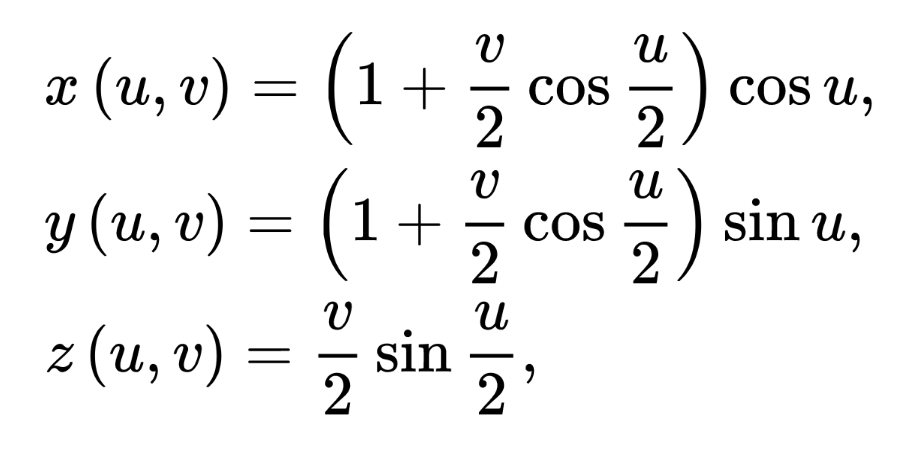
png
More formally, if you look at the parametric representation of the Möbius strip, I need to find at which point (u, v) something touches the strip, then just multiply v by -1: (u, -v), and convert these coordinates back to (x, y, z).
So, what can this be built on? After a bit of thought I concluded that implementing it with ray tracing would be the easiest. Okay, I know how to do ray tracing in shaders (or I can google how people do it on shadertoy.com), so no problem there. But how do I find the intersection of a ray and the Möbius surface?
In ray tracing, a ray is usually represented as o + d*t, where o (origin) and d (direction) are vectors, and t is the scalar we need to find.
And if you look at the parametric representation, it looks really bad: we won't be able to find the intersection of a ray with a point on the Möbius surface analytically.
But this gives us three unknowns (t, u, v) and three equations. So the solution can be found numerically! Luckily, in my third year at university we had labs on writing the multidimensional Newton's method (which I'd dreamed of learning since school), so once I understood it, I immediately wrote it up as a math article so that anyone (who understands math) could use it too; here's a link to the article (in Russian), the PDF is right there too.
So I started programming this Newton's method inside shaders, and it turns out to be very weak. It depends heavily on the initial guess. And it finds the solution I need so poorly that it worked terribly even with a sphere:
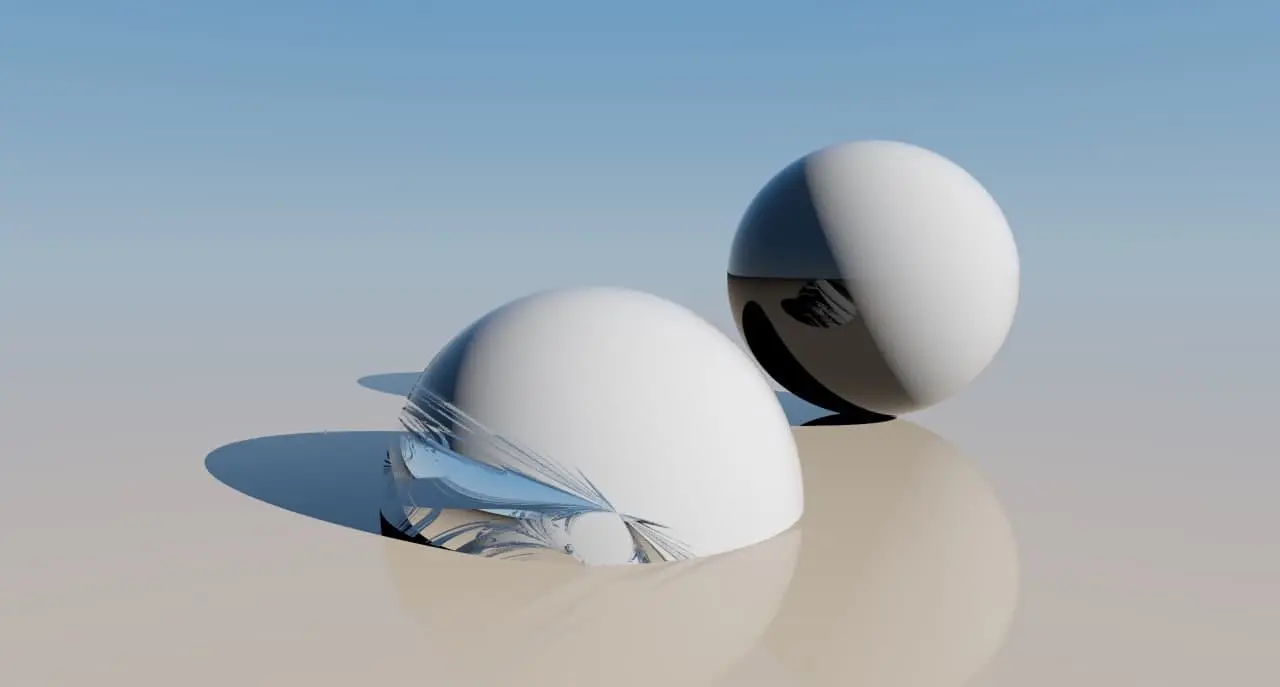
jpg
I thought all was lost, that this was the end of me. But after a while I got the idea that the multidimensional search can be reduced to a one-dimensional one. If you look closely at the parametric equation of the Möbius strip, you can notice the following: for a fixed u it turns into the equation of a line! You can also notice that if you fix v = 0, you get the equation of a circle!
In this picture you can see that the Möbius strip really does consist of straight segments:
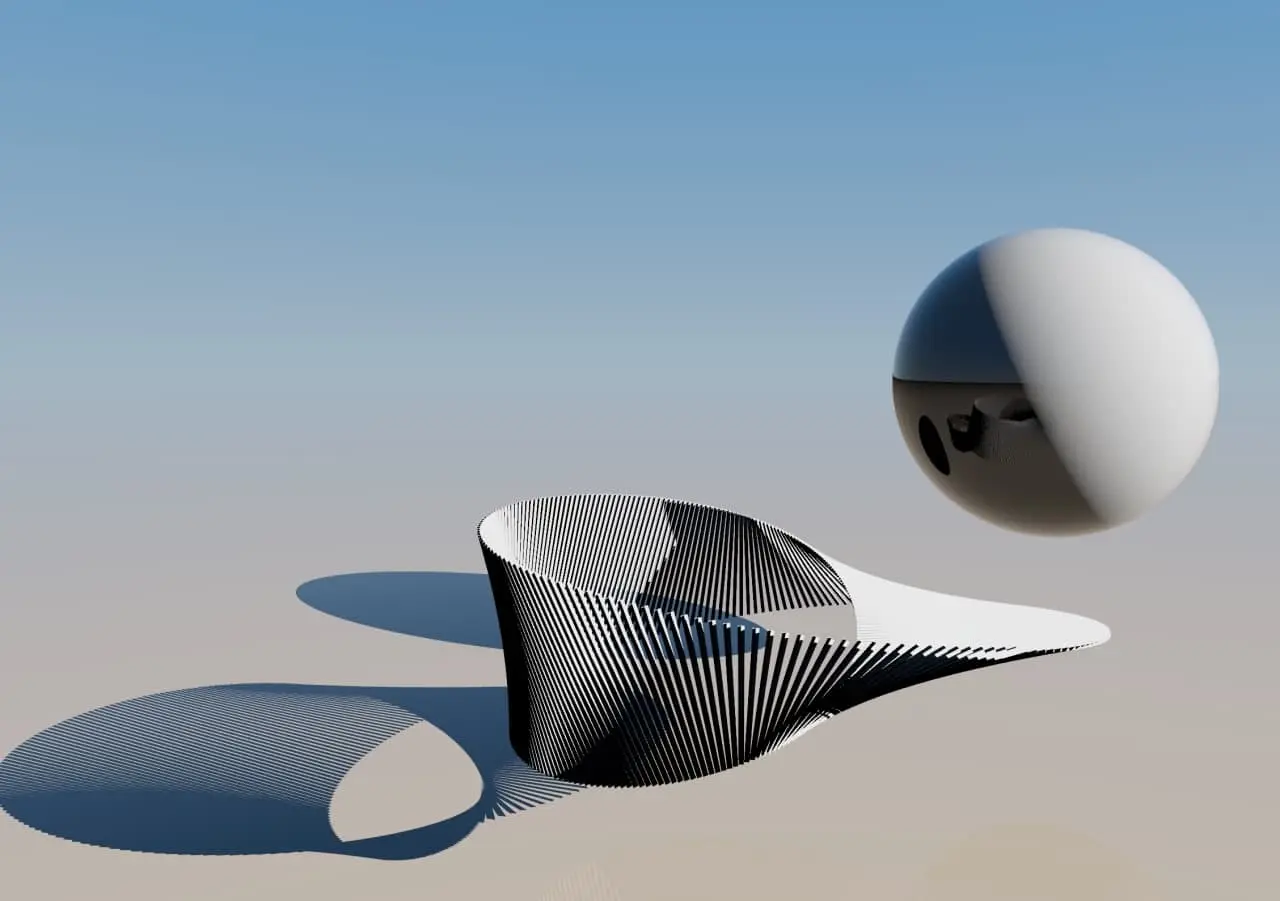
jpg
Since the Möbius strip turns into the equation of a line for a fixed u, the distance between two lines can be found analytically. And this distance can be used in the one-dimensional Newton's method: minimize it and find a u at which this distance is zero, that is, where the ray intersects a line of the surface, that is, the surface itself!
First, a one-dimensional search converges to the right roots much better, and second, it's much easier to take many initial guesses for it at once, so that the solution is sure to arrive at the most useful root (the nearest point on the ray).
It's also important to note here that u is passed only into periodic functions, so it should stay within [0; 2π), and it's better to wrap this variable around within these bounds when Δu is added to it, otherwise the solution converges very poorly (tested in practice).
In the end, my one-dimensional Newton's method goes through 20 initial guesses around the whole circle, otherwise sometimes there are areas where the optimal root isn't found. And that's very expensive, let me tell you, especially computing it for every pixel. Oh well, these aren't production algorithms, they're prototypes and research, it'll do. But if anyone knows how to search for a numerical solution of this equation more efficiently, I'd be glad to hear it.
Or there's another option: take a different parametric representation of the Möbius strip, one that doesn't produce such distortions, but one like that hardly exists. I couldn't google any other forms of the Möbius strip at all, except the one on Wikipedia.
So, now I can finally draw a Möbius strip with ray tracing, and for each ray I can get the (u, v) on the strip where it lands. Here's what it looks like on the surface.
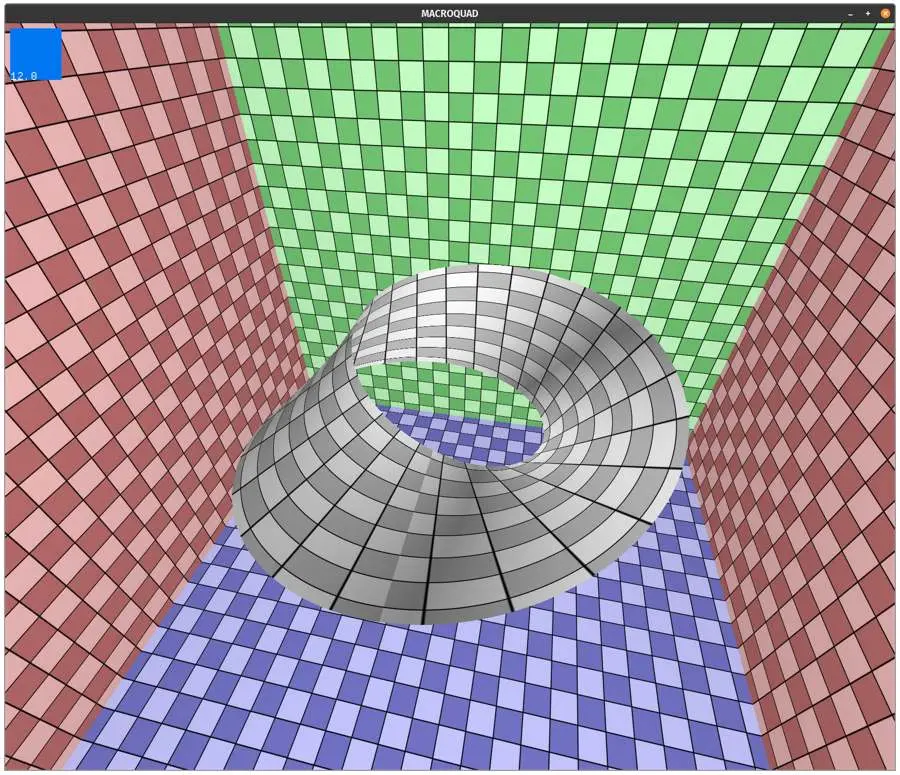
jpg
The rest is a small matter: add objects around it (so that there's something to look at through the teleported light), implement the teleportation itself, and of course mouse controls to spin it around, all that stuff.
I dusted off macroquad and my old C++ code for rendering portals and quickly threw together code for the camera, the mouse and so on. Oh, how I love my own code: I invented practically all the abstractions and math for ray tracing there myself, and my code is much clearer and nicer to me than what people usually write on shadertoy, which is usually a mess of formulas that are damn hard to decipher.
So, now the moment of truth! What does a Möbius strip portal look like???
It looks like this:
I hoped I had a bug somewhere in the code and that this strip wouldn't really distort everything so badly, but no: this code works correctly for the cylinder, and I've already thought it through as much as I can, there are no logical errors in it.
The problem with this portal is that it isn't a portal. You can see that straight lines aren't preserved, which means that if an object flies in there, on the other side it will be torn apart and twisted so much that it can no longer be itself. Regular portals aren't guilty of this; it's one of their main properties: preserving the integrity of an entering object. The surface portal, for example, preserves integrity, so it is a portal. So this is just a light-bender.
But it's pretty obvious that this "portal" distorts everything. If you look at the (u, v) visualization in the previous picture, you can see that the little square at the bottom isn't the same size as the one at the top, and top and bottom are exactly what gets swapped here.
That's how sad it all is. I had high hopes for this portal, I dreamed of seeing it for all these 2 days and prayed to all the gods that it would preserve integrity, I thought it would look very interesting, and it turned out like this...((
I think I need to lower the bar a bit and try to make a Möbius strip portal that consists of two parts. That one, it seems, should preserve integrity :)
By the way, the code is here.
#15.02.2021
Source:
tg/324(14 💬).
Today I made a Möbius portal consisting of two parts, and it works and looks fine!
Everything here is like with the cylinder in 14.02.2021: if a ray passes through the portal twice, it returns to the original universe. That's why the Möbius strip looks so interesting from some angles, where the ray passes through twice.
Where the ray passes through once, it gets teleported to the other side, and you can see that. First we look at the back of the blue portal and see that the red wall is now close to us, because it's close to the orange portal.
Another thing I like: looking into the blue portal, you can see the other side of its border, the orange one.
You can also see that if you put these portals facing each other, they create a corridor, just like regular portals.
Then, in the middle of the video, I flipped one portal by 180° by pressing A. I did this to make it easier to see where the ray passes once and where twice.
To me, it turned out very beautiful and interesting, worth all the effort :)
Code.
#15.02.2021
Source:
tg/325(57 💬).
I made a web demo of the Möbius portal!!!
Go ahead and spin it to your heart's content. Controls: mouse + keys, listed in the top left. If it lags a lot and the FPS is low, make the browser window smaller, it should get better.
Don't open it on a phone, it might just freeze. The shaders are to blame here, a phone can't handle this.
https://optozorax.github.io/mobius_portal/
And since there's a demo now, I can post it in other places too; here are links to GitHub, Reddit, Twitter and VK (in Russian), if you'd like to give it a like.
#20.02.2021
Source:
tg/326(6 💬),tg/327,tg/328,tg/329,tg/330(15 💬).
On Twitter my Möbius portal was liked by a lot of cool people, and I got a lot of retweets. There were also very valuable comments from mathematicians (geometers/topologists) who shared links to similar things.
Meanwhile on Reddit I got banned with the wording "this is not next fucking level", and overall it got few likes there, even in the /r/Portal subreddit. So I think from now on, besides this channel, it's better to grow my Twitter: it's a more rewarding platform, and cool mathematicians and cool programmers hang out there.
The first thing I learned about was the program "Polycut", which visualizes various kinds of portals, but without the portal effects themselves and without complex geometry in general; it just shows the idea through colors.
And it turns out the concept of a two-part Möbius portal (order-2) has already been considered 😔. Not only that, there's also a triple Möbius portal! And there are such mind-blowing portals that I still can't wrap my head around, for example Trefoil Partial.
It seems to me that all these visualizations lack a bit of eye candy, like teleporting light and the ability to see another scene through them, or to put them facing each other.
The next thing I was told about is "KnotPortal". Actually, a similar type of portal was already shown in the older program "Polycut", but here the visualization is much better, and the most interesting thing here is the Trefoil Knot, which is a single continuous portal but can teleport into 4 (or more) different universes!
By the way, a continuous portal that can lead not into just one universe but into many at once is a very little-known concept. I call such portals triple/quadruple and so on, and at some point I discovered the triple portal on my own, and based on the idea behind it, any N-portal. That is, such portals can exist as N equal parts. And accordingly, we can put each of these parts in a different universe to connect them with each other.
So many-world portals existed before me, but not in the form I came up with! So my upcoming visualizations will be something new and unusual.
I need to keep studying those pages, there's still a lot of text and a lot of portals there, and I think I should later try to bring all these visualizations over to my new program.
Here's how "Polycut" visualized the Möbius portal:
And here's what a portal called "Trefoil partial" looks like 🤯.
And here's what the Trefoil Knot looks like, the one that teleports into 4 (or more) different universes. You can see it in this video.
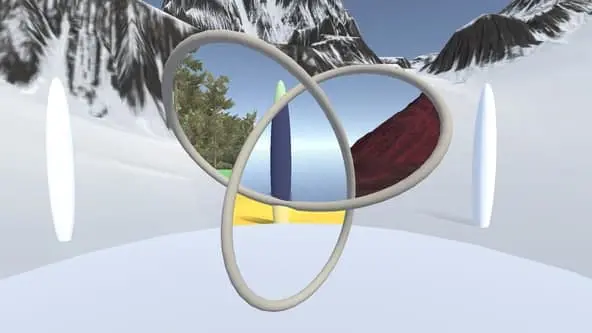
jpg
Oh right, I almost forgot! While I'm working on the visualizations, here are some puzzles for you!
I have two very cool things: a triple portal and a single portal (monoportal). If you understand the concept of the triple portal, you can easily build a quadruple one, a quintuple one and so on, but not a single one.
Regular portals consist of two equal parts: you can't call one part the "entrance" and the other the "exit", both are equally entrances and exits.
So here are the puzzles: come up with portals that exist equally as three parts (a triple portal) and as one part (a monoportal).
Maybe you'll come up with something that neither I nor anyone else knew before! In any case, if you try to solve these puzzles, it'll be much more interesting to see the solution later.
#2.03.2021
Source:
tg/331(1 💬),tg/332,tg/333(2 💬),tg/334,tg/335,tg/336,tg/337(2 💬).
Instead of doing what I promised or wanted to do, I was once again doing what's shown on this channel's avatar (the distracted boyfriend meme, where I'm the boyfriend and a new side project is the girl in red).
Namely, I wanted to optimize the rendering of the Möbius strip.
As a reminder, the Möbius strip is defined parametrically by a fairly complex equation, and I render it with ray tracing. So for every pixel I have to find the intersection of a ray with this strip. I searched for the intersection with the one-dimensional Newton's method.
The bottleneck of these computations was that Newton's method needed a lot of initial guesses, namely 10, otherwise the picture came out very bad. With 20-30 the picture is perfect and has absolutely no artifacts, but it takes forever to compute. And if I could cut this number down to at least 1 or 2, I'd improve rendering performance a great deal.
So I started thinking about how to make do with just one initial guess.
The very first thing I did was dig up a demo in the depths of shadertoy where a Möbius strip is rendered with ray marching; maybe I could use that information.
Then I threw out everything unnecessary from it and tried to use it to compute the initial guess from the position at the intersection. In the end the initial guess really was found well, even too well, but because of how ray marching works there was a glow around the Möbius strip, and it was very bad at finding the intersection of a teleported ray that passes through the strip twice, especially where those two places are close to each other. Unfortunately I don't really understand how the ray marching in that demo works, by what magic that rotor does it, so I couldn't reduce the radius of this glow. And this option had to be dropped in favor of others that could potentially work.
For what follows, I should say that, obviously, the Möbius strip can be wrapped in a sphere that covers it completely. This sphere has a radius of at least 1.55.
Now this information can be used. Any ray that can potentially intersect the Möbius strip can be represented by two points on this sphere. The first point represents the origin, and the second the direction. So any ray can be encoded with 4 numbers: these angles on the sphere. Then the result for these 4 numbers should be n numbers denoting the points where this ray intersects the shape inside the sphere. For the Möbius strip there should in theory always be 2 numbers, since it's a fairly simple shape.
But actually we don't even need to encode 2 numbers for one ray, we can always encode 1 number: the nearest intersection point. And to get the far point (in case our ray lies inside the sphere rather than outside it), we can simply swap the points on the sphere and get the reverse result.
Hooray, now: what number should the result be? It could be t, the value showing how far you have to go along the ray to reach the Möbius strip. But that's fairly unusable information, since rendering uses Newton's method over the variable u of the parametric definition of the Möbius strip. So I decided to store u.
To assess the quality of any solution, the following data can be used. I went through numbers of initial guesses for Newton's method from 0 to 10 and computed how well each predicts the true result obtained with 1000 initial guesses:
0 — 9.9
1 — 0.47
2 — 0.12
3 — 0.04
5 — 0.02
10 — 0.007
From here on we'll use these to judge how adequate each proposed method is.
So, the foundation is laid, what next?
The first thing that came to my sick mind was to use machine learning. That is, compute a whole lot of rays and then make some neural net that gets the one number from the 4 numbers. Since simple neural nets are just matrix multiplications, and in shaders we can multiply matrices of at most 4×4, the neural nets have to be made of 4 neurons or fewer (remember, we do ray tracing for every pixel, so we can't use multiplication of large matrices; it would be cheaper to just run Newton's method 10 times). My sick mind assumed this might be enough and might even work.
At first I tried training the neural nets with Rust optimization libraries, and it came out insanely slow and insanely bad. It turned out I was just multiplying matrices and applying the activation function to them, but completely forgot that it's crucial to also add a bias.
Then I moved over to Python + Keras and started training the network there. Here's the data, in case anyone wants to try doing better. In the end my best result came from 3 layers of 4 neurons with the elu activation function. And that result is 20.0. Much worse than 0 initial guesses (WAT? there's clearly a bug somewhere in my code, but the network definitely works correctly in the Rust code, I checked that). If I add Newton's method after the prediction, I get 0.31451 (≈π/10, WAT?), which is a tiny bit better than 1 initial guess, but still very bad. Maybe the network just found some average number from which Newton's method converges well for the largest number of other numbers, and that's it.
I want to thank Svyat (in Russian) for valuable advice and comments. I'll pass on what might be useful to you: if you want to solve a problem like this, it's a regression problem, and you need to use the appropriate metrics for it; if your data is somehow related to trigonometry, you can add sines and cosines of the input data as extra inputs, and the network's results may improve (I checked: they improved, but not by much); you can also add products of the inputs (second powers) as inputs to get polynomial regression (this also improved the result a little). And in general, after talking to him I realized that all my data is stored in a texture anyway, so I can simply do linear or quadratic interpolation on the texture to get values between the points.
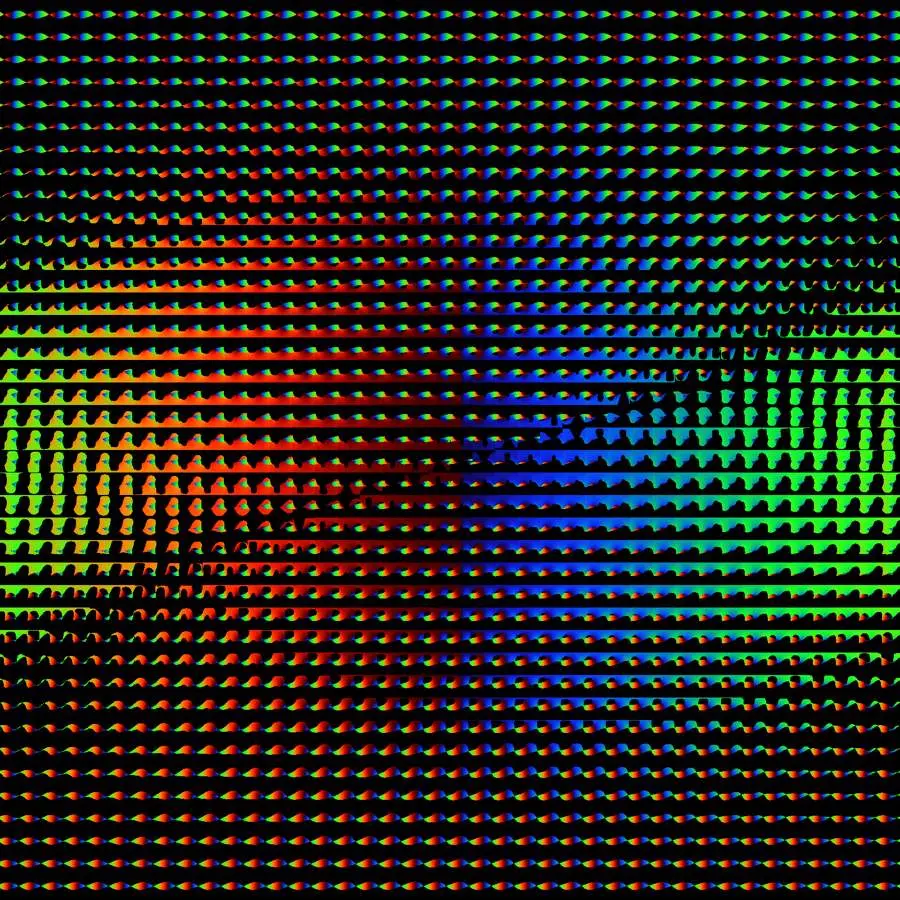
Alongside the neural nets, while preparing the data, I suddenly realized that you can actually just iterate over all these 4 numbers with some step and save the result to a texture. With 50 steps for each number, the texture would be 50²×50² = 2500×2500, which isn't that much, especially considering that a lot of rays will just be black, and that PNG will optimize it. A dozen megabytes at most.
Here's what the texture looks like on the sphere.
Okay, so I put it into a texture. Now can we get the initial guess from the texture and run Newton's method? It turns out it works very, very badly, and you can see it in this video:
Since I reduce rays to discrete values, a lot of information about them is lost, and in fact a given ray may need a radically different initial guess than the one found at these integer coordinates. It's especially bad where the strip becomes parallel to the horizon.
And here's what the texture itself looks like (drawn in a rainbow gradient to make it easier to see).
jpg
All in all, I've been fussing with this on and off for a whole week, writing a ton of code, and it's turning out very badly, so I'm deciding to tell you about this failed experiment here and drop it.
In the end, by the way, I managed to get 60 FPS in 4K fullscreen, but I found that out along the way. The first thing I did was add an if that checks whether the ray intersects the sphere covering the Möbius strip, and only in that case compute the expensive Newton's method, otherwise skip it. The next optimization was that to compute the two closest points of skew lines I stopped using a 3×3 matrix inversion and switched to simpler formulas from Wikipedia that use the dot and cross products of vectors.
That's it, there's your 60 FPS, and you could say all that effort went down the drain. So: less getting distracted by side quests, more focus on the main quest.
#6.03.2021
I want to port the old portal visualization scenes from portals_opengl to the new ray-tracing browser engine that renders the Möbius portal. So I need fast ray tracing of polygons, because in those scenes everything is represented with polygons, and my portal-in-portal computation was also done with polygon algorithms.
I do ray tracing in shaders, and in the shaders my scene is stored as code (not as data). So polygons also have to be represented as code somehow. The classic algorithms for checking whether a point belongs to a polygon need arrays, maybe allocations, so that's not a very viable option inside shaders. On the other hand, shaders are compiled at runtime, which means code can be mixed into them at runtime.
So for fast polygon ray tracing I'm choosing the path of code generation. That is, for a given polygon I plan to generate some code that checks as fast as possible whether an arbitrary point belongs to the polygon.
I've tried to do this before (in Russian), since earlier I also rendered portals and everything related to them with ray tracing, but on the CPU. If you look at that page, I failed: the algorithm worked very crookedly, slowly and poorly. I drowned in complexity and decided to abandon it. Back then I tried to do it based on rectangles and right triangles.
But now I got the idea that it can be done differently: you can split everything in half with a line. And to check which side of a line a given point is on, you need very few, very simple arithmetic operations, so such code should, in theory, be very fast.
As we know, the equation of a line is y = k * x + b. Sometimes this equation causes a problem when k → ∞, that is, when the line is vertical. This problem is easy to get around by using the line equation x = k * y + b, because here k_y → 0 when k_x → ∞; so if we always choose the smaller of the two, our k will always be less than one in absolute value.
I decided to proceed as follows:
- If the current polygon is a triangle, return a check of whether the point is inside this triangle.
- First choose the best line, then cut the polygon with this line.
- For each side, repeat this procedure recursively.
- Return a check that looks at which side of the line the point is on and, depending on that, branches into the corresponding recursive check.
This way the final check will only look at which side of a line the point is on, and at the very end it will only check whether the point belongs to a triangle.
And that can easily be generated as just a bunch of ifs in shader code.
The main problem here is cutting a polygon with a line, because after this operation the polygon can become more complex, and then we might never get out of the recursion and reach a triangle. Another problem is that after cutting a polygon with a line, there may be more than one polygon on one side of the line. And the last problem is finding a suitable library that will do this.
The first problem is solved by making sure that the "best line" doesn't create too many new polygons after the cut, and that after the cut the numbers of vertices on one side and on the other are as close as possible (it should tend to split in half).
Interestingly, if the "best line" metric picks the line that splits the area as close to "in half" as possible, the resulting algorithm works very badly.
As for cutting a polygon with a line, there are no such algorithms on the internet. There are no libraries that can do it. But there are libraries that can find the intersection of two complex polygons. You'd think the second is much harder, yet there are libraries for it and none for the first. Oh well, no problem: cutting a polygon with a line can be reduced to finding the intersection of two polygons.
To do this, you can find the bounding box of the current polygon, and then cut this rectangle with the current line by hand, which is pretty elementary. You get two polygons, and then for each of them you call the algorithm that finds its intersection with the original polygon. Problem solved.
As for a library for polygon intersection, it's all pretty simple. Rust has bindings to the C++ library clipper, so that's what I used.
Anyway, I got it working, and here's an example of a complex polygon it works for.
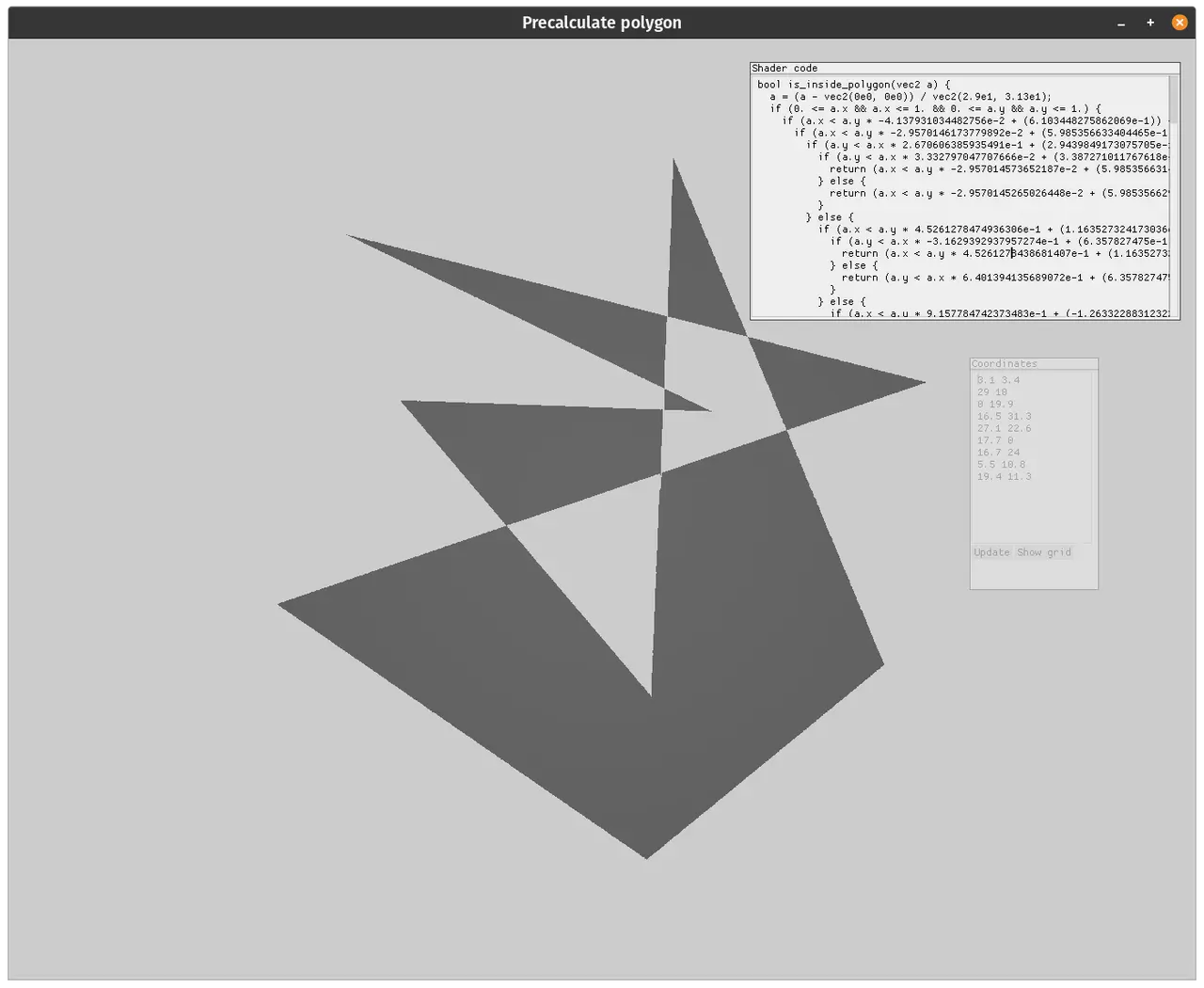
png
You can see its code here.
Everything worked fine, but the problems started when I wanted to compile it for wasm: C++ wouldn't compile to wasm out of the box, and googling and trying all sorts of wasm32-unknown-emscripten led me down a rabbit hole, and I realized I had to drop it before it was too late. Another library, called geo-booleanop, is written in pure Rust 👍. But the problem is that its source code is based on JS code, and for me it crashes on any slightly complex polygons, and sometimes even on simple ones 👎.
Plus, while I was figuring all this out, I realized that even my algorithm with clipper works very poorly and breaks on some inputs.
And I'd hoped to make a web demo so that anyone could just enter coordinates and get the corresponding shader code.
Now I think the main problem is the algorithm for cutting a polygon with a line, because after this operation the polygon becomes more complex. Plus the algorithms themselves, even in the infallible clipper library, don't handle my cases very well.
And sometimes it returns a triangle made of 4 points, and the funny thing about this triangle is that the 4th point is very far away, yet what it forms has practically zero area. And no suitable dividing line can be found for such a "triangle". All in all, nothing but trouble.
So now I'm thinking that instead of cutting the polygon with a line, it's better to do this:
- Triangulate the polygon.
- Find a line that divides all the triangles so that the numbers of triangles on both sides are as equal as possible, and the total number of triangles on the two sides is as small as possible (that is, if this line crosses a triangle, that triangle has to be kept, uncut, on both sides).
- Repeat recursively until we get down to one triangle.
This way no new complex shapes are created and there's no room for bugs (except in the triangulation algorithm, of course), while the inherent speed of binary space partitioning is preserved.
For now, here's a link to the current code.
Interestingly, I did everything here in about 2-3 days. I thought debugging would take me another week, like it did with speeding up the Möbius strip rendering. But no, very often the whole thing worked on the first try. I don't know who deserves the credit: me, because I already work a lot with algorithms like this in my personal projects; or Rust, because its type system and the philosophy by which its libraries are organized give such a boost; or maybe competitive programming has loosened up my brain.
I also see that this is, again, to some extent a post about failure... I've been writing about failures a lot lately, maybe I should make a separate hashtag.
#8.03.2021
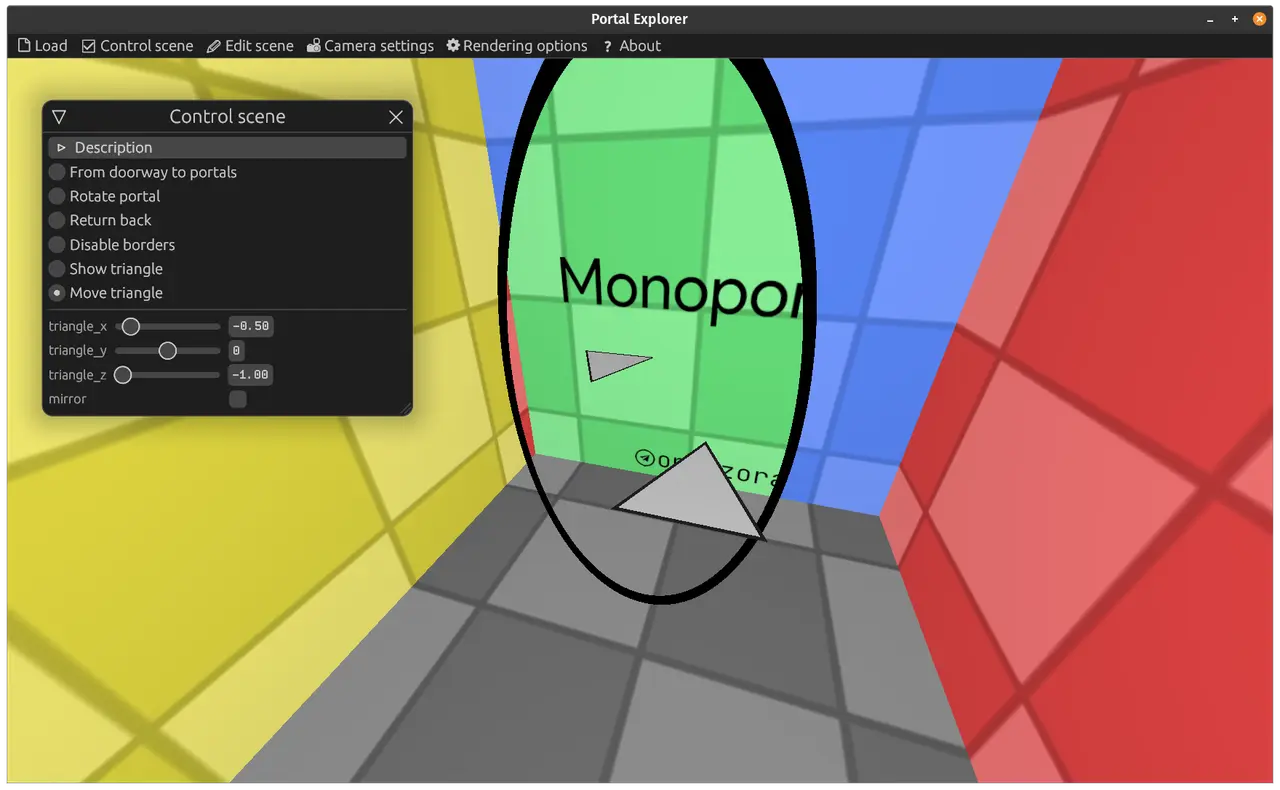
Monoportal.
We're used to portals consisting of two parts, to them being able to connect two worlds together. But what if we question this foundation and come up with a portal that consists of one or of three parts? Is that even possible?!
Yes! And today I'll show you a portal that consists of one part. I simply call it the Monoportal.
This portal works almost like a mirror, only without the mirroring! You can see that it doesn't mirror the text written on the opposite wall, and you can read it just fine.
The triangle shows that you can even walk into this portal, and after turning off light teleportation you can see that there's only ever one triangle, no copies are created anywhere.
If such a portal existed in reality, you could see yourself through it the way other people see you (without mirroring). You could also dance in a circle with yourself through it.
You can play with the monoportal in your browser:
https://optozorax.github.io/portal/?scene=monoportal
This monoportal consists of one part only in a certain sense: the video shows how it can be constructed from two regular portals. I call it a monoportal because their teleporting surfaces are joined into one continuous surface that preserves the continuity of entering light and objects (I call this preserving integrity). It's precisely the continuity of the surface and the preservation of integrity that make it possible to call this portal a single whole, something that consists of one part.
And it can be called a portal rather than something mirror-like, because you can walk into it. A mirror, on the other hand, can't be called a portal, because when you walk into it you'll bump into yourself, and it can't be constructed from regular portals without breaking "physics".
Source code (the code is a bit ugly for now, I'll clean it up soon).
Enjoy)) And there's a whole bunch of other monoportals on the way, plus the triple portal.
You can also support this post on Twitter.
#13.03.2021
I made an interface for visually editing scenes with portals. In this interface you can change object matrices, and they'll update in real time (done with shader uniforms); and you can change objects and the code that defines what's inside them and how to intersect with them; those changes take effect after you press the Recompile button, because the shaders need to be recompiled. You can see this interface in the video. The scene here was made entirely with this interface.
Below I'll describe how and why I made it.
In the previous post, in the monoportal demo, you could see an interface for viewing the scene and rotating the triangle.
That interface is built on megaui, the standard GUI of the library I use (macroquad). It's a so-called Immediate Mode GUI (from here on I'll call it imgui, not to be confused with the Dear ImGui library), which, in short, means it's used like this:
if ui.button("Add").clicked() {
    array.push(...);
}
No objects, no OOP, no callbacks, everything is written directly, as if the button had always been there. Accordingly, it's rebuilt from scratch every frame.
Back to the topic: after the monoportal I started making the triple portal scene, but realized I was running compilation way too often, even when I just needed to rotate a matrix by some angle to test how it would look. And I realized this couldn't go on, I needed a visual matrix editor based on what I'd made in the monoportal viewer. And literally in a couple of days I made such a visual editor, and it worked. I moved sliders, and objects rotated in real time. Real time was achieved by passing the matrices through uniforms.
Then I realized I could move absolutely everything into the visual editor, even adding and editing regular objects. So that's what I did next.
By the time I'd done that, I published a tweet where you can see what it looked like.
Now I use egui for imgui, I recommend it to everyone.
And that's when I felt the power. I really, really liked imgui. It's some kind of magic that you can write an interface so simply and quickly. Never in my life have I been able to make such an interface so quickly. It's incredible power; I now feel that I can use imgui for lots of my other projects and get results faster and better.
Of course, imgui has its drawbacks: performance, it's not as flexible as a regular GUI, it can't work properly while resizing, it's not so easy to make a table layout in it, and so on. But none of that matters, it's the price of its simplicity. And I think you have to accept this price and adapt your vision of the interface to imgui's limitations, and then development will be simple and fast.
Right now I have a lot of bugs, and the shader generation code isn't great, I'm working on it, but there's already:
- A matrix editor: a regular matrix, matrix multiplication, teleporting a matrix through two other matrices.
- An object editor: (flat, complex) × (regular, portal).
- A material editor: regular, mirror, glass (haven't tested the last 2).
Next I plan to add:
- A uniform editor
So that you can define a uniform of any type there: an integer, a boolean, a real number, and then use this uniform in matrices and in code. Using it in matrices is needed to make it possible to define animations like the ones in the monoportal scene.
Next I plan to recreate the monoportal scene with this interface, then make the Möbius portal with it too, and start making all the other scenes and showing all the other cool portals I've discovered. Stay tuned.
As you can see, I'm trying a new format: first I say what I did, and then I explain all the motivation. How do you like it?
#14.03.2021
Source:
tg/353(3 💬).
png
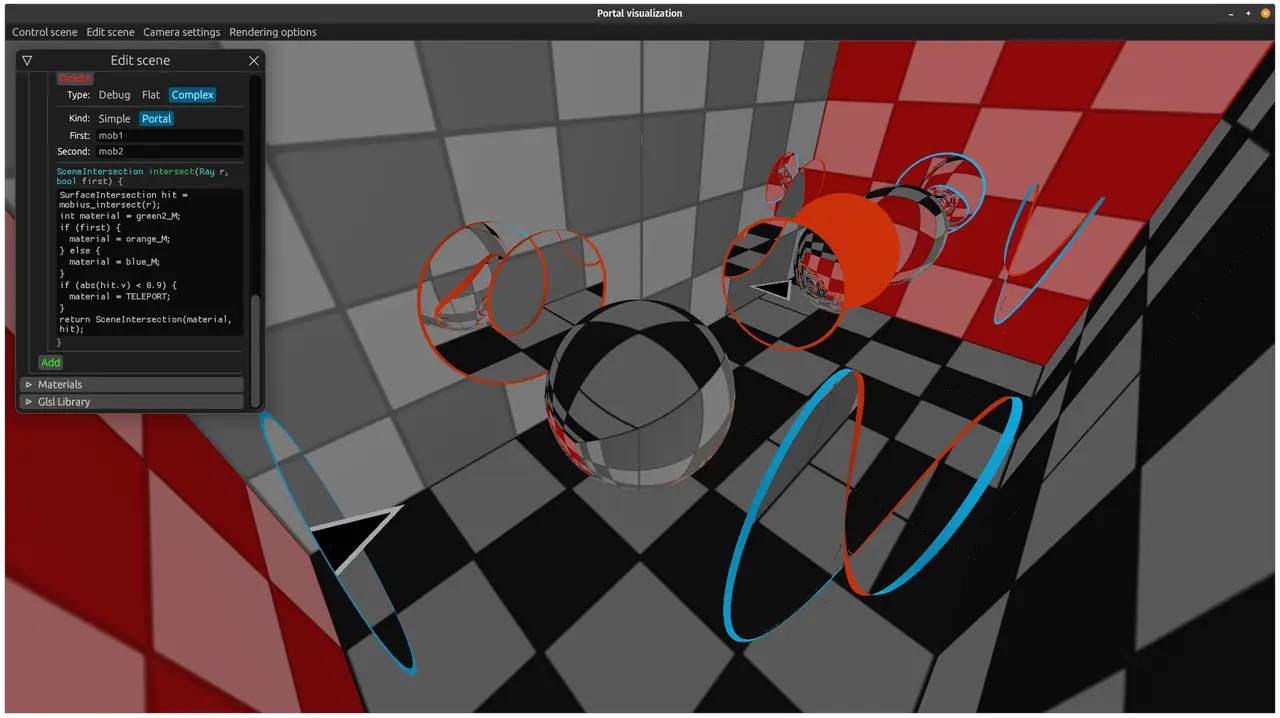
I spent a bit of time on it, fixed bugs, added code, and now:
- Even the Möbius portal can be defined and configured in this visual editor.
- The glass material works: the sphere in the middle. I don't know why I need glass, it's just cool!
- The mirror material works: the wall on the right.
Oh, how good it is with this visual editor, soon I'll cook up some great soup portal scenes.
#18.03.2021
Source:
tg/354,tg/357(1 💬),tg/358,tg/359,tg/362(1 💬),tg/364,tg/365(6 💬).
png
#2Portal Explorer
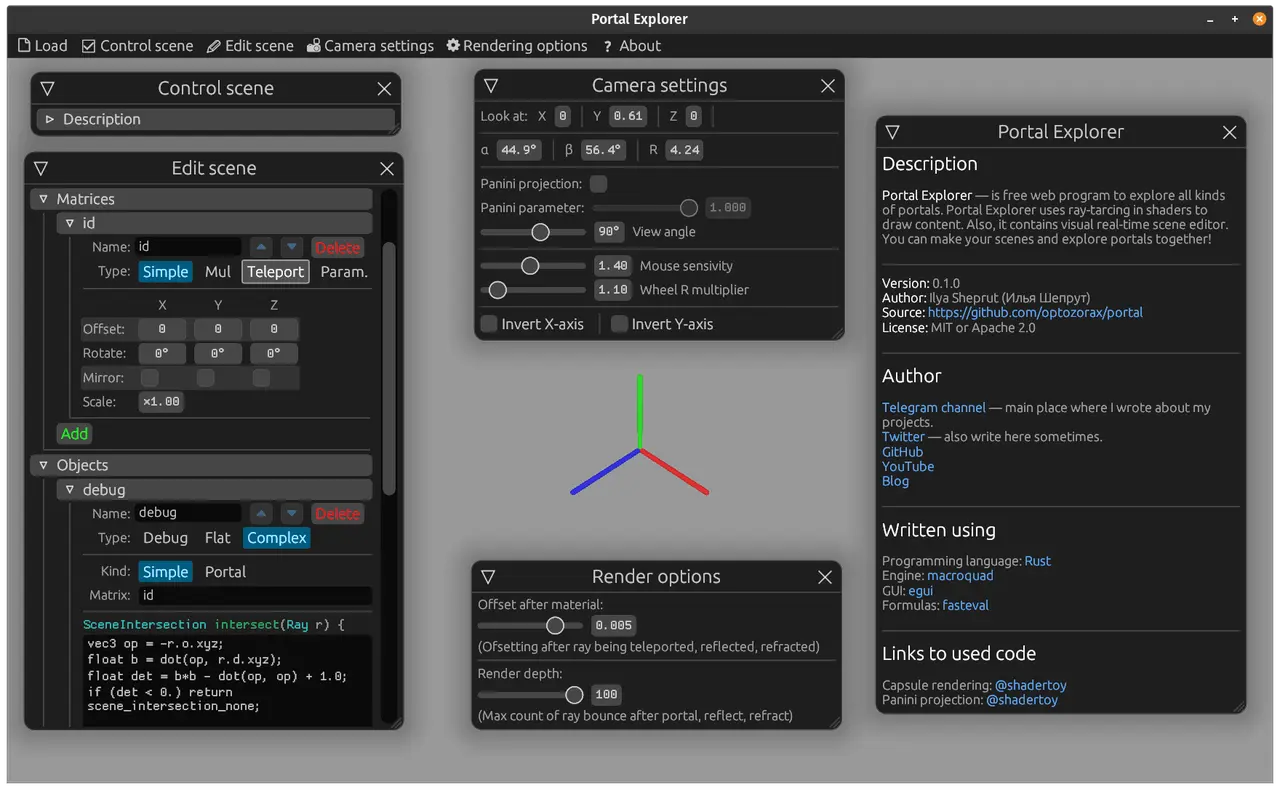
Announcing the release of Portal Explorer v0.1.0!
Portal Explorer is first and foremost a program for viewing all kinds of portals. Secondly, it's a program for creating portal scenes in a visual editor. And I've remade all my previous portals in this format.
What more is there to say, just go and check out the web demos (better on a computer):
#2Monoportal
png
#2Möbius portal
png
#2Timelapse
And here you can see a timelapse of how I made the monoportal scene with the interface. I recorded until the program crashed :D, after that I was too lazy to record.
#2What I did
So, for the last few days I've been hammering away at this whole cool interface, building features, and I've finally made it possible to define EVERYTHING in the interface:
- Free variables of types bool, int, float.
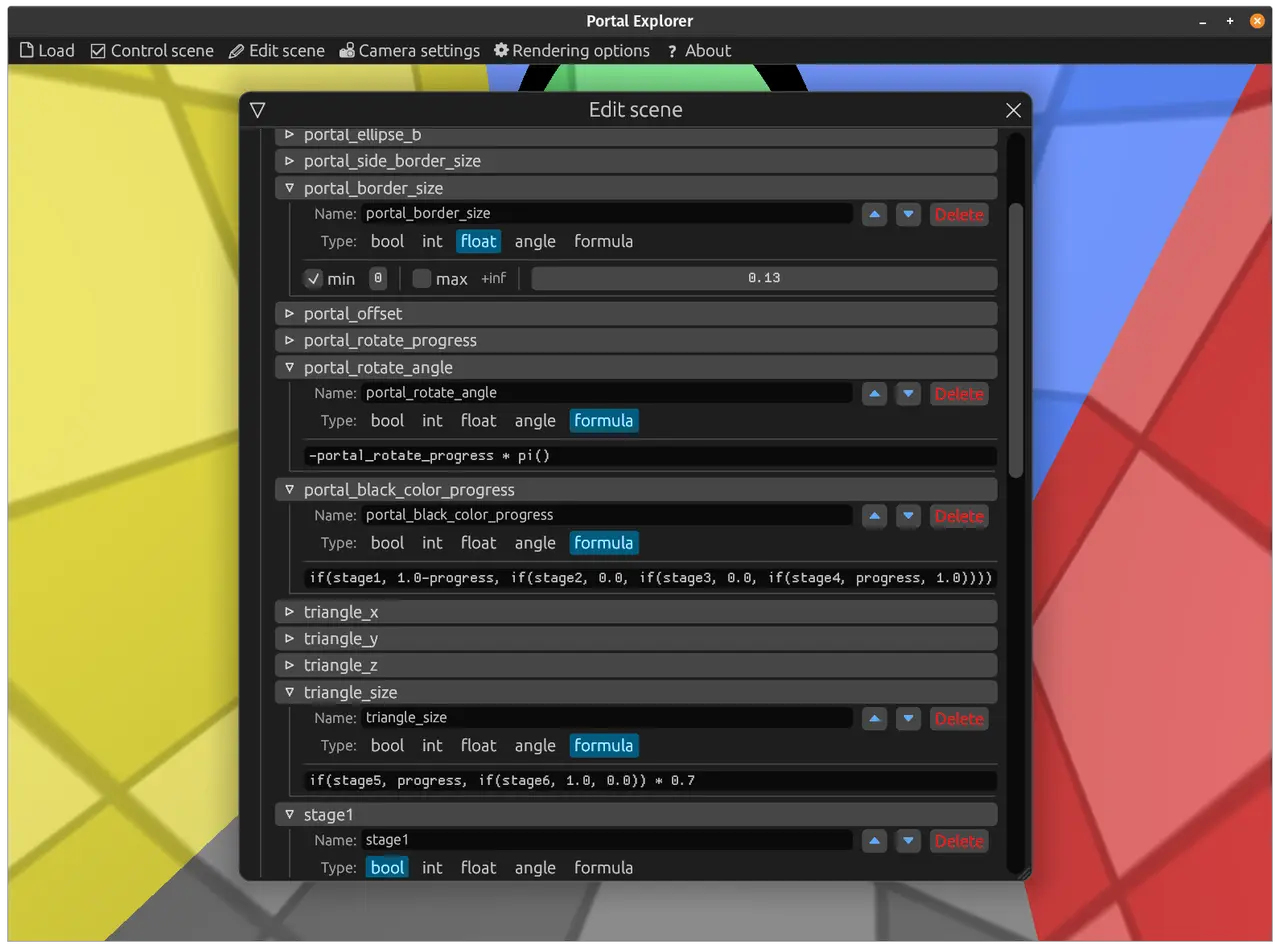
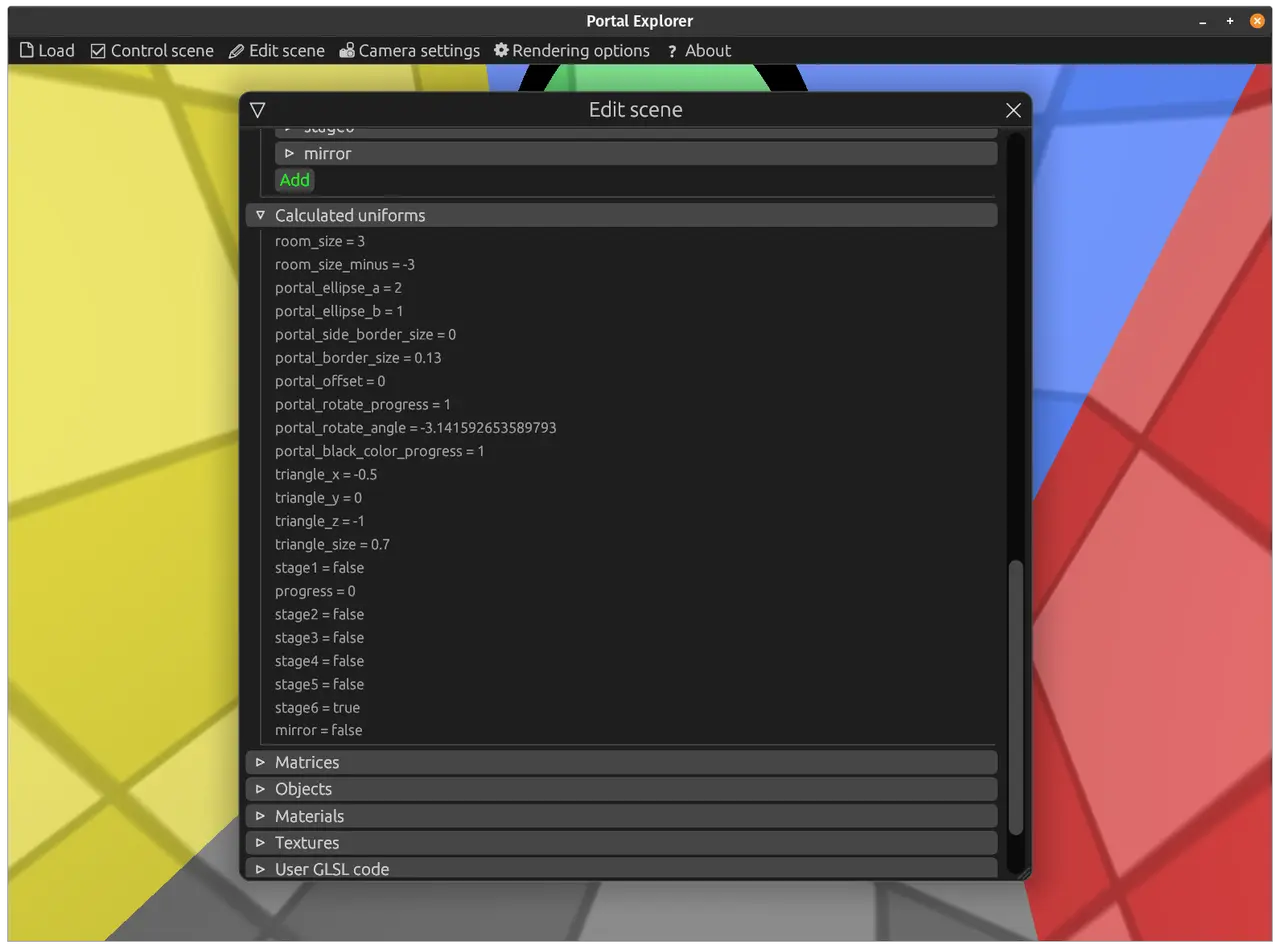
- Computed variables. That is, you write a formula in the interface, and the formula is evaluated to a number.
- Matrices.
- Matrices from computed variables.
- Objects.
- Materials.
- Textures.
- Custom GLSL code.
- Which of the free variables the user can adjust.
- Animation stages (like how to assemble a monoportal from a doorway and simple portals).
Once again, I recommend poking around the interface: you can configure all of this there, take a look, seeing it is worth a thousand words.
I've already told you about defining objects and matrices, so I'll talk about the new stuff.
#2Computed variables.
My matrices have to be computed in Rust code so they can then be passed to the shaders via uniforms. I also have places where code is written right in the interface: that's shader code, for example a function that determines whether a point is inside an object, or, for a material, some clever way to transform the color.
So I'd love to just put the computed variables into the shaders, but I can't, I need a separate solution. And I quickly found a great library, fasteval, which does exactly that: it parses strings with formulas and interprets them. I love Rust for the fact that I managed to fully hook up and integrate this library into the interface in a few hours.
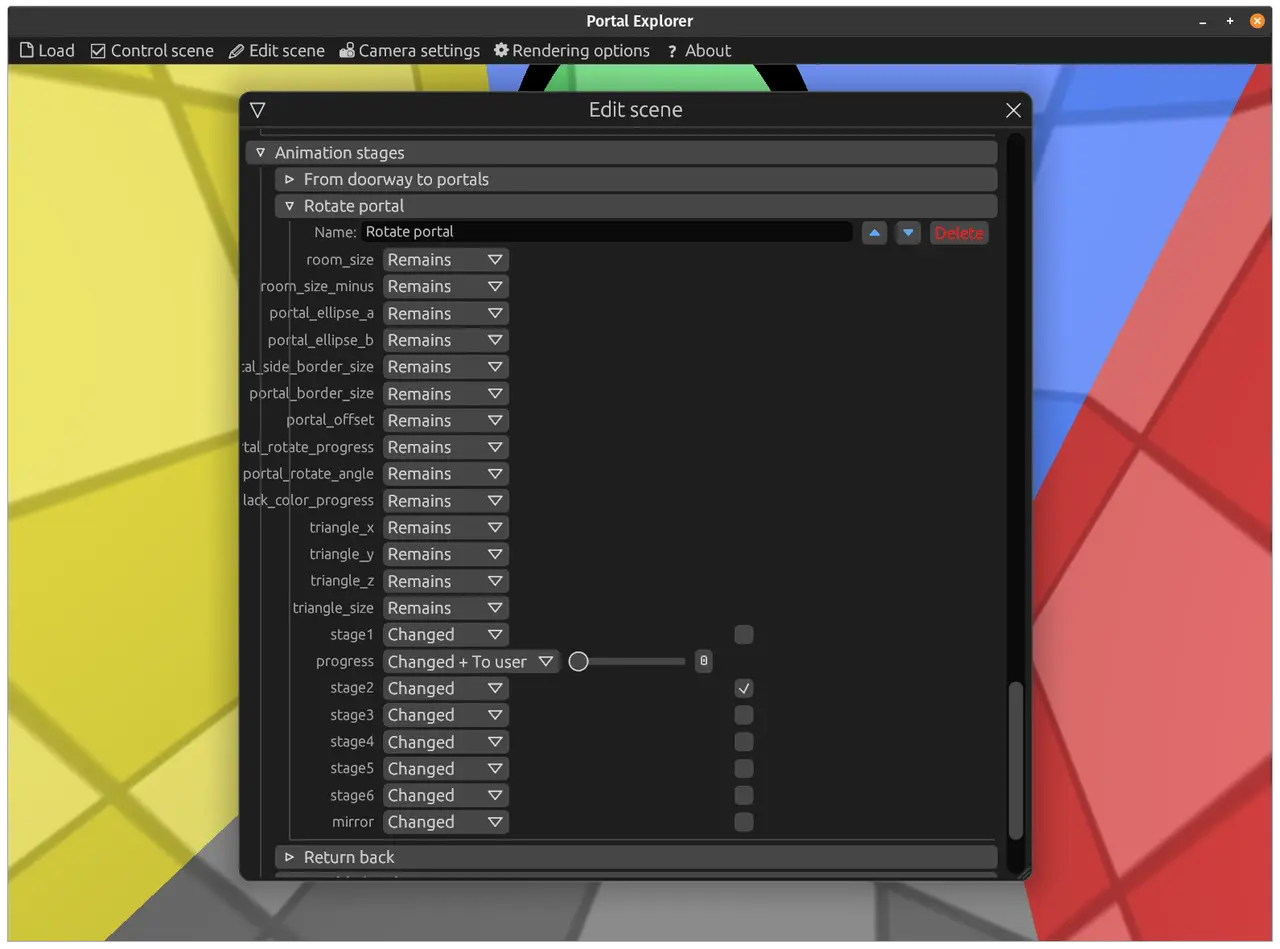
Animation stages are done by working with the free variables. For each stage I simply set whether this variable is exposed to the user or is overridden with some special value.
Combining these, I create what you can see in the monoportal demo.
Here's what formulas and animation stages look like in the interface:
#2Error messages
Another thing I put a lot of effort into is error messages. If an error occurs somewhere, the header of the corresponding storage shows the number of errors inside. For shaders, the error messages are parsed to determine in which exact part of the user's code the error occurred. A feature like this is worth its weight in gold when you do code generation.
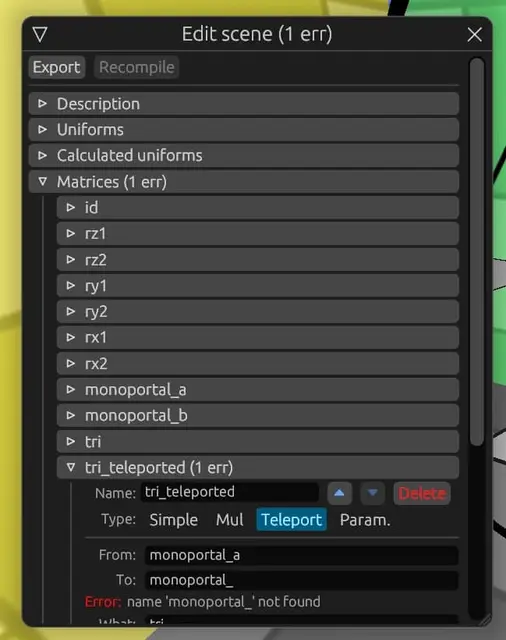
jpg
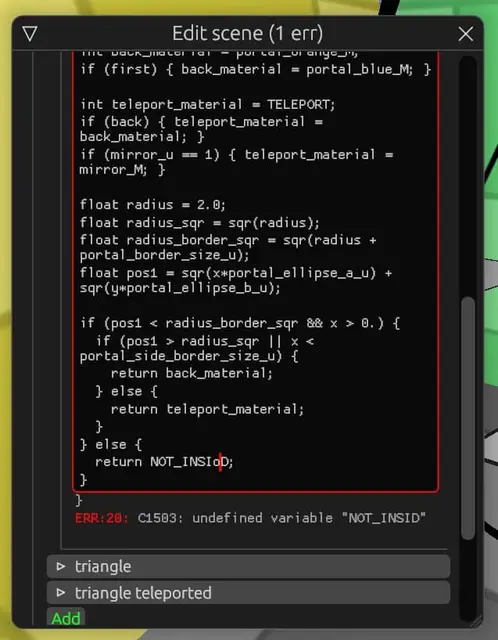
jpg
#2Panini projection
I also added the very hyped Panini projection. This projection doesn't distort the picture too much (no more than Fisheye), yet gives a very wide field of view, even wider than 180°. It's based on a projection onto a sphere, followed by a projection from that onto a cylinder. A tricky projection, in short. To turn it on in the web demo, click "Camera Settings" and check "Panini Projection".
#2Conclusion
Now I'm going to make so many scenes: the offsetting monoportal, the monoportal that rotates by 180°, the triple portal, the MÖBIUS MONOPORTAL, the corner monoportal, portal armor, portals from tilings, whoa.
I really like what's happening, I'm really loving the result; the last time it felt this cool was when I was hammering away at the article about my keyboard layout.
I also really like egui, it looks so nice, and it's so easy to write interfaces with it. And I love that I can change lots of different things without recompiling.
You know, when I was first planning all this, I originally thought: "Well, I'll make it possible to write portals in Rust structs and then generate code from them. But, damn, that's such a pain, so much has to be done.", and here I went and did not only that, but also built an interface for all of it; I never even dreamed of the result I have now.
I also now think that with all this GUI I can REALLY easily show how to actually build a portal in a portal, without all my bone-crushing polygon algorithms in C++; I think with this GUI you could solve the portal-in-portal problem in just an hour, in the form it's solved in my YouTube video.
All this interactivity is just so good. Love it.
By the way, you can support this post on Twitter.
#19.03.2021
Source:
tg/366(5 💬).
Möbius monoportal.
This portal consists of one part and has one surface! Everything that enters it simply gets teleported to another part of it.
Be sure to check out the web demo (on a computer): it has the whole animation, a description, and lots and lots of sliders to play with:
https://optozorax.github.io/portal/?scene=mobius_monoportal
An interesting observation I made by accident: if you rotate it around its local Y axis, the picture doesn't change!
There was a reason I explained what a simple Monoportal is in the previous posts: that was planned so you could better understand this post. Essentially it's the same monoportal, just with a weird shape.
If you remember, at the very beginning this is exactly the result I dreamed of getting, and now I've done it!
By the way, no other Möbius monoportals are possible, even if you add mirroring along any of the axes, so this is the only one.
#20.03.2021
Source:
tg/368(11 💬).
png
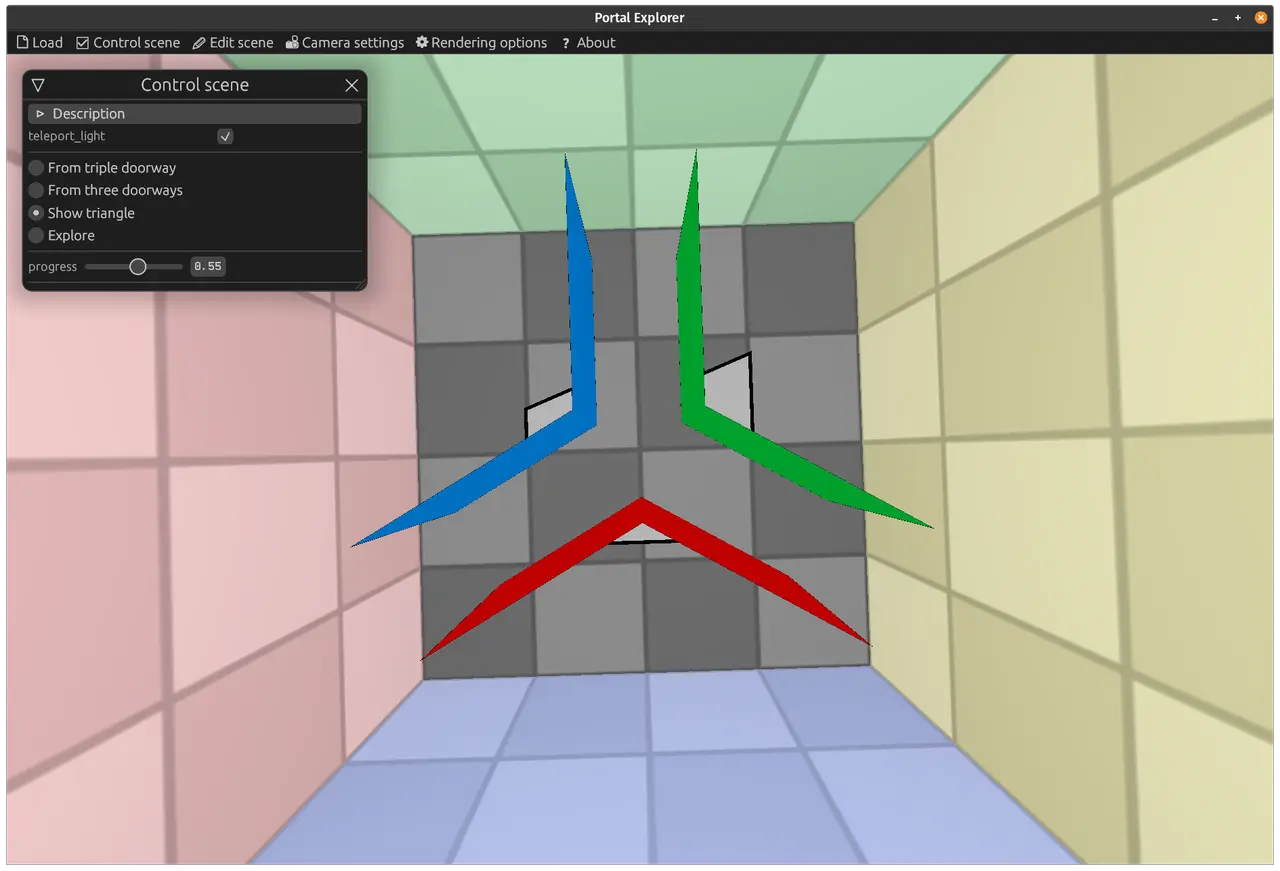
png
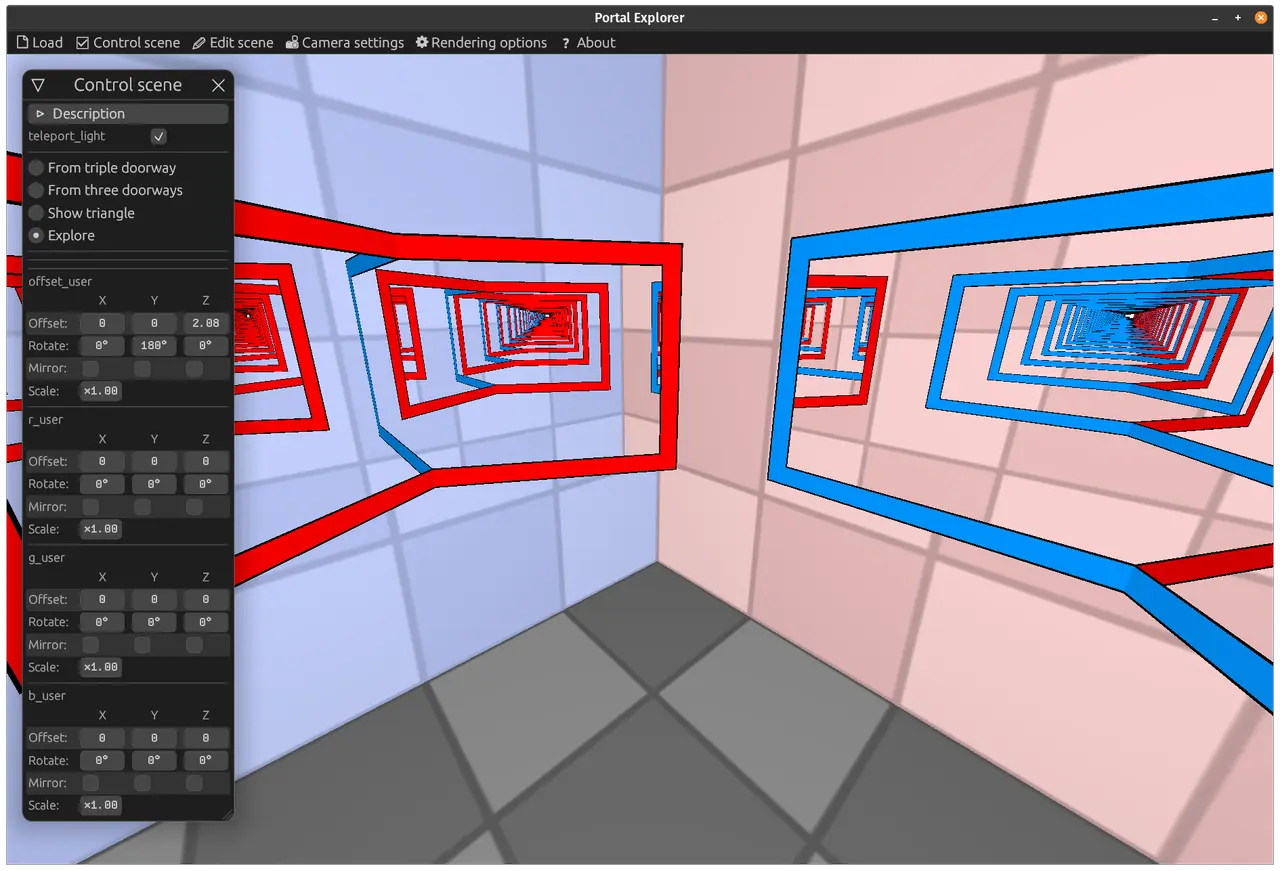
png
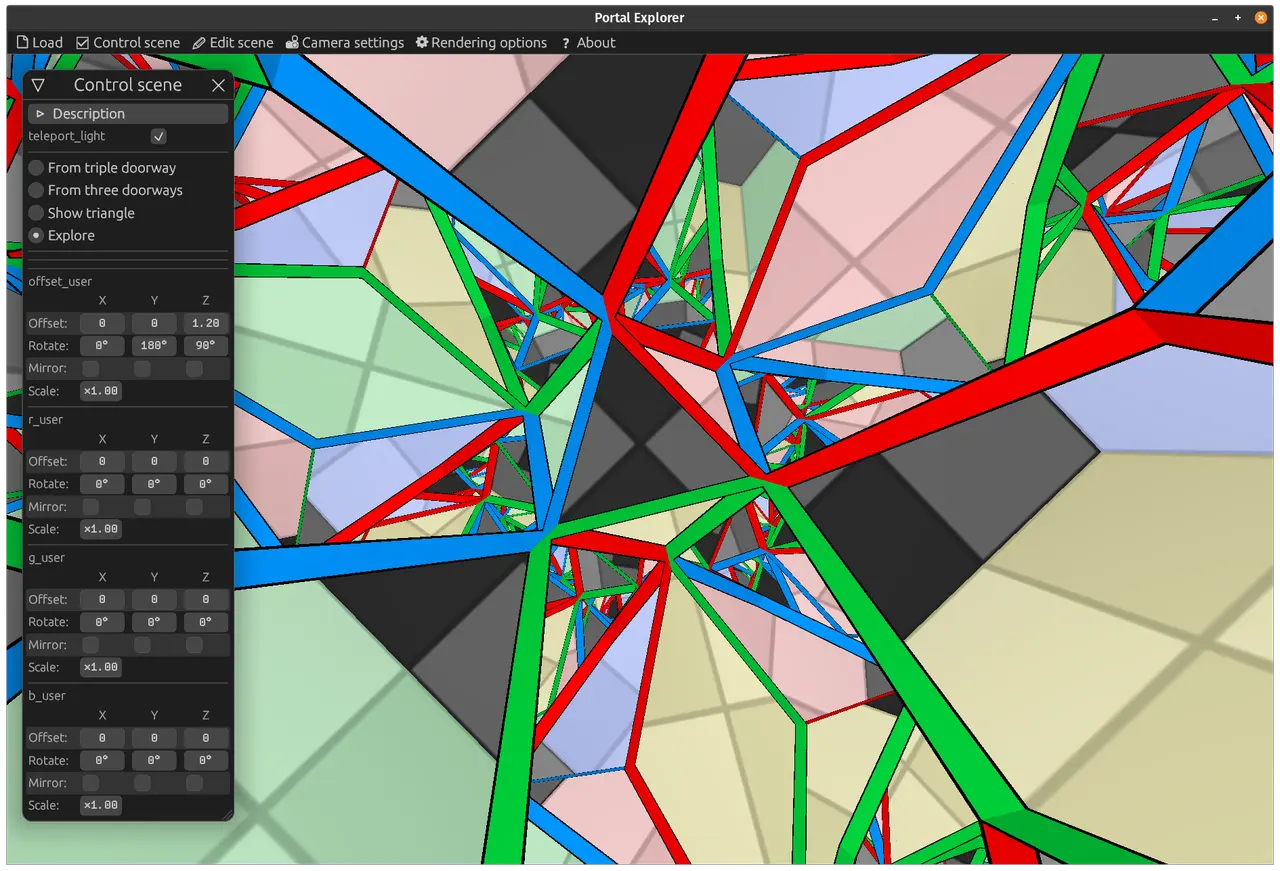
png
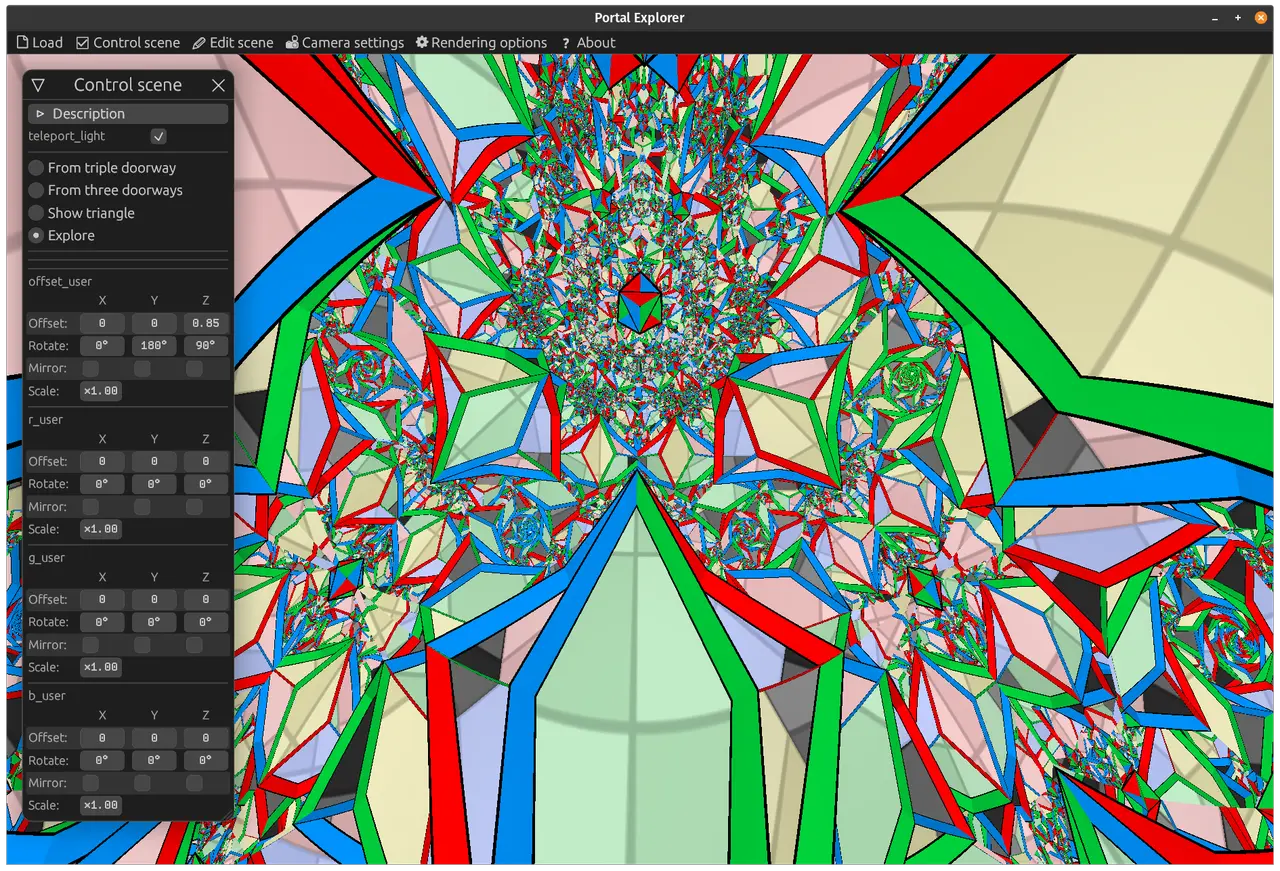
png
png
png
png
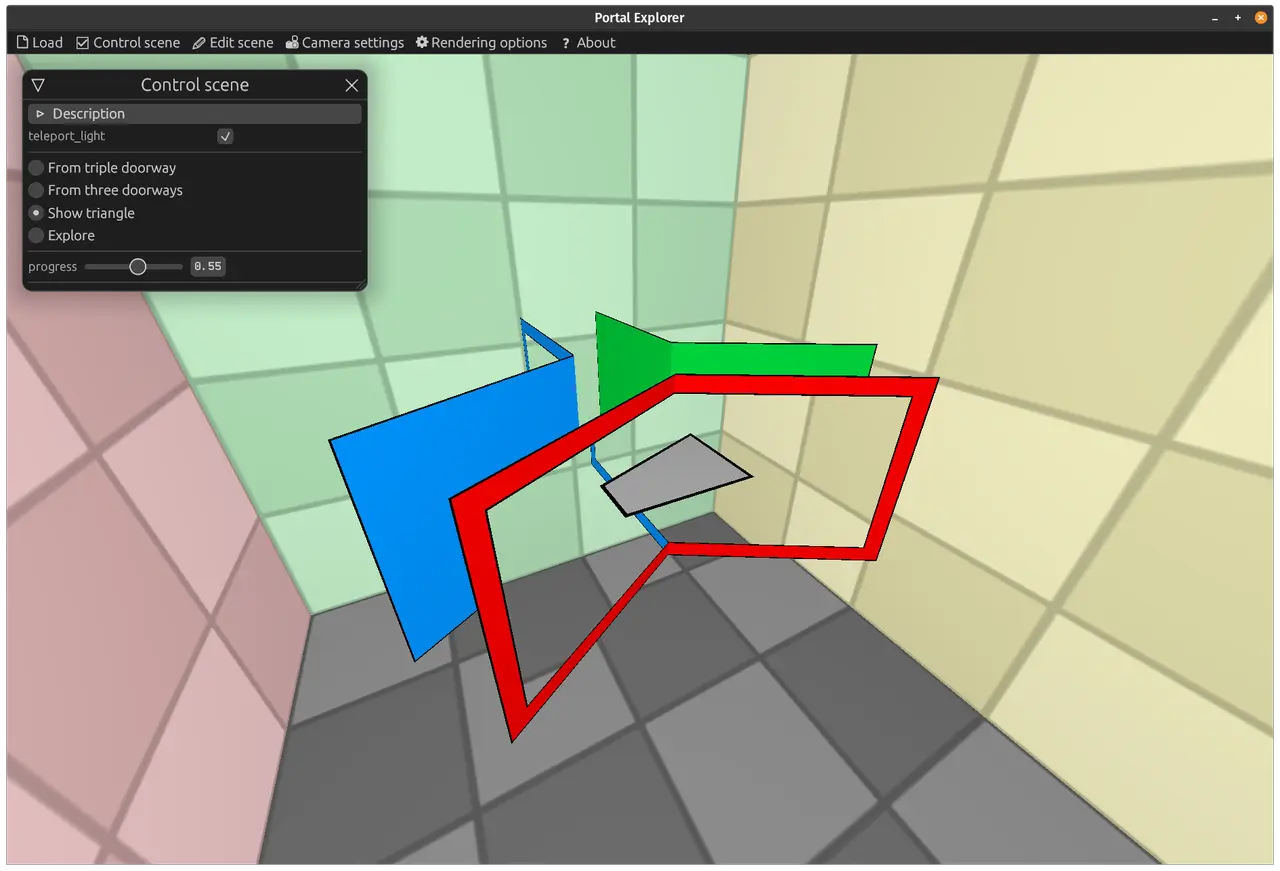
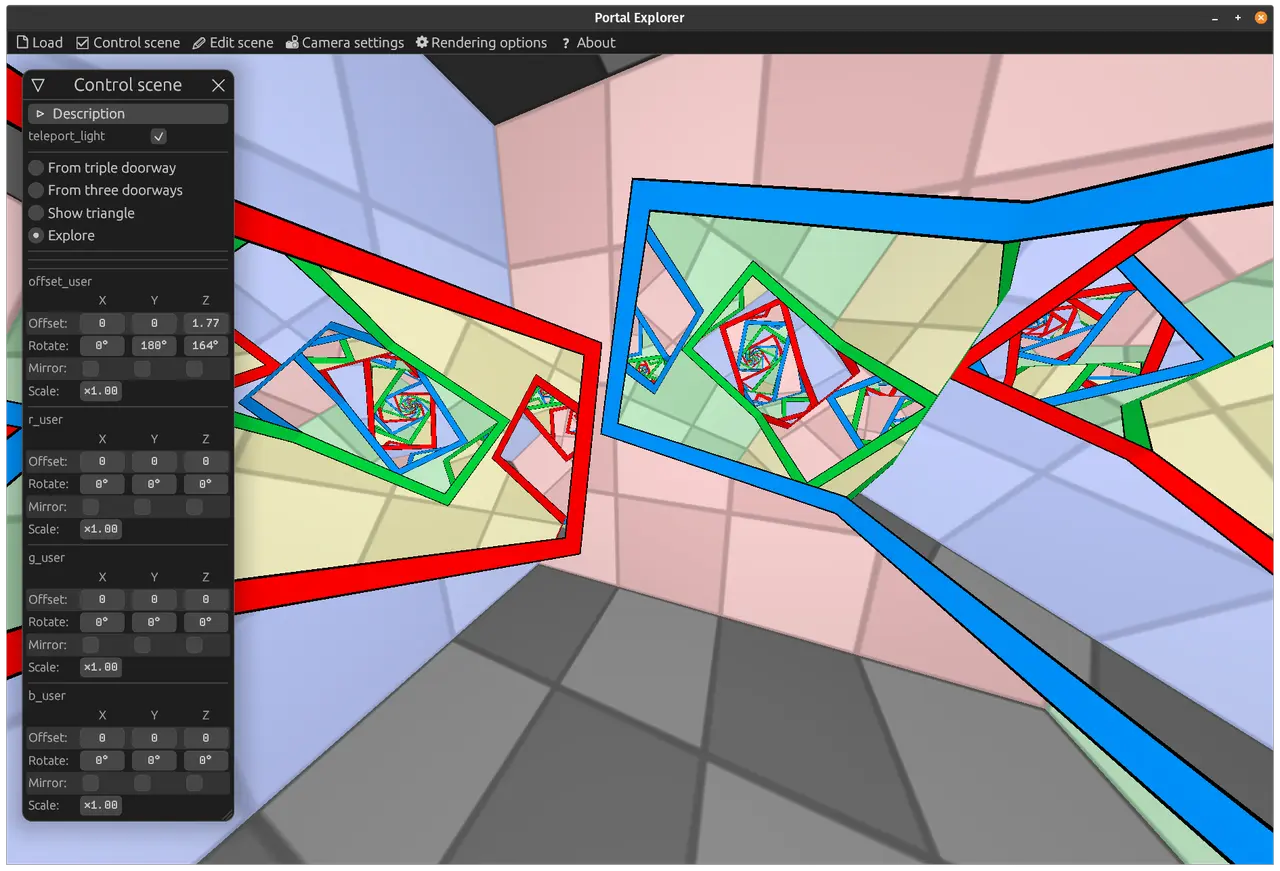
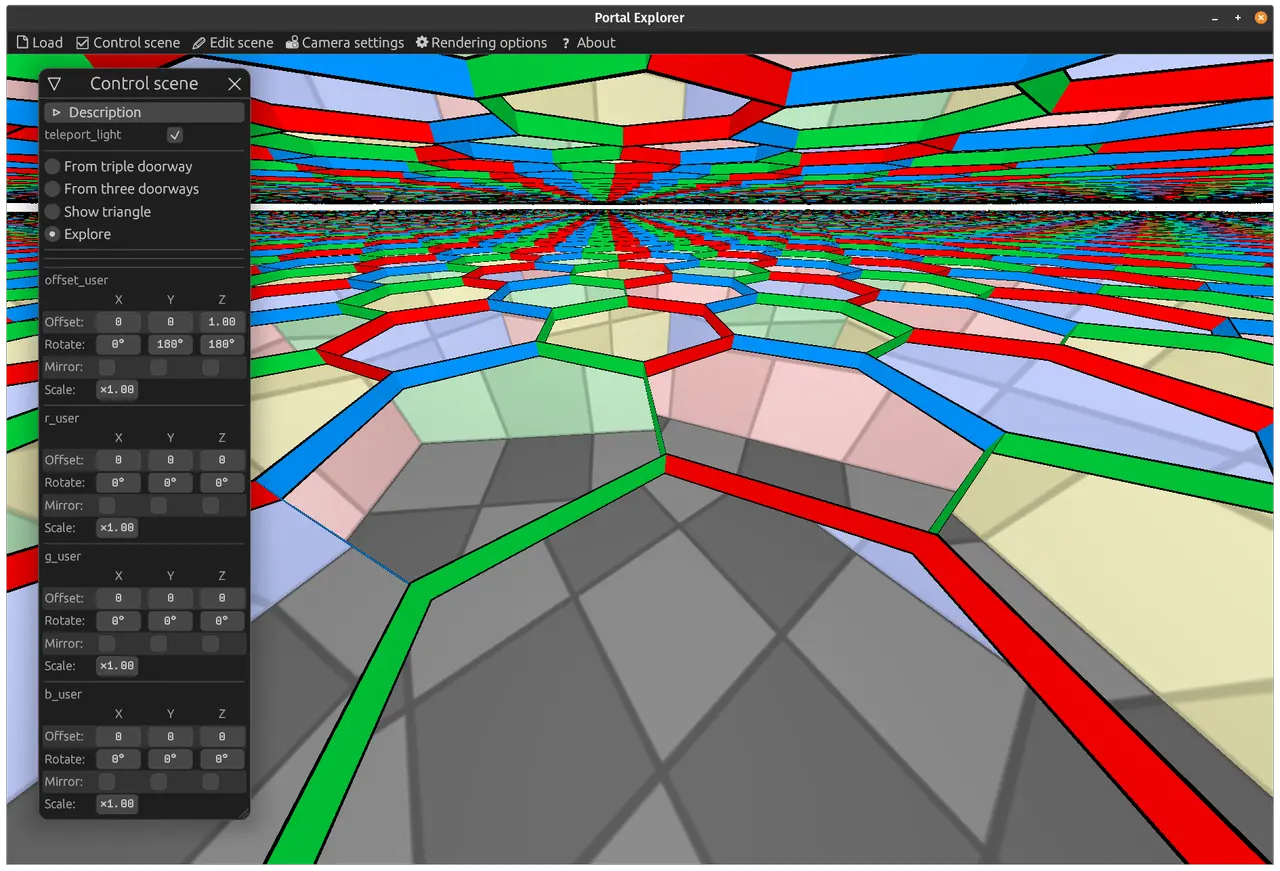
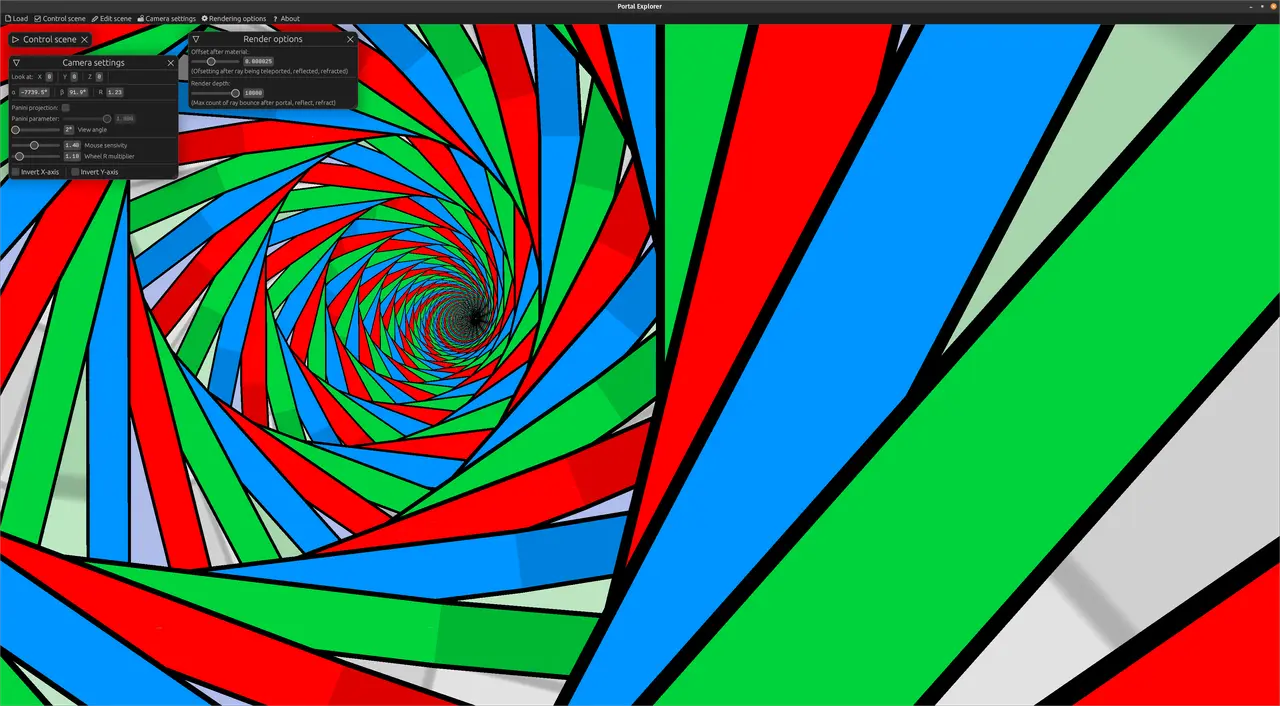
Triple portal.
I've already questioned the idea that portals can only have two parts and showed you a portal made of one part; now it's time to show a portal made of three parts, a portal that can connect three different worlds!
Web demo (better on a PC)
This portal can be assembled from three pairs of regular portals, so it's all perfectly legal!) At the center, where the three portals touch, no object breaks or gets torn apart, you can see that in the demo.
There are really a ton of sliders there now, be sure to play with them, twist them around. I personally got hooked for about an hour, twisting these sliders and exploring what beautiful recursion the parts of a triple portal pointed at each other can produce.
I really didn't expect it to turn out so beautiful. Especially since I'd never seen all this beauty myself before; it's all thanks to the visual editor and the power of ray tracing.
By the way, a life hack: to zoom in, you can set the field of view to 2°.
You can support me on Twitter, Reddit, Pikabu (in Russian).
#21.03.2021
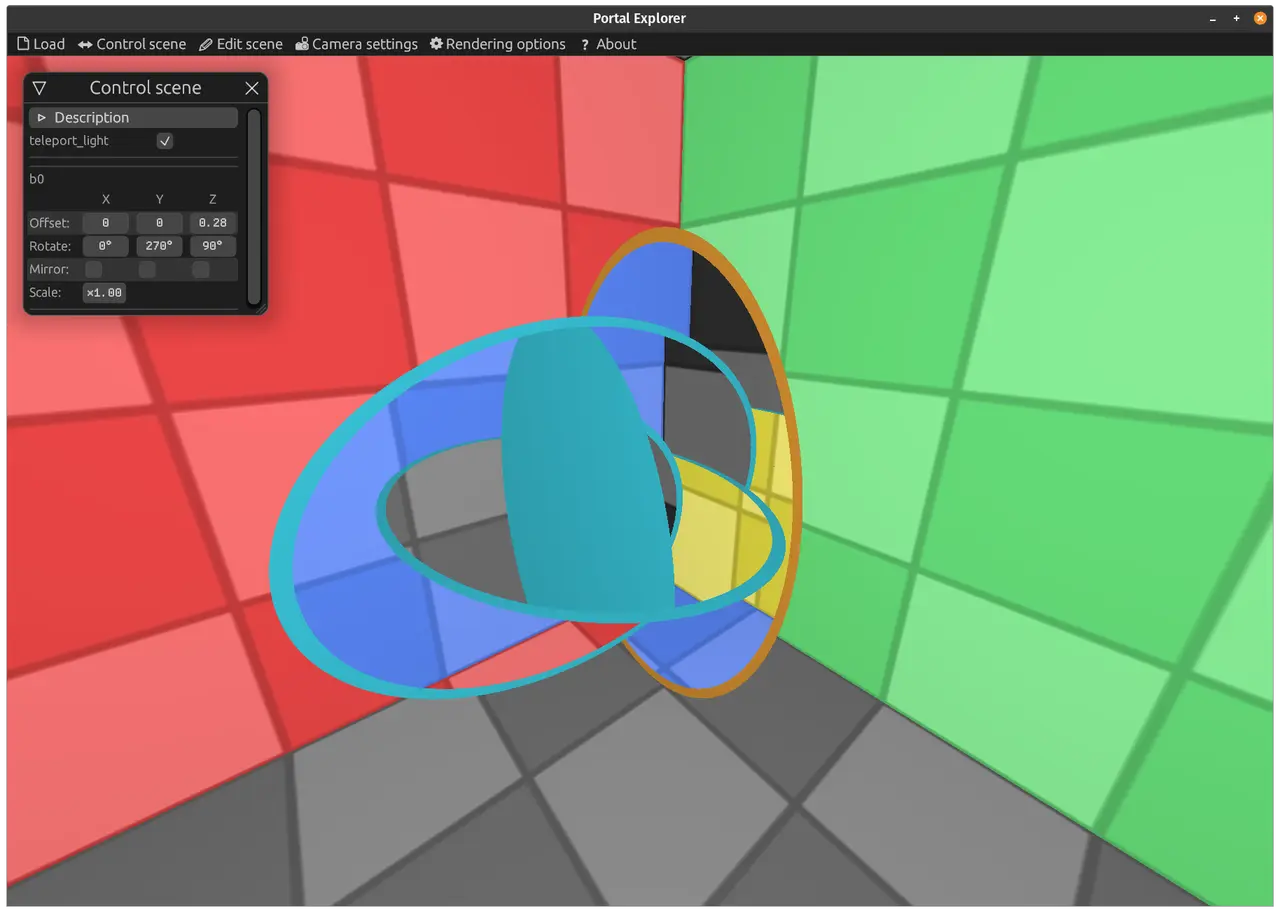
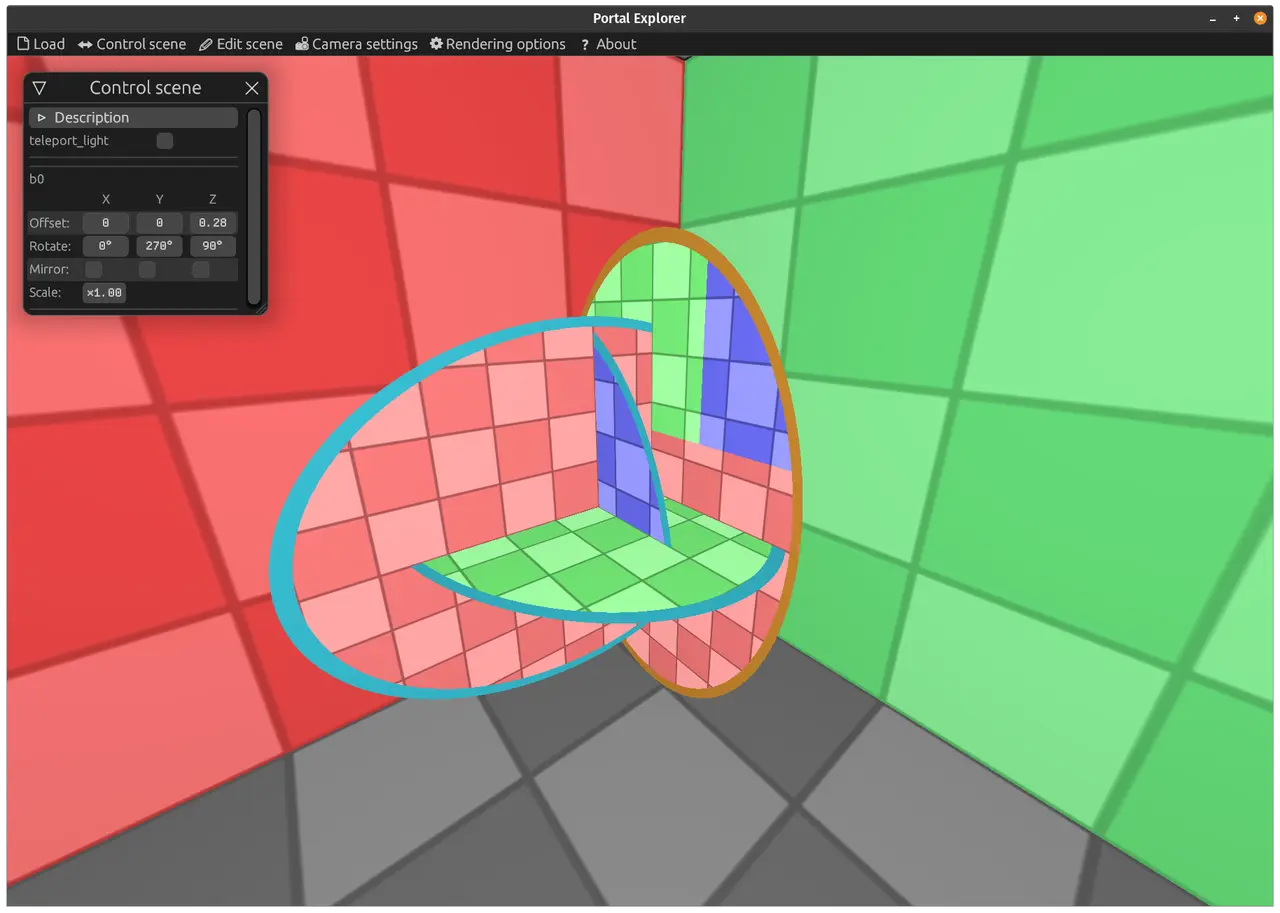
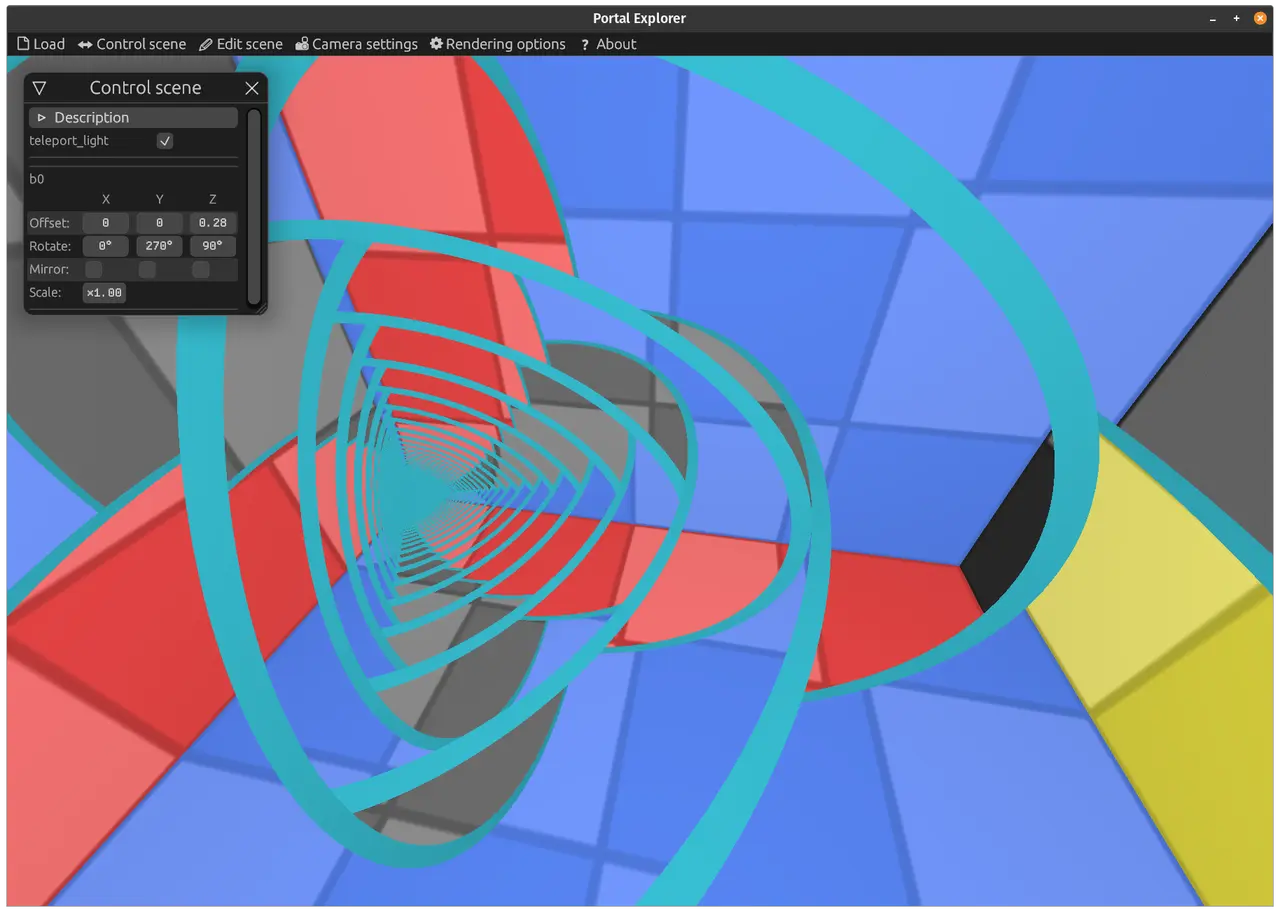
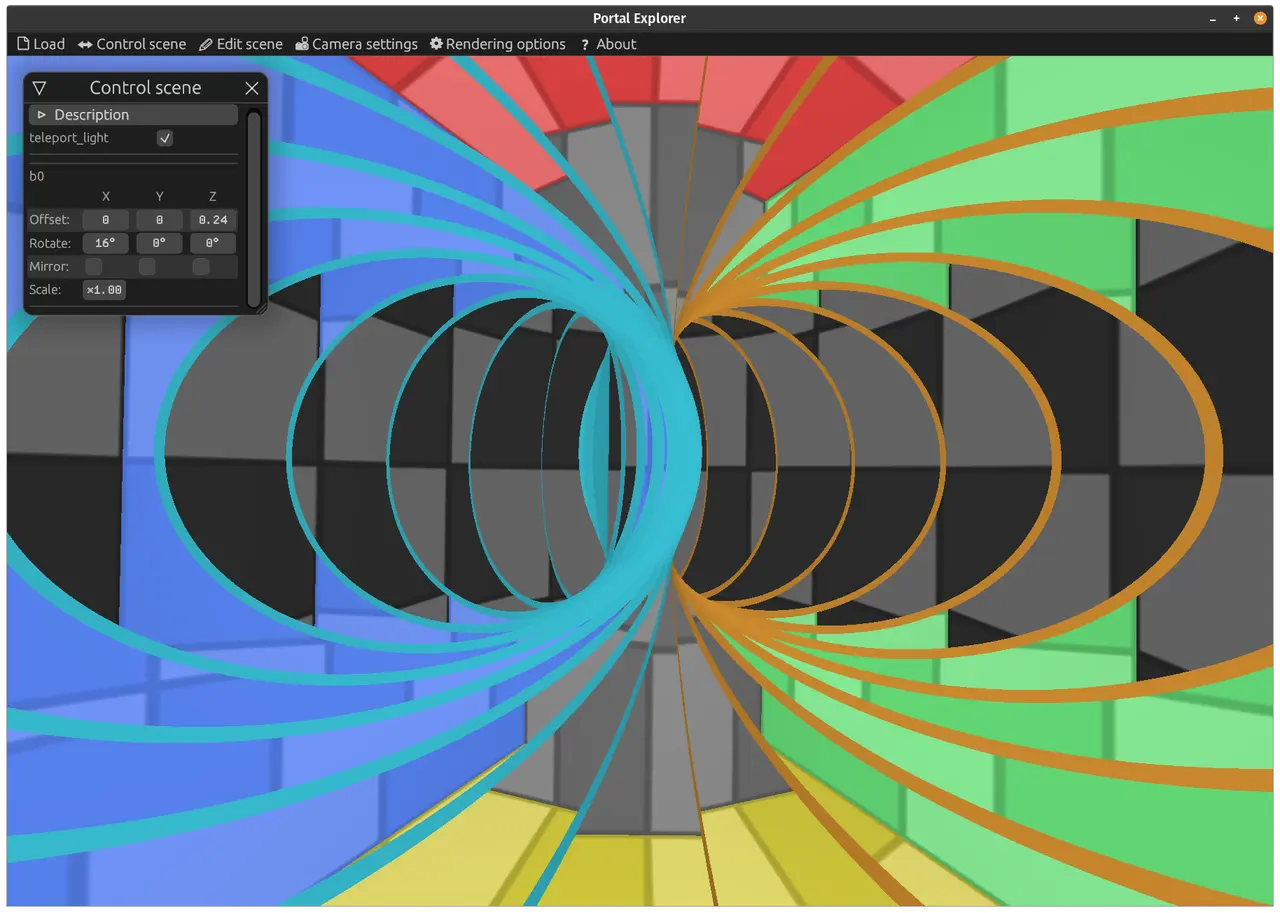
Portal in portal.
I can't believe I'm saying this, but I made a web demo where you can literally take one portal, put it into another at any possible angle and see what happens. And it just works.
I think this is the best thing I've ever made in my life.
https://optozorax.github.io/portal/?scene=portal_in_portal
I made it in my visual editor in just a couple of hours. I'd already accidentally posted screenshots of what it looks like here, and decided not to delete them since I'd already posted them.
I've solved a similar problem before, but that was long ago, and I did it in a very complicated way: through all sorts of computations on polygons. And it was so complicated that in a couple of years of working on it at half throttle in my free time, I could only make what you can see in this post. Other ways of a portal entering a portal, or a triple portal entering a triple portal, worked with crazy bugs that are so hard to make sense of that I still don't fully understand what the problem is, even though I've visualized it a million times.
I'd long had a feeling that this should be solvable more simply somehow, that there had to be an approach that simplifies everything. Similar to how brute force lets you solve a problem simply, though not very fast. And here, finally, I've found such a way.
Now I'm even more convinced that what matters more is not hard work, but the ability to come up with a clever workaround, the ability to use your brain.
#24.03.2021
Meanwhile, I've made a few open-source contributions. In Portal Explorer I had various bits of work, improvements to the libraries I use, and I decided to pull them out into separate crates so others could use them too.
#2quad-url
[crates.io] [github] [web demo]
This is a library for reading and changing the current URL (query parameters, hash) and for opening links in the current or a new tab.
In my Portal Explorer it's used to read the scene from the URL: ?scene=triple_portal, and I've now made it so that when a scene is opened via the "Load" menu, the current URL changes to the name of that scene.
I also used it to fix link opening in egui-miniquad, and therefore in the next crate too.
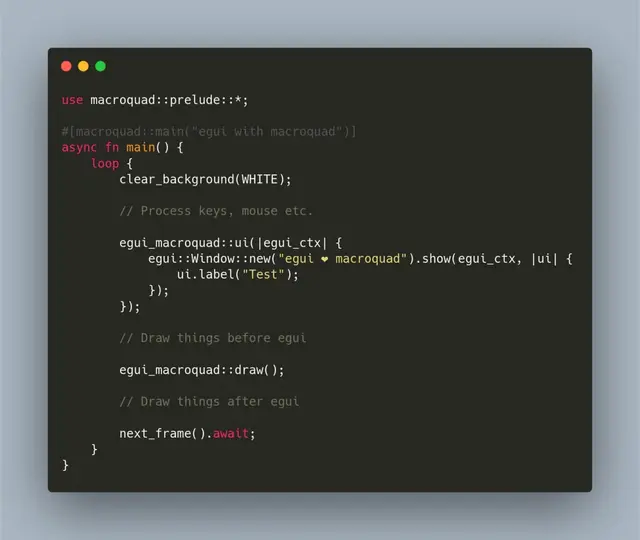
#2egui-macroquad
[crates.io] [github] [web demo]
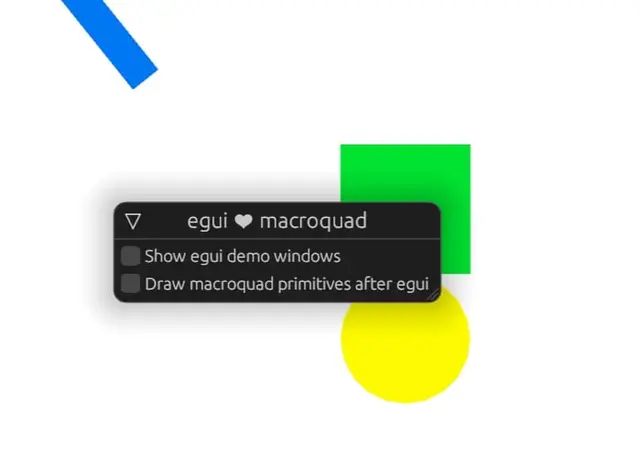
macroquad is famous for being easy to use, and now you can plug in a very cool Immediate Mode GUI library, egui, just as easily.
By the way, all my recent things, Portal Explorer, Monoportal and Mobius Portal, are written with macroquad, so I recommend it to everyone.
jpg
jpg
#13.04.2021
Source:
tg/395(4 💬).
News from the past few weeks:
-
My rather non-trivial feature in
eguigot merged. In short, this feature lets any widget store arbitrary data in the interface structure that gets passed around everywhere. That is, you don't need to set up someHashMapof your own and drag it through all the functions. This is done by storing things through the Any trait (likeTypeMap). And the most important part and challenge of this feature is solving the problem of de/serializing this thing! That's needed so that when the program is closed, the whole interface state can be saved to a file and loaded from it. I did it with lazy deserialization, which waits until the user calls.get::<Type>()with the type they need. The author ofeguisays I should move this out into a separate crate, since serialization ofAnyapparently hasn't been solved like this before. I'll have to get to it, but my perfectionism demands that I first study all theTypeMaplibraries and only then release this as a crate... I made this feature because the interface code in Portal Explorer looked scary, since I was dragging myHashMaps everywhere. No new portal scenes for now, because a refactoring is in full swing there 🚧, since my interface no longer lets me make complex portal scenes easily and quickly. -
I revived the awesome-quads repo, which collects links to projects based on the
miniquad/macroquadlibs. Judging by the list of games and other stuff,macroquadis pretty popular. -
🔵🟠 Portal Explorer made it into the Rust GameDev monthly newsletter! Thanks to Andrey @ozkriff_games for this opportunity and the coordination ✊.
#29.04.2021
Source:
tg/396,tg/397,tg/398,tg/399,tg/400(2 💬),tg/402(6 💬),tg/403.
#2Portal Explorer 2
Announcing the release of Portal Explorer v0.2.0!
Changelog:
- Refactored the scene editing interface.
- Added the ability to change the camera in the scene viewing menu.
- The menu now has a button to switch to Russian.
- Added descriptions of specific stages; variables can now have human-readable names and descriptions instead of "user_a".
- favicon
For each scene:
- Improved the description, added a description in Russian.
- The ability to view a portal as something that connects several worlds.
- In the "Explore" section you can move the camera to a specific portal in one click.
Scene changes:
- Triple portal: beautiful combinations of settings were added as separate stages.
- Hopf link portal (Chain portal): a "new" scene.
- Portal in portal: now shows the beginning of the animation; beautiful combinations of settings and even animations were added as separate stages.
Web demo:
https://optozorax.github.io/portal/?scene=triple_portal
Choose scenes in the "Load" menu. Even if you've seen all these scenes, I recommend going through them again and rereading the descriptions, because there are lots of changes and improvements.
There are no optimizations for phones yet, but I fixed one bug, so now you should be able to control the interface with your fingers. So if you have a powerful phone, you can try running it.
More details below.
#2Refactored the scene editing interface
As a reminder, I make all the scenes in a visual editor that I wrote myself. Previously its User Experience was very bad, because:
- Some scene settings depended on positions in an array. So if I deleted or moved something, things could break.
- Other settings were tied to string names, so some objects couldn't be renamed, and in general it's kind of unprofessional.
- You couldn't define an anonymous object "in place" (inline). You could only write the names of existing objects. So if I just wanted to negate an existing variable, I had to create a new named variable.
- All the explanation stages were done in such a way that in the scene settings, for a specific variable (for example, the one controlling the color of the portals, from black to orange/blue), you had to put a switch in the form of a math formula, for example
swith(stage, 0.0, progress, 1.0, 1.0 - progress, 0.0). Since different animations had to live in one matrix or one variable, complexity and cognitive load went through the roof.
So making scenes was very hard, and there were many places where errors could happen; it was especially hard to write scenes that explain something, because they have lots of animations.
So I decided to introduce two new features:
- Every object has its own typed ID (instead of a name or a position in an array).
- The value of any object can be defined "in place", without writing its name and creating a named object.
And that was the main point of my refactoring. To make some parts work, I had to make that contribution to egui, because things were getting so complicated that it was impossible without that feature.
After I'd done it, I had to manually convert all the scenes to the new format: its ideology and principles had changed, after all, so you can't just convert them automatically. Besides, I wanted to test it in practice and find bugs, and improve the scenes along the way.
In the end, developing scenes really did become a million times easier, and typed IDs are a real lifesaver when coding (more types for the type god!).
png
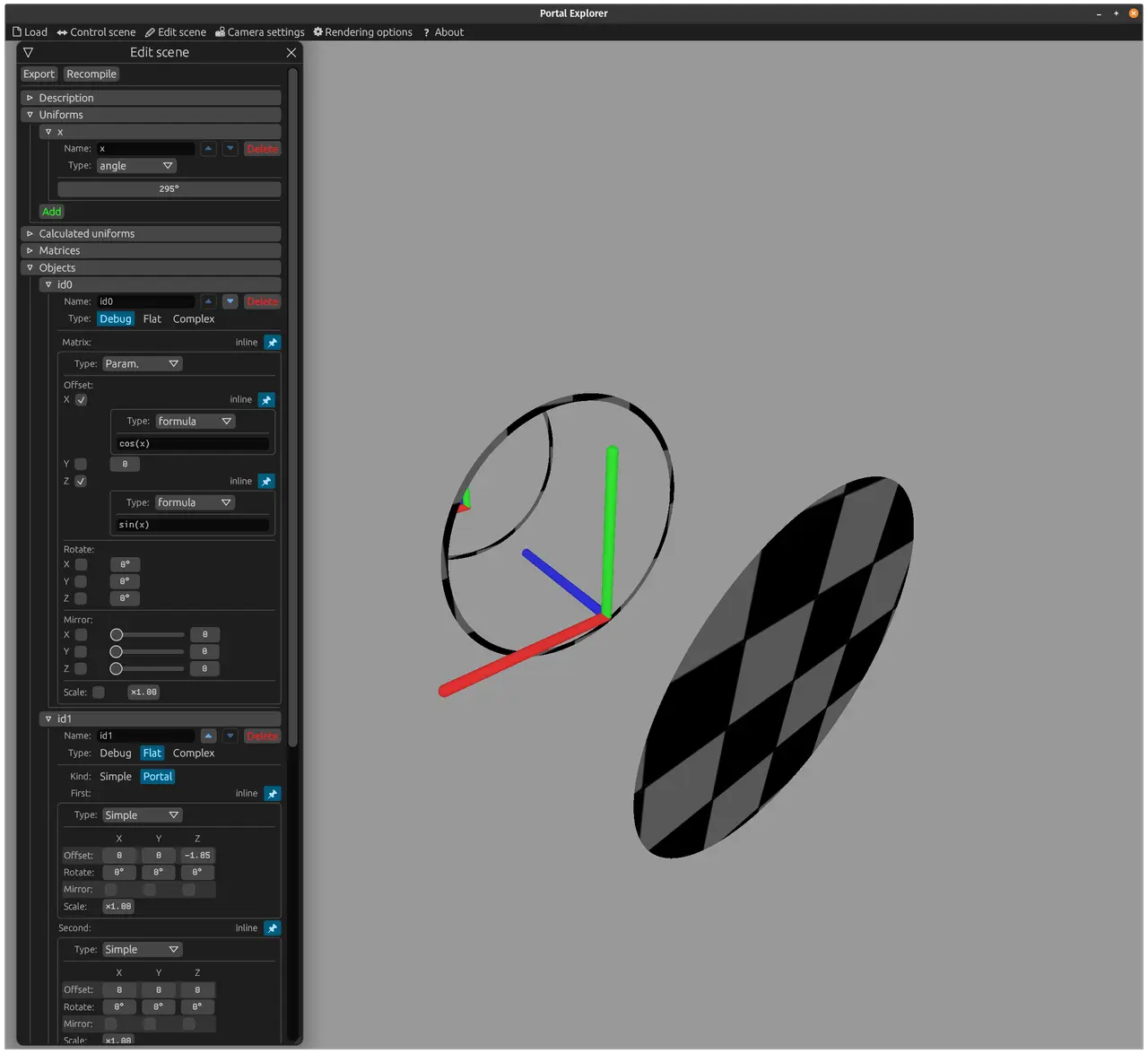
At the very top is the "Objects" menu, which holds the objects. An object needs one matrix to define where it will be. The matrix can be declared inline, and that's exactly what's done here. But here it's a "Param." (parametric) matrix, whose components can be given by formulas that depend on some parameters. In this case it's set up so that the matrix position is computed from an angle x along a circular path, and that angle can, for example, be exposed to the user. So this object moves around a circle. You can see there are more inline formulas inside the matrix.
Just imagine the same code with the previous approach, where you had to create a named object for every little thing: a nightmare!
#2Added the ability to change the camera in the scene viewing menu
I want:
- The user to be able to choose which portal to orbit around (maybe they want to get a better look at it).
- To be able to choose which room to orbit inside (for scenes that have several rooms/worlds).
And I've implemented that, and you can see it in detail in this video.
#2The menu now has a button to switch to Russian
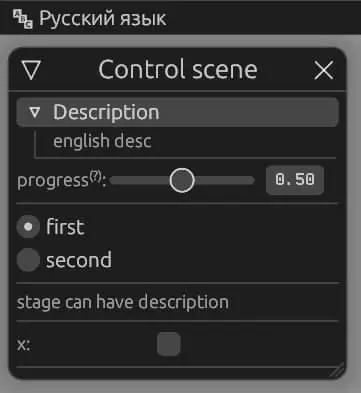
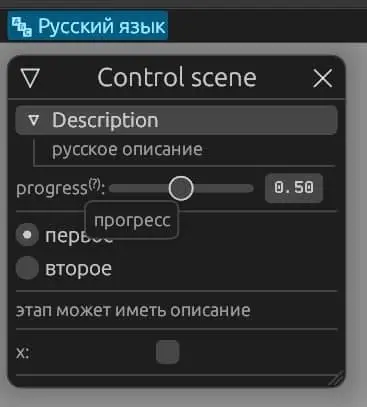
I made it possible to define lots of descriptions and hints, and to have all descriptions turn into Russian at the press of a button.
I did this, if nothing else, because it's easier for me to first write all the prose in Russian and then translate it into English. When there was only an English description, it was very hard to put my thoughts into words.
And in general, Russian is kind of the main language for me and my readers.
True, for consistency the rest of the interface should then be translated too... But I think Russian humans can handle an English interface, they're "used to it". If it gets really critical, I'll think about implementing this issue, and implementing it in a way that also makes localization convenient for users of the egui library.
jpg
jpg
#2Hopf link portal
You know how chain links are joined together? This portal has exactly that shape. It would probably be better to call it the "Chain portal".
For it to work, the two portals linked into a chain have to be double-sided (have a teleporting surface both on the front and on the back).
In the video you can see that no teleportation happens where the two portals intersect; that's because it cancels out from passing through twice.
The video also shows that there are two ways to color this portal, and one of them is exactly what lets you understand where and when a ray gets teleported.
The idea for this portal was suggested by a mathematician on Twitter, he liked it a lot.
Last time I made it badly and sloppily (apparently I was upset by the reaction to the other portals), so I released it half-baked and didn't even mention it here. This time it wasn't hard for me to do it properly, so here it is.
#2Portal in portal
I also didn't put much effort into this scene when I released it; somehow I didn't even think of showing how this portal got there in the first place. So in this version it first shows that we take two connected portals, then turn the blue one around and insert it into the orange one.
Animations and pictures were also added. Praise the new interface, adding them was a piece of cake!
And this time I put effort into the description of this scene: I explained what the colors mean when the "Teleport light" option is turned off, and how they're computed. Read the "How this works" section, I think this time you'll understand the magic under the hood better.
#1.05.2021
I've brought you a couple of new cool monoportals. Two more (three/four?) interesting monoportals are coming soon.
#2Rotating monoportal
This monoportal is assembled from a regular monoportal by simply reflecting one of its parts. In reality such a reflection is impossible to perform.
The resulting monoportal rotates everything by 180°.
Also, if you walk into it, you'll become mirrored (or the world will become mirrored for you), as if you'd walked into a mirror.
Idea: thanks to myotra.
#2N-monoportal
This is a monoportal that behaves as if it consists of N parts, for example three, but actually there's always just one part!
#3Construction
Take a regular monoportal and simply rotate its parts so that the angle between them is 360°/Count.
#3Regular monoportal
You get it with Count = 2, and that's pretty obvious: it looks like it has two parts.
If you replace the portals with mirrors (the Act as a mirror option), it looks like an ordinary mirror.
If you mirror one portal part (the Mirror one part vertically option) (this is not the same as turning it into a mirror!), the portal looks like the regular rotating monoportal.
#3Triple monoportal
It sounds crazy, but it looks like the love child of a monoportal and a triple portal. The main thing is that the image in it stays continuous and looks good.
The mirror breaks in the middle here.
Mirroring one part breaks too.
#3Quadruple monoportal
And here the mirror no longer breaks. In fact, the mirror breaks only for odd N.
The quarter in the middle looks like a regular monoportal: through it you can read the text that's opposite you, and this holds even if you turn on the mirror! That's exactly how the thing called a "True mirror" is made: it consists of two mirrors set at 90° to each other.
The same goes for the option of mirroring one part.
#3The rest
The other monoportals are nothing special.
#2.05.2021
Source:
tg/408(5 💬).
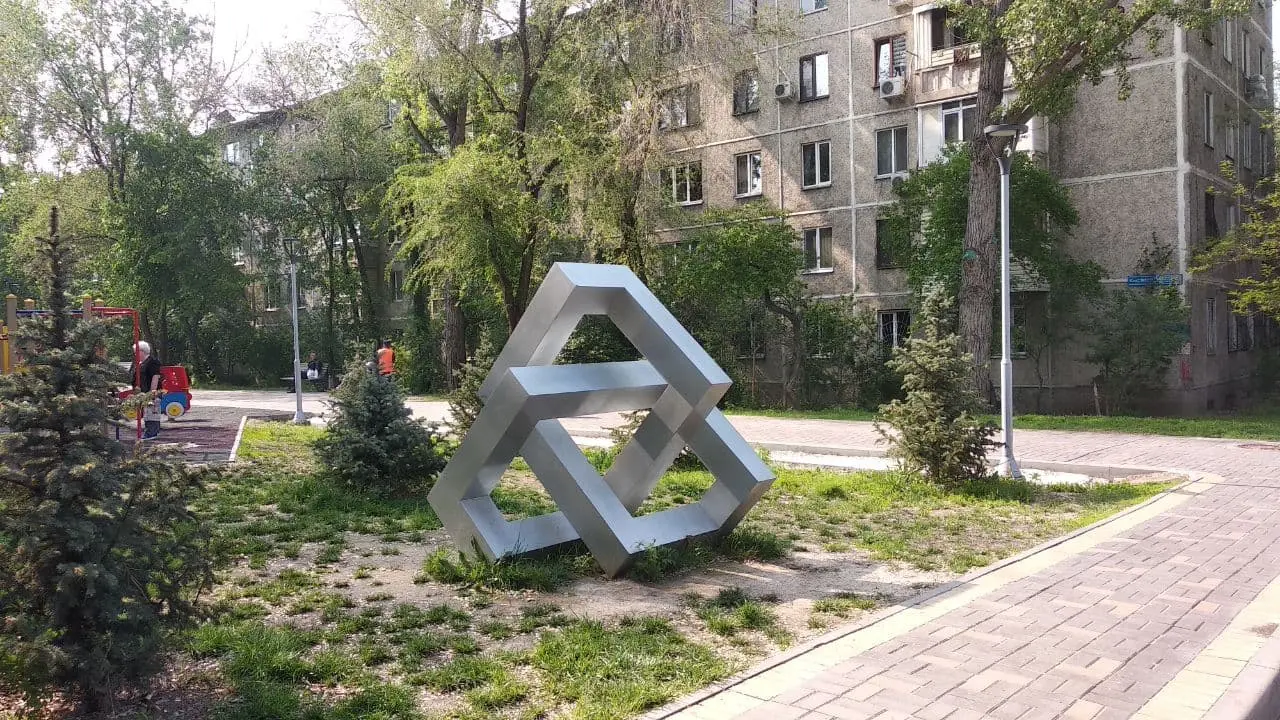
⚠️ Spoilers for Ilya's future portals have been spotted on the streets of Almaty
jpg
#3.05.2021
Source:
tg/409.
#2Offsetting monoportal
This portal works like a regular monoportal, but it also shifts everything by half its height.
It can only exist with the help of support portals.
The idea for this portal came to me by accident while I was trying to fall asleep. Good thing I always write down my thoughts before going to sleep.
#3Shifting one part
Take a regular monoportal and shift one of its parts by exactly half its height.
#3Adding support portals and teleporting this part
By the end of this animation the portal becomes continuous.
Try scrubbing through this animation with the "Teleport light" option turned off. Green means a teleported portal.
#3Exploring the offset
The portal comes out continuous only for an offset of 0 (the regular monoportal) and 0.5 of the portal's height.
#3Making the portal bigger
You can see that with a bigger portal, the floor and the ceiling meet exactly halfway up the room.
#5.05.2021
#2Introduction
I've finished all the fundamental monoportals!
For those who don't know or have forgotten: a monoportal is a portal that consists of one continuous teleporting surface. The regular monoportal isn't that interesting, but everything that comes after it is a bit mind-blowing, because it's not clear how some things can be squeezed into one part.
In particular, in this post I'll talk about scaling monoportals. The idea is that one continuous surface can enlarge or shrink an object entering it. Before reading further, try to solve this problem yourself. Is it possible to build one? How do you make it so that it doesn't tear objects apart and preserves straight lines and angles?
It sounds crazy, but it really is possible, and it really can be assembled from ordinary flat portals, without any new technology for uniform shrinking and the like.
#2Offsetting monoportal 2
Before telling you about the other scaling portal, I have to show another way to build the offsetting monoportal, because that's exactly what will be used next. It's shown in the video, and it's pretty simple. Much simpler, by the way, than the original method with all that teleportation. But the original one is good because it shows that no offsets other than 0.5 and 0 exist.
#2Scaling monoportal 2
It's assembled from the offsetting monoportal: its upper part was turned into a trapezoid, and the scale of everything that depended on it changed accordingly.
This portal consists of one continuous surface, and when you enter it you can either grow or shrink.
#2Conclusion
Here you can see an interesting pattern: there are two scaling monoportals, and both are based on other monoportals: the offsetting one and the rotating one. This raises some open questions:
- Is it possible to create a scaling monoportal based on the regular monoportal?
- Is it possible to create a scaling monoportal without support portals?
The preliminary answer is no, but who knows)
#6.05.2021
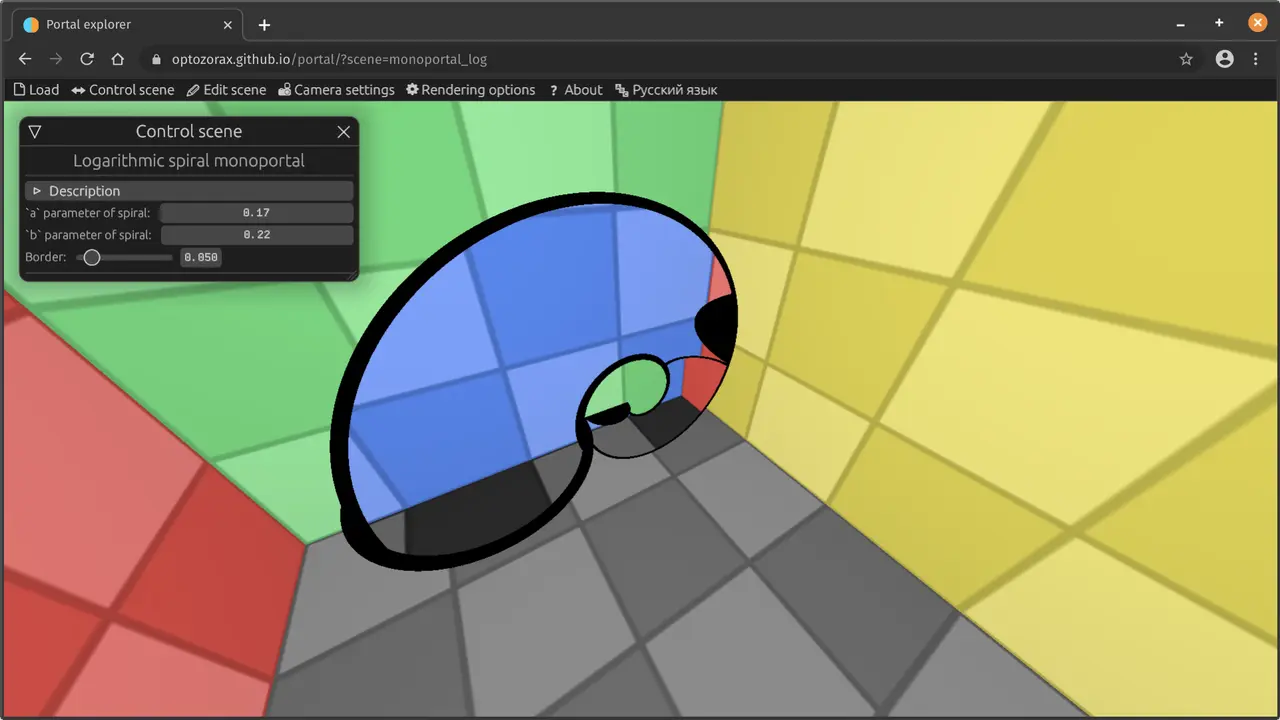
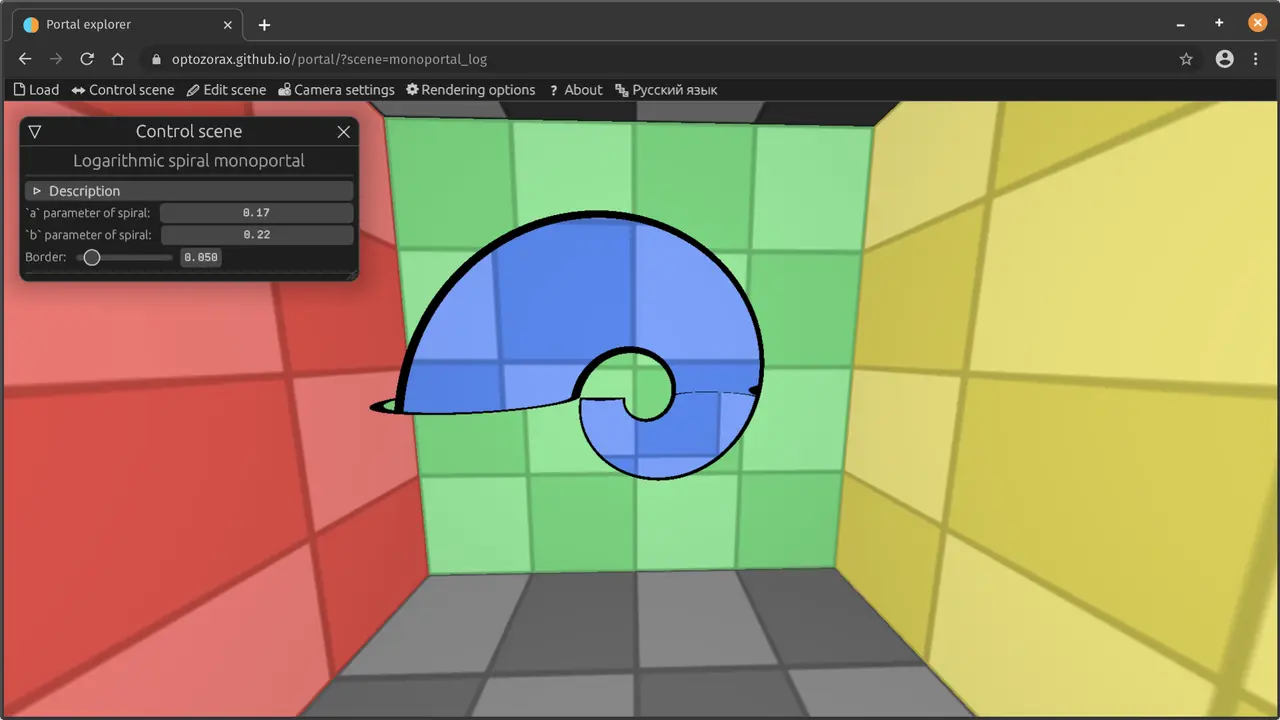
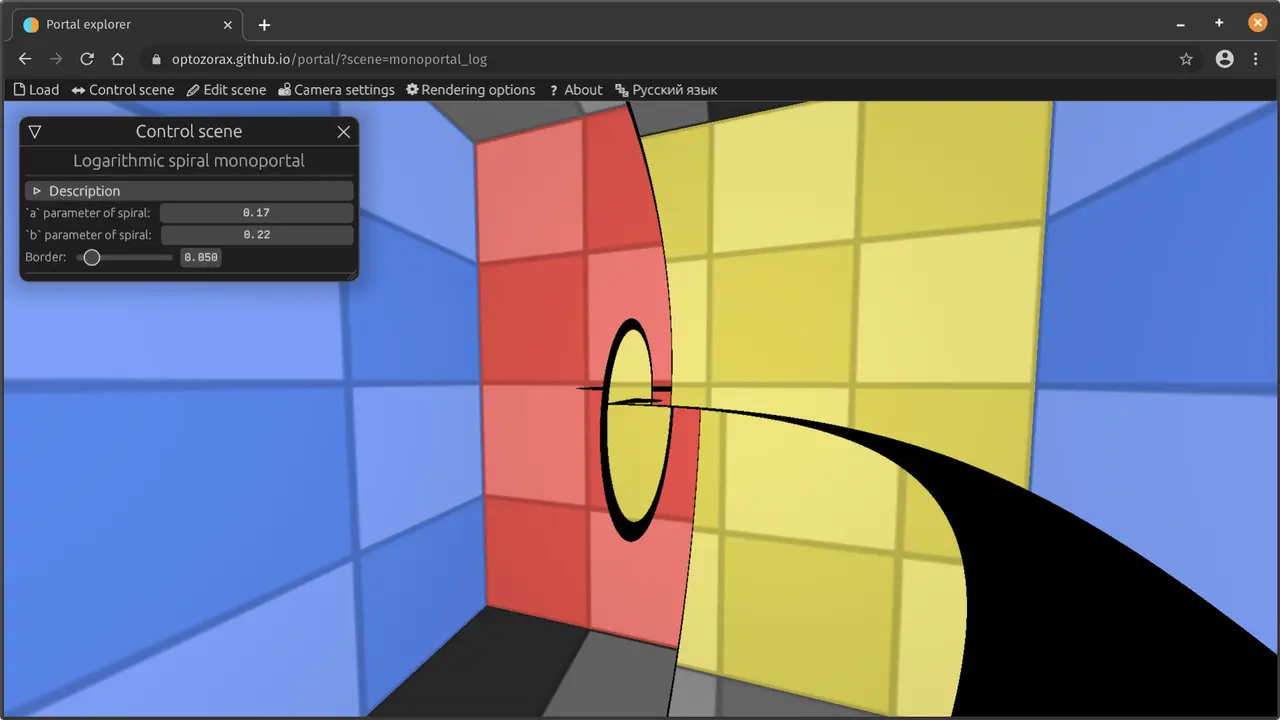
#2Logarithmic spiral portal
This is just the rotating scaling monoportal I told you about earlier, only in a slightly different shape. If you travel through it in circles, it will seem like you're going up or down a logarithmic spiral.
#2Poll
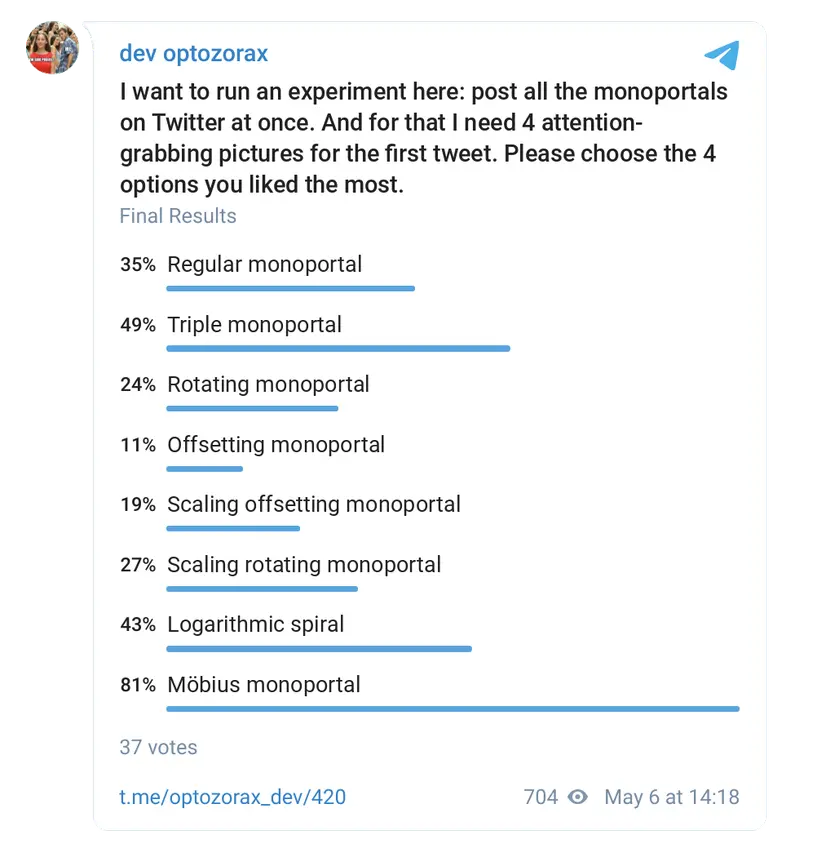
png
#2Result
Thanks everyone for taking part, it matched 3/4 of my own picks; I didn't expect the regular monoportal to make it so high)
I posted it on Twitter (follow the link, there's a thread):
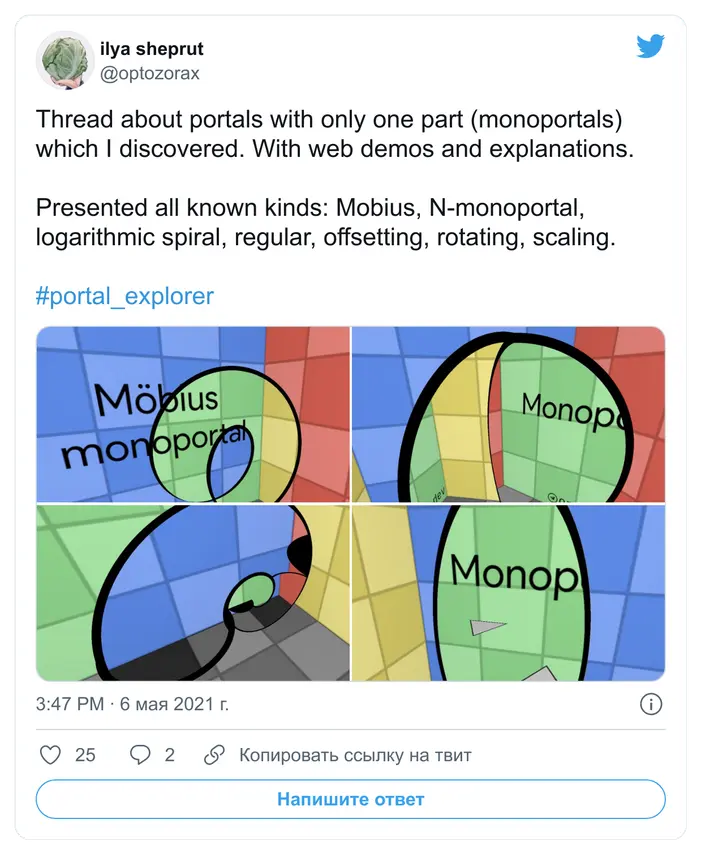
png
This time I tried posting in a different way:
- Lots of things at once.
- Very short videos that show only the gist, without the construction.
#11.05.2021
Source:
tg/423,tg/424(2 💬),tg/425(1 💬),tg/427(1 💬),tg/430,tg/431(2 💬),tg/432,tg/433(13 💬),tg/434(17 💬),tg/435,tg/436(7 💬).
#2Introduction
New scenes again. But this time they're not about mind-blowing stuff, but about the basics. I know a lot of people don't understand what's going on here at all, so explanatory scenes like these are important. Based on these scenes I plan to make an explanatory video about portal in portal and upload it to YouTube: to gather all the explanations and my comments in one place, so they aren't scattered around like in this channel.
#2Basics
jpg
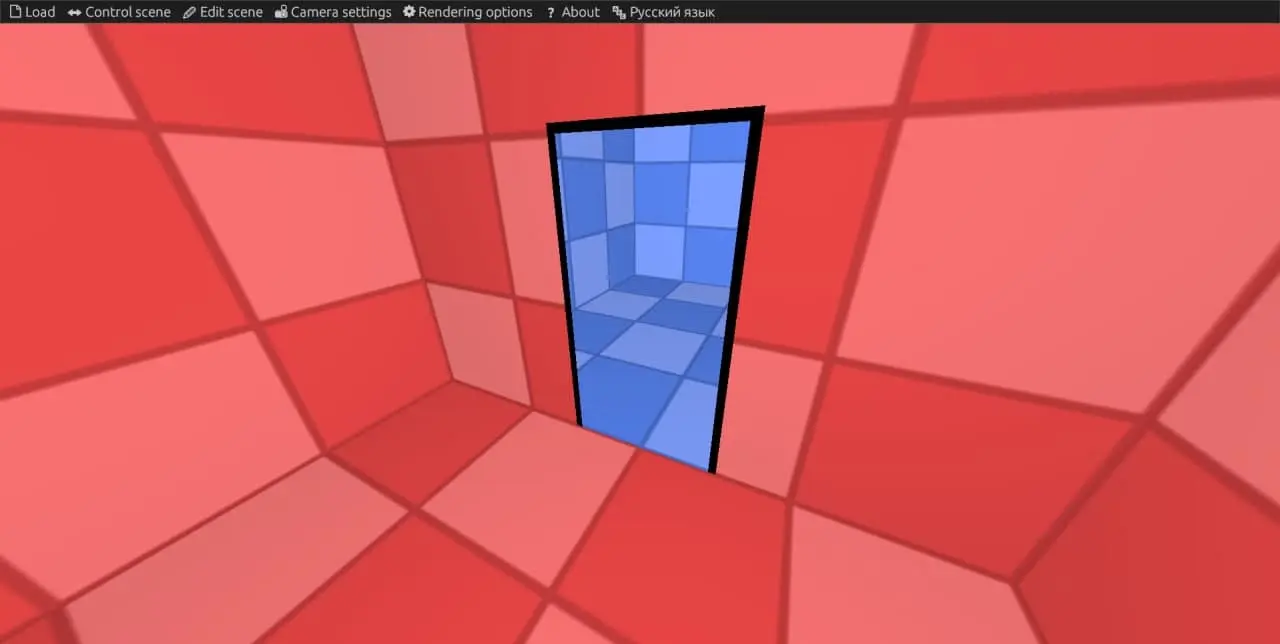
This scene explains what a portal is, where it came from and how it can be created. The scene is good for those who haven't played Portal/Portal 2.
Portals are very often compared to mirrors, so there's a "Mirror" option that turns off the teleportation of light and objects and simply turns the portals into mirrors.
We're used to the concept of a door: it lets you go from one room to another. But much more important than the door itself is the doorway, because it's what connects two rooms separated by walls.
Apparently it was the doorway that inspired the idea of a portal.
This scene shows two rooms connected by a doorway.
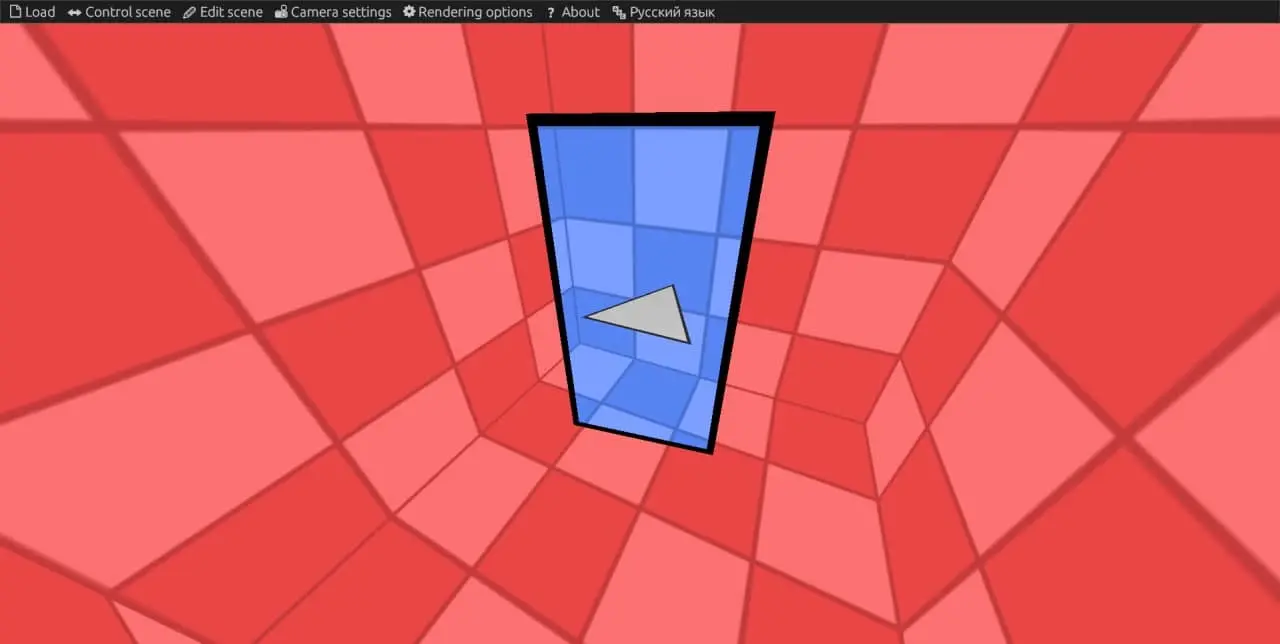
Just as a doorway can connect two rooms, a regular portal can connect two worlds:
jpg
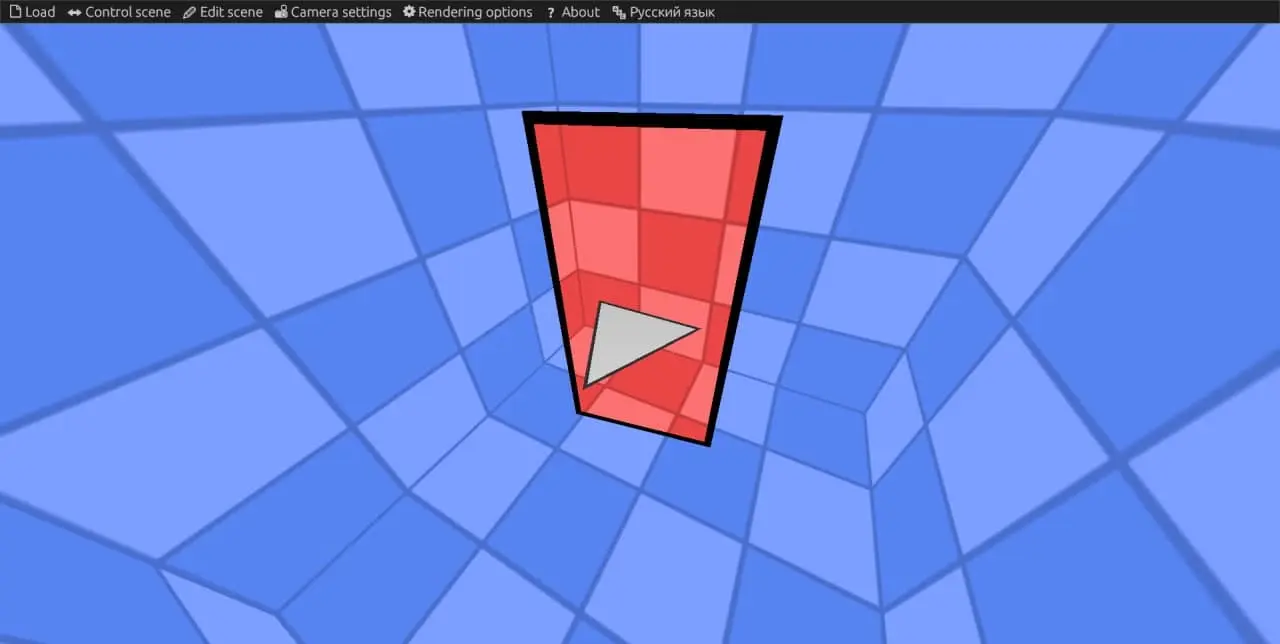
jpg
You could say that a portal is a doorway between spaces.
#2Portals in one world
Things get interesting when we put portals in the same world.
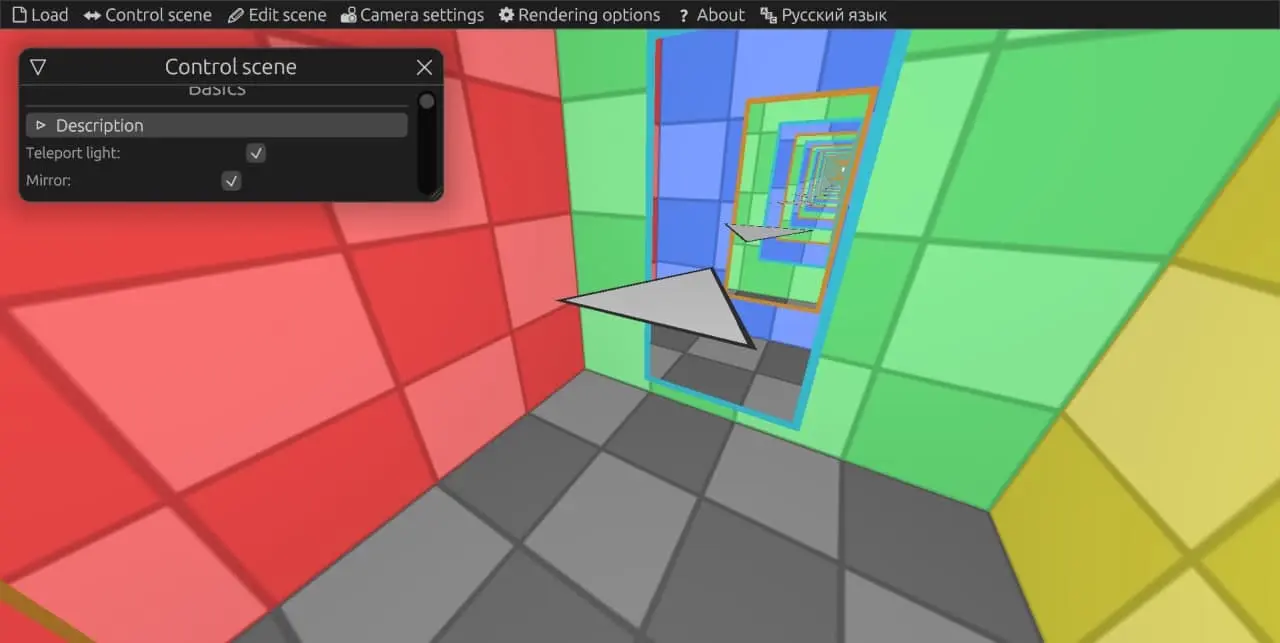
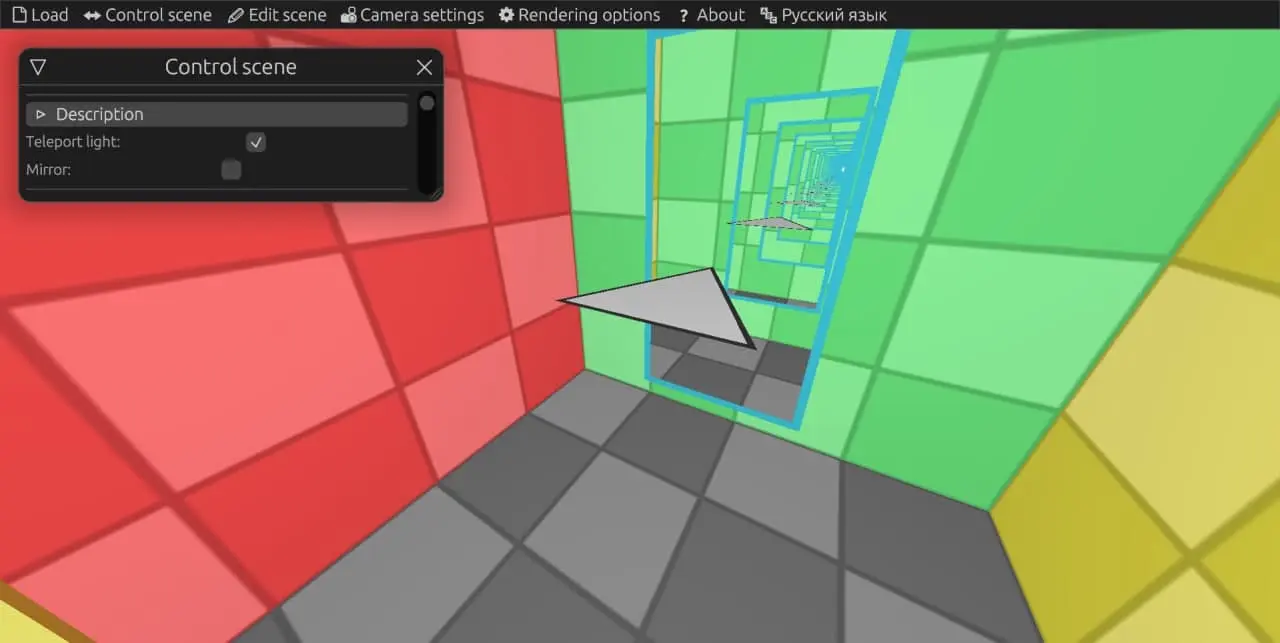
This scene shows two portals facing each other. The triangle keeps moving straight ahead, but thanks to the portals' ability to teleport, its motion loops.
Notice that when we look into the blue portal, we again see only the blue portal; the same goes for the orange one; and we always see the triangle's image from behind.
Now try replacing the portals with mirrors. Now in each mirror we see blue and orange mirrors alternating; and the triangle's image alternates between front and back.
jpg
jpg
This is just a slightly different arrangement of two portals in one world:
With Distance = 0 you get a 4-monoportal, see the N-monoportal scene for details.
#2Doorway
Portals can be created from any doorway.
You could say it's as if we tear spacetime apart between the halves of the doorway.
#2Speed model
In the game Portal, portals didn't move: they could only be placed on stationary surfaces, that was a limitation of the physics engine. So people have only a vague idea of how moving portals should behave.
This scene shows the correct answer to the question of how a moving portal should behave.
This is exactly the behavior that MinutePhysics considers correct.
If you consider different points of view on the motion, it seems as if the motion of a portal is equivalent to the motion of the whole space. And in some cases the space and the objects in it are either always moving or always at rest, before or after teleportation.
#2Same shape
A portal must have the same shape on both sides. Otherwise you get an invalid portal. In this scene you can see what happens when a portal has different shapes in its different parts: on one side the teleportation of the triangle may look fine, while on the other it's already broken.
This law comes in handy when teleporting a portal through another portal.
#2Portal in portal: two pairs
The question "What happens if you put a portal inside a portal?" can be answered differently, without creating any paradoxes, just by taking two more portals.
Let's take two different pairs of portals: triangular and round. Then you can put a triangular portal into a round portal, and the problem is solved very easily. Of course, it's cheating, but it will help you better understand the logic of a true portal in portal.
You can watch this by moving the "Progress" slider.
Now try doing it with the "Teleport light" option turned off.
Now you can see that the non-teleported portal is red and the teleported one is green. And the same coloring appears on the stationary triangular part. This happens because each portal must keep its shape the same on both sides. If a portal is cut on one side, it must be cut on the other side too.
Essentially, the red and the green portals are two different portals that simply sit next to each other on one side and are connected through the round portal on the other side.
That's the whole essence of teleporting a portal: we cut a piece off the original portal so that this piece fully enters the round portal and doesn't cause any problems.
#2Conclusion
Also, the speed model scene shows off a new feature: automatic animations that work by reading the current time. I updated the "Portal in portal" scene to use this feature: you can see it in the "Animation 1" and "Animation 2" stages.
That's all for today. By the way, hello to all the new subscribers, and a huge thanks to TechnoShaman (in Russian). Support like this is very motivating!
#31.05.2021
Source:
tg/439,tg/440,tg/441,tg/442,tg/443(3 💬),tg/444.
#2Introduction
I still want to make a video explaining portal in portal. First I wrote a fairly detailed plan for the beginning and the end of the video. But in the middle the problems started. Before that I thought all the animations and scenes I already had would be enough to shoot a detailed and clear video, but while writing the plan I realized they weren't.
It was precisely the middle, the transition from the simplest concepts to the actual solution of the problem, that left me stumped. I thought I was powerless, but then I went out for a walk (I recently started walking 8k steps every day), and decided to think all these problems through while walking. I walked for an hour, figured things out and put all the puzzle pieces together into one big picture; now I have a clear and understandable plan. For some reason I think much better while walking than while sitting still. Maybe it also helps that when you're walking outside, you don't get stuck on your phone and don't see the notification counter.
So I planned a bunch more explanatory scenes, and when I finish them I'll continue writing the plan, and maybe one day I'll live to see the voice-over, the editing and, God willing, the release.
I also thought that I should bring you news more often, so today I made one scene from the list and I'm telling you about it right away.
#2Cutting prism
This scene shows that one portal can always be represented as several portals, and that portals cut entering objects at their border.
Understanding this property of portals can help you understand how the "Portal in portal: two pairs" scene works.
Let's take a pair of regular portals and an object that enters them. This object has a velocity, and it can move as time changes.
We can cut the blue portal into two parts with a single line. Since portals must keep the same shape on both sides, we have to do the same on the other side. As a result, we have two pairs of different portals: a red one and a green one.
You can move the position of the line on the portal.
The main thing to see here is that even though we have 2 pairs of different portals, together they form one continuous portal, because they're physically next to each other. Since we've composed one portal out of two, nothing has changed: neither the picture nor the teleportation of the object. So this cutting exists only in our heads, and there's no way to tell from the outside whether a portal is a single whole or consists of many connected parts.
In the same way, this portal can be cut into an infinite number of other portals, and in general you can consider each of its atoms a separate portal.
The main thing is that their relative positions are preserved at the entrance and at the exit.
The border between two portals must behave like a knife that cuts every object entering it at the entrance. Here the knives are shown in gray.
This knife must point in the direction of the entering object's velocity.
At the exit the object is put back together, so cutting it doesn't change anything.
You can see that since portals cut an object along their inner border, they must also cut it along their outer border. In real life the game, portal borders don't kill us because there are physical objects at the borders. Like, for example, the blue and orange outline around the portal here.
#2.06.2021
I'm continuing to make and improve scenes for the upcoming YouTube video, and today I was adding things to the "Portal in portal" scene.
When I show portal in portal, nobody understands what it actually is, and everybody says something like: "if you go in there, you'll be destroyed". So I made a scene that shows what will really happen to an object that enters that infinite funnel.
In this funnel you'll simply see many images of this object. It won't be duplicated. It won't destroy itself, there's plenty of room to turn around in there. So nothing supernatural.
Here the object is shown as a circle with different colors on different sides and a marked direction.
The next change: you can turn on a mode that shows all teleportation degrees of portal in portal, without filtering by which part is teleported and which isn't. I won't explain anything here, because to explain anything at all here I'd have to point with my finger and talk in real time, so let's leave that for the video blog stage, which this thing was made for. So just watch the video and see how cool it looks in the animations.
#2.06.2021 2
Since portals are made from a doorway, any portal laws that apply to portals joined back to back must match the behavior of a doorway. This is the axiom of portals.
This scene shows this axiom from the point of view of portal motion.
The main point of this scene is that the entrance and the exit must make the same movements at the same time, so that they don't move relative to each other; then they behave like an ordinary doorway. This explains why the rotation of the Earth doesn't interfere with portals in any way.
Things get complicated when portals have velocity relative to each other. But that was already shown earlier, in 11.05.2021.
If a doorway moves around a stationary object, then portals can move around an object in exactly the same way without giving it any velocity.
If a doorway can rotate around an object, then portals can also rotate around this object without giving it any velocity.
#3.06.2021
After the previous scene, readers asked: what if one portal moves with acceleration (for example, rotates), and the other doesn't? How will the teleported object behave? Because with non-accelerated motion everything is clear, I already showed it in 11.05.2021: there the object moves according to Newton's First Law, uniformly and in a straight line.
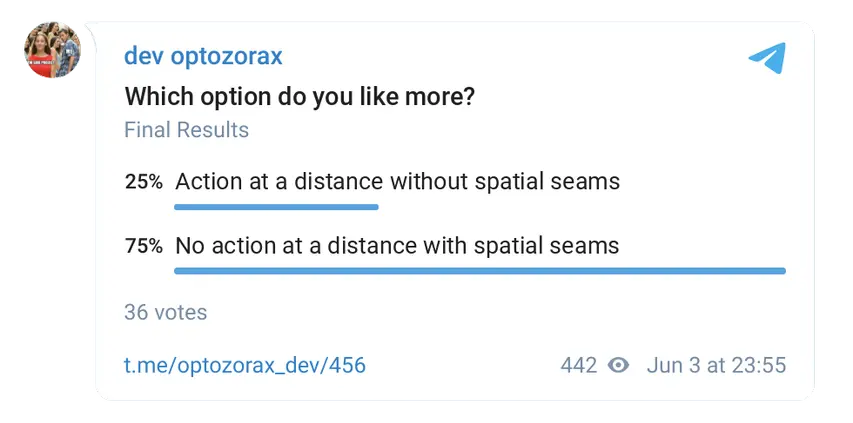
I have two possible scenarios for accelerated portals: action at a distance and no action at a distance. It'll be easier to understand with the animations.
I think no action at a distance is the right option, but maybe you have your own arguments, come discuss it in the comments!
#2Action at a distance
Action at a distance. Here we move the orange portal, but the object stands still, and the portal swallows it. If you look into the orange portal, the object just keeps standing in place there, but if you look from the blue one, the object rotates without any forces acting on it. Action at a distance!
I don't like this at all, because action at a distance like this is bad. Imagine: you've stepped out of a portal on another planet, and a space cat knocks it over. That's it, the great ranger's life is over.
#2No action at a distance
No action at a distance. If you look from the blue portal, the object "rotates" only while it's stationary on one side, so that's fine, only the picture is rotating; then, while it's touching the teleporting surface, it actually keeps rotating, and when it stops touching this surface, it moves with the velocity it has acquired and with its own angular momentum. Once it's been teleported, it's on its own and obeys Newton's First Law.
This one I like. But this option has a downside. Previously the teleporting surface was just a kind of abstraction, to make it easier to understand what a portal consists of and easier to program it, but now the teleporting surface becomes a real thing whose shape can be measured. That is, before, portals literally glued space together, and it was impossible to detect any seams or borders of this gluing, but now we can measure this invisible seam with exactly this kind of rotation.
#2Poll
png
#4.06.2021
To understand how continuous processes work, it's sometimes handy to imagine them as discrete ones. This scene does that for teleportation.
Link to the scene in the web demo: https://optozorax.github.io/portal/?scene=cut_plane
Teleportation can be defined like this: everything that has fully entered the portal is sent to the other side of the portal.
Then, to understand what happens to an object that has partially entered the portal, we need to break this process into discrete steps.
There's a step Δt; during this step, part of the object enters the portal and part doesn't. Then the sequence of actions is as follows:
- First, determine where to cut the object so that one part has fully entered the portal and the other hasn't.
- Then cut it
- Then teleport the cut-off part.
- After that you can move everything until the end of the step.
- Repeat iteratively.
#6.06.2021
The scene about cutting an object with portals was needed mostly for what I'm about to show now.
In that scene we split a portal into two parts, and it looks a bit pointless and useless. But the real point appears when a portal enters another portal and, accordingly, gets split into two parts: before entering and after entering.
Here's how it looks in the two pairs scene.
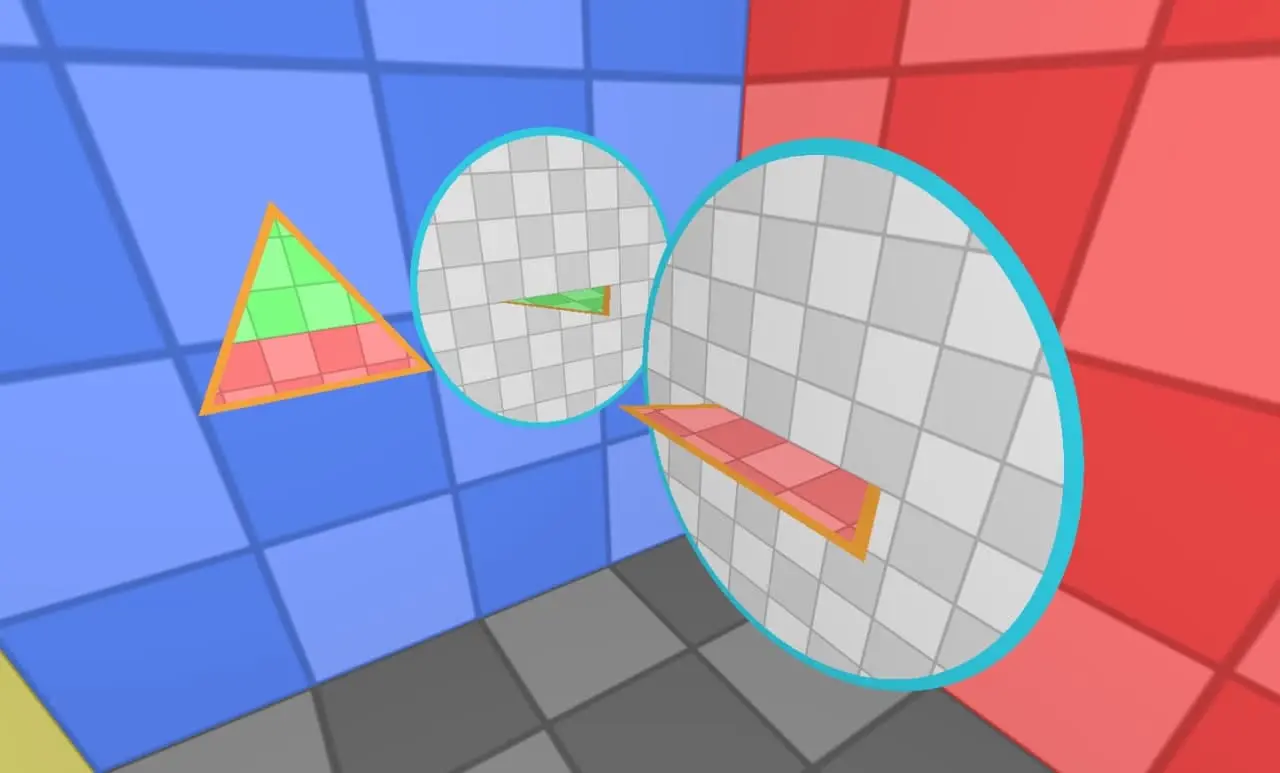
jpg
Now here's what happens if we push an object into the far triangular portal. It will be cut into two parts, as in the scene with the gray knife, and each part will enter its own portal: one the red one, the other the green one. In the end everything will look as if no knives or borders exist, everything is perfectly continuous.
That's how complex teleportation works under the hood.
And this is important to understand, because when a portal enters a portal, the same thing happens to it, only more complicated. In this picture the red portal enters both another red one and another green one at the same time.
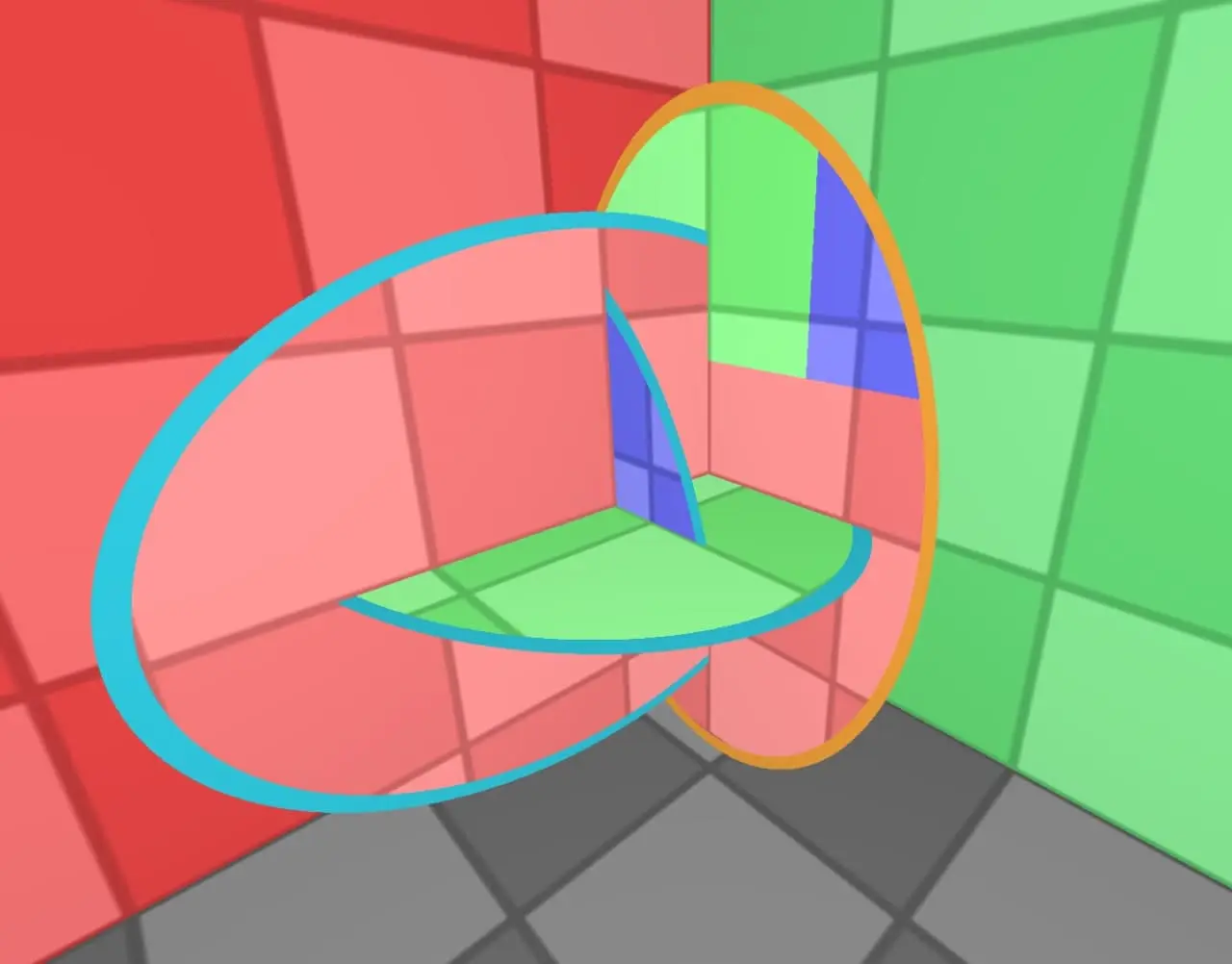
jpg
#12.06.2021
Updated the visual style:
- The checkerboard texture is now less contrasty
- Portals now have a black outline along their edges, so they stand out better from the background
- Added antialiasing, so the program runs 4 times slower; you can turn it off in the "Rendering options" menu.
The first picture is before.
The second picture is after.
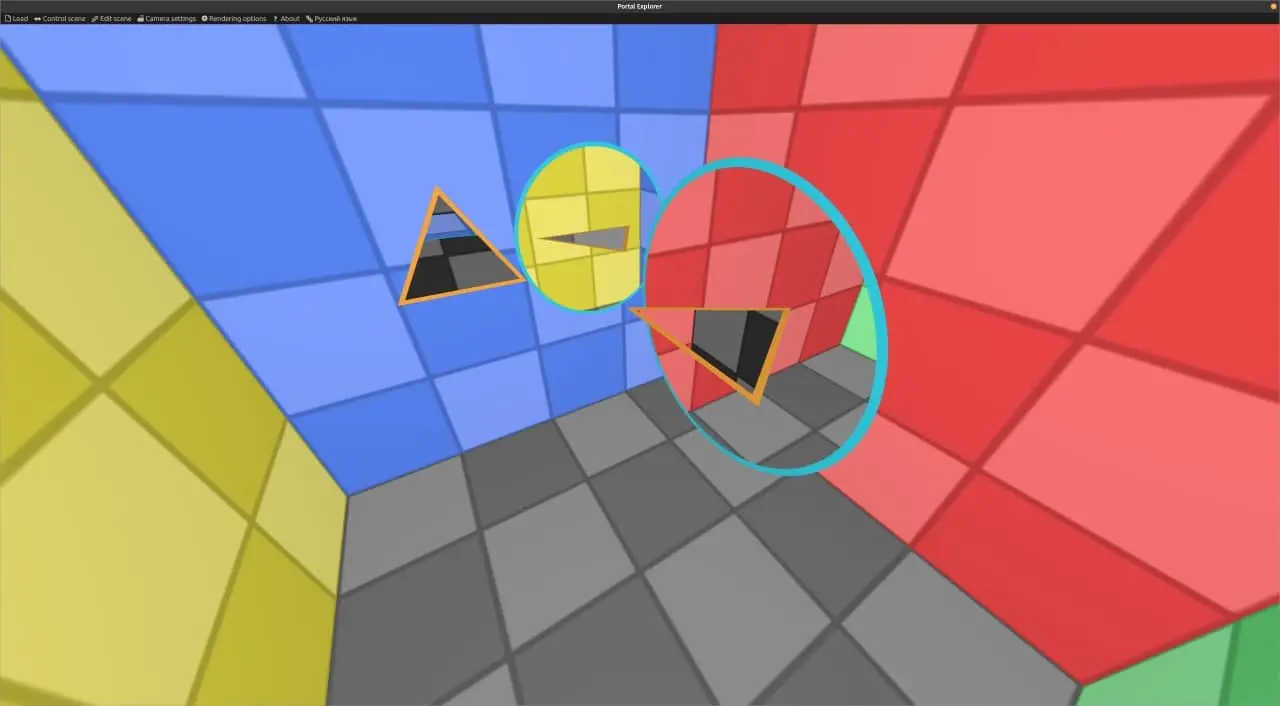
jpg
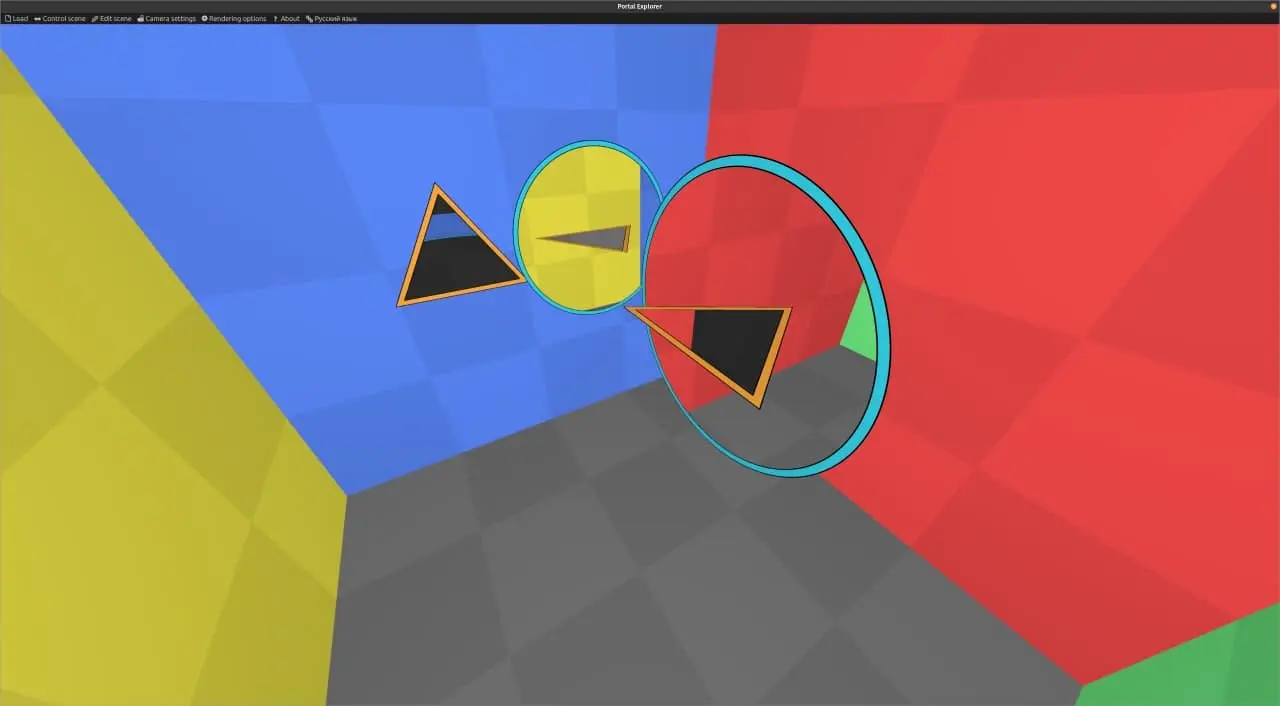
jpg
#14.07.2021
Source:
tg/473(48 💬).
I've finally made this video (it's in Russian, with English subtitles), enjoy!
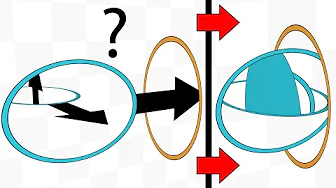
#22.07.2021
#2How I made this video
I dreamed of making this video back 2 years ago, when I had the old code. Back then, though, making it seemed such a distant and difficult prospect that I couldn't get started on the video itself, and I fell into the pit of improving the code, which only ate up my time.
Now everything has changed, because with the new visual editor I managed to create all the explanatory scenes in a fairly short time (with the old code, creating all these scenes would have been incredibly hard), and I realized that the only remaining problems now were editing and voice-over.
First I made a list of the explanatory scenes I needed and made them, and then I posted an announcement in this channel that I'd started working on the video (11.05.2021). As I later realized, I described those scenes in way too much detail, because in the video I'd give them very little screen time and wouldn't be able to explain them in that much detail.
Then I started working on the plan of the video. First I just dumbly collected all the ideas, little fragments of pictures from my head, without any structure, and then built a structure out of them.
A digression: by "plan" I mean two things: the structure of the video, and the text that ties this structure together; and also, for all of the text, it should be written down, at least roughly, what visuals it goes over.
At first the plan didn't work out: I'd written out the beginning and the end really well, but the middle just wouldn't come together (I already wrote about this in 31.05.2021). I had to come up with and create new scenes.
After that I finally finished the plan. I decided that was enough and that I needed to learn video editing, otherwise polishing all the rest of the text was pointless without knowing what pitfalls might await me in editing.
I started watching a bunch of video tutorials about Shotcut, which I worked in at first. I chose it because it's free, and I'm all about free software. With great difficulty I made the first three minutes of the video in it, and realized that working in it is awful, that it lags and that its interface is just terrible in general. I also realized that a lot had to be thrown out of my video (I threw out a detailed explanation of what a portal is and why it isn't the same as a wormhole), and I got a better understanding of how to work with the plan so that it fits the realities of video; I reworked it almost completely and moved a lot of things around.
I recorded the voice-over for these three minutes on my phone, and the sound was awful. It absolutely had to be fixed, otherwise making the video would be impossible. I needed a good microphone. Onigiri said he started his first videos with a BOYA BY-M1 lavalier mic, which costs ~800 rubles (about $11). I followed his example and bought one. And yes, this video was made with exactly this lavalier. I plugged it into my phone and recorded with the voice recorder app, and then copied the recordings to my computer (plugging it straight into the computer gave a lot of noise). I'm very happy with the sound, at least for a first video it's the best option. Thanks to Onigiri for this advice, because watching Vitaly Golovanov had given me the idea that you can only work with an audio interface and a big microphone that costs a lot of money.
I gave up on free, became a grown-up, installed Windows and got Premiere Pro. Working in it was, of course, much more pleasant and noticeably more efficient than in Shotcut.
Then came a very long process of making the video, after which I had 17 minutes of footage. I'm too lazy to remember and tell you what went on there, so let's skip that part (haha, skipping the very essence, well done Ilya).
I sent the result to a guy for review (he chose to remain anonymous). He wrote down timestamps with his criticism and the places he didn't understand, and thanks to that I found a lot of mistakes that I wouldn't have noticed myself, because my eyes had glazed over. Some of the mistakes were so fundamental that I had to heavily rewrite the plan. I rewrote it and then realized that you can't just add new parts to the video, it had to be completely re-edited too, and all the audio had to be re-recorded as well, because so much of the text had changed that it was easier to redo all the audio at once than to figure out where to insert the new parts.
Struggling through it all a second time, I re-recorded all the audio, re-edited the whole video and shot a lot of new footage for it. And the video went off for a second review to @vsevolodpl, though after that I didn't change anything (I was completely worn out by then), and I didn't get much criticism anyway, so I just said screw it.
Now it was time to publish. I thought I couldn't just publish it in Russian, after all, I'd dreamed of English too. So now English subtitles were what was holding me back. I somehow made them, and then ran them through Grammarly, fixing every possible mistake. By the way, thanks to hirrolot.github.io for help with this. My English is very bad, but one English-speaking guy on Twitter said he liked the subtitles, so fine.
So the text was ready, all that was left was to put the subtitles on the video. I'd done that before, and in the YouTube interface it's inconvenient, to put it mildly, so I googled whether you can add subtitles right in Premiere Pro, and it turned out you can.
First I added the Russian subtitles, and it was hell. To subtitle 10 minutes of video with text you already have, you need to work monotonously for an HOUR straight without getting distracted. It's truly soul-crushing work, copy-pasting this text and aligning it to the audio. I dreaded what awaited me with the English subtitles.
But then, thank heavens, I laid the English subtitles over the Russian ones, and that went 1.7 times faster (I measured!), because I didn't need to listen to the audio. I'm afraid to imagine how long subtitling in English without the Russian subs would have taken me, how much time I'd have spent reading the English text and listening to the Russian voice to align them properly.
And then lots more hours of rendering and 5 hours of waiting for the video to upload, and so on. But that's insignificant compared to everything else.
All in all, making this video can be described in three words: so much work.
By the way, a fun fact: the pure spoken text came to 23k characters, and the video is 24 minutes long, so here's some empirical data on how to estimate the final length of a video from its plan, without editing.
#2What I think about making this video
Making videos is very hard. Now I understand that video blogging isn't such an easy job, and all this editing, voice-over and a whole bunch of other stuff is an incredible amount of work. And when I watch Stas exposing Topless (both are Russian YouTubers), I can't see the exposé, I only see 40 minutes of very complex editing. I can't imagine how Stas does it.
Making your first video is even harder. It's one thing to make videos once you've learned how, but when you're doing it for the first time, it's insanely hard. I've experienced all of it firsthand, going through Shotcut, choosing a microphone and redoing the first iteration. The first time, it's impossible to do it well. And for my first video I went for something way too complicated to produce. Ideally you should start with something simpler.
Filling the video's airtime drives me nuts. A big part of the video is just text that I say to explain something. It came as a discovery to me that during that time I'm apparently supposed to show some visuals, and it's rather unpleasant to think about what exactly to put in the background. In this respect writing articles is nicer, because there you can dump a ton of text without a single picture.
The video format forces you to put your thoughts concisely. As you've seen, in the scene descriptions I wrote huge longreads, even for something obvious. I can afford longreads like that in an article, but not in a video, because in a video that would turn into several minutes of fluff that nobody will watch and that will tank retention. So when I was writing the plan, it was hard to try to put my thoughts concisely.
After a review you can't just redo things. After the first review of the video I had to completely redo the whole plan, all the audio, the whole video, and reshoot most of the visuals. So reviewing a video isn't the same as reviewing an article. In an article you can tweak the text, but in a video tweaking the text sets off a chain reaction. So in video the cost of a mistake is extremely high, and I don't know yet what to do about it.
#2Psychological effect
As I've said, I dreamed of making exactly this video 2 years ago. And now I've finally made it; you'd think I'd finally tied up a huge loose end and should be happy, but at the moment of publishing I felt nothing. And I feel nothing now. If I think about it, this happens every time I make something. I get more pleasure from anticipation than from the process or the result. Maybe that's not normal and I should work through it with a therapist.
I don't like this. I don't know what to do about it, and making this video clearly hasn't boosted my motivation to do other projects. So this channel will probably stay empty for a long time. I need to rethink my life and my hobbies. I'm thinking maybe I should drop hobbies altogether and focus on other areas of life.