
#Introduction
I recently developed and published a library called Space Objects. It's a library for working with vectors, lines and planes; it implements coordinate transformations, finding intersections of these objects, and so on. This library grew out of another project of mine.
After I published it and started coming up with usage examples, I realized how powerful it really is. It's the culmination of many projects I had worked on before: 2D graphics, fractals, 3D rendering. All of this is showcased, in condensed form, in the library's examples on GitHub.
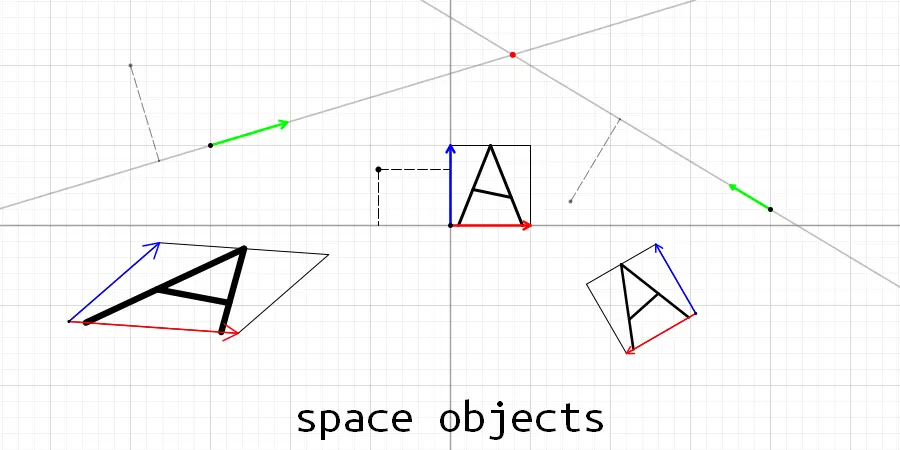
Here's the library's logo; it shows all the main objects and operations for two-dimensional space.

png
I'll talk about the features of this library using the task of drawing the Pythagoras tree fractal as an example.
But first, let's take a closer look at the library's logo. The standard coordinate system here is the one in the center. The other coordinate systems are shown without a grid, only with the position of their origin and their axis vectors.
As you can see, a coordinate system can not only be moved anywhere relative to the standard one, but also skewed and rotated by any angle; it can even be mirrored.
For each coordinate system, a square with coordinates (0, 0), (0, 1), (1, 1), (1, 0) is drawn, as well as the letter A, to show off coordinate transformation. In more detail: before the square is drawn, its coordinates are transformed by the current coordinate system with the from() function (as in "from the coordinate system"), and only the transformed coordinates are drawn as line segments.
#Drawing the Pythagoras tree
#2How to build it
Suppose we have the initial coordinates of the very first square. Then, according to the definition of this fractal, we need to build a right triangle on its top side and find its coordinates, then take both legs of this right triangle and recursively do the same on each of them.
You can see this process in the following GIF.
The hardest part of drawing this fractal is calculating the coordinates of each square.
Also, obviously, drawing the Pythagoras tree requires recursion. We need to write a recursive procedure that builds the Pythagoras tree on any line segment. After all, each new part of the tree is built on a side of a triangle, that is, on a segment with arbitrary coordinates.
#2The hard and bad way
Back in 10th grade, when I was still programming in Pascal, I set out to draw this fractal and took the hardest path possible: deriving cumbersome formulas with geometry and trigonometry. In the end I got this code:
var alpha:real; // Base angle of the right triangle
procedure recur(x,y, x1,y1:real; g:integer);
var dx,dy,lx,ly:real;
    x2,y2,x3,y3:real;
begin
     if (g=1) or ((sqr(x-x1)+sqr(y-y1))<1) then
     	// Exit the recursion if the maximum depth is reached or
     	// the square is too small
     else
         begin
           {1)}dx:=x1-x;
               dy:=y1-y;
           {2)}x2:=x-dy; // Compute the other two points of the square from the given
               y2:=y+dx; // points x,y, x1,y1.
               x3:=x1-dy;
               y3:=y1+dx;
           {3)}draw_Rect(x,y, x1,y1, x2,y2, x3,y3); // Draw the square on the screen

           // Compute the coordinates of the right triangle's apex
           {4)}lx:=sin(2*alpha)/2*dy-sqr(cos(alpha))*dx;
               ly:=sqr(cos(alpha))*dy+sin(2*alpha)/2*dx;

           // Recurse for each leg of the right triangle
           {5)}recur(x2,y2, x2-lx,y2+ly, g-1);
               recur(x2-lx,y2+ly, x3,y3, g-1);
         end;
end;
If you need to understand every step, there are comments, and the code is pretty simple anyway: even if you don't know Pascal, you'll surely understand it. But there's no need to dig into it, it only serves to demonstrate the complicated approach.
The recur function receives the coordinates of two points; a square is built on the segment formed by these two points; this square is drawn; a right triangle is built on the side of the square parallel to this segment, and the same function is called for its legs.
Downsides of this code:
- It doesn't use vector classes, which would let us shorten the code that adds up x and y coordinates and computes the length of the square's side, and reduce the number of parameters passed around.
- The whole square is defined by just one side, and then the coordinates of its other vertices are computed with obscure formulas.
- The coordinates of the right triangle on top of a square defined by just one side are computed in a very convoluted way, and it's unclear how these formulas work.
- The code only works for building the tree on the top side of the square; if you want to build it on a lateral side, or alternate between sides, you'll have to derive new formulas.
- This solution only works for a square. It can't be used for an arbitrary polygon.
But thankfully, here you can at least change the base angle of the right triangle. And back then I got roughly the following animation:
#2A better way, using the library
The library provides two things that will come in handy now:
- Transforming a vector from one coordinate system to another.
- Creating a coordinate system from two points with the
makeLine2function.
makeLine2(a, b) works like this: it creates a coordinate system with its origin at point a; the first axis vector points toward b and is equal to (b-a) in length. The second axis vector equals the first one rotated 90 degrees counterclockwise. So such a coordinate system is always orthogonal (the axes are perpendicular).
Building the Pythagoras tree will be similar to the previous section, except that instead of passing the function the coordinates of the segment to build on next, we'll pass the coordinate system in which to continue building.
Since we can easily transform coordinates, for any shape, be it a square, a right triangle or a Pythagoras tree, all we need to know is its coordinates when one of its sides lies entirely on the red X axis, which is defined by the vector i. This is necessary because later we'll transform these coordinates into some coordinate system obtained with the makeLine2 function, and as a result the transformed polygon will automatically end up as if attached to some side, already scaled to the size of that side.
The resulting code:
void draw_pythagoras_tree(const space2& space) {
	// Exit the recursion if one of the axes (and likewise the side of the square) is shorter than 2
	if (space.i.length() < 2)
		return;

	// Set the coordinates of the square
	vec2 a(0, 0), b(0, 1), c(1, 1), d(1, 0);

	// Compute the coordinates of a right triangle whose hypotenuse lies on the X axis, with base angle alpha
	double alpha = spob::deg2rad(10);
	vec2 tr_a(0, 0), tr_b(1, 0), tr_c(cos(alpha), 0);
	tr_c = rotate(tr_c, vec2(0), alpha);

	// Transform the square from the current coordinates to the coordinates of the given space
	a = space.from(a);
	b = space.from(b);
	c = space.from(c);
	d = space.from(d);

	// Draw the square
	draw_line(a, b);
	draw_line(b, c);
	draw_line(c, d);
	draw_line(d, a);

	// Build a space that lies on the top side of the square
	space2 tr_line = makeLine2(b, c);

	// Convert the triangle's coordinates to this space
	tr_a = tr_line.from(tr_a);
	tr_b = tr_line.from(tr_b);
	tr_c = tr_line.from(tr_c);

	// Build spaces that lie on both legs of this triangle
	space2 l1 = makeLine2(tr_a, tr_c);
	space2 l2 = makeLine2(tr_c, tr_b);

	// Recursively build the tree in these spaces
	draw_pythagoras_tree(l1);
	draw_pythagoras_tree(l2);
}
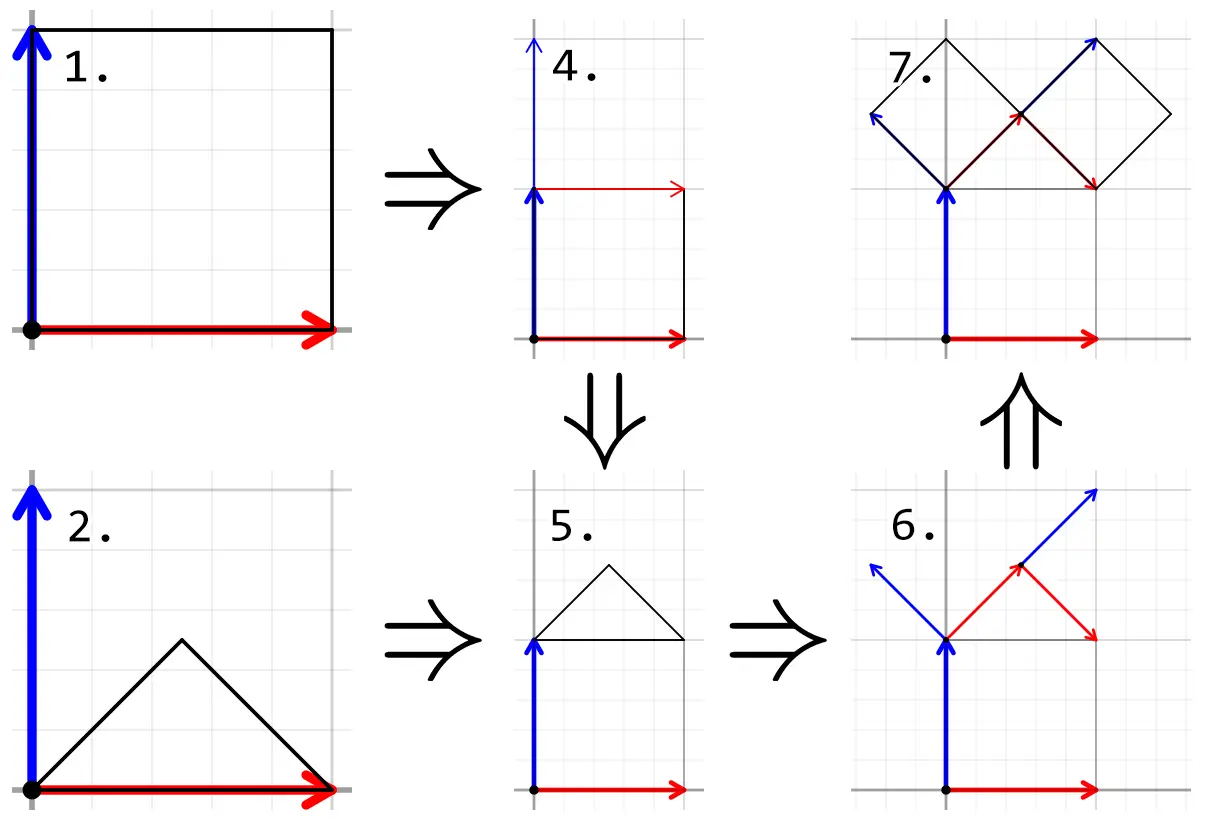
A step-by-step description, with a visualization of the calculations:
png
- Create the coordinates of the square.
vec2 a(0, 0), b(1, 0), c(1, 1), d(0, 1); - Compute the coordinates of the right triangle. There are no complicated formulas here, just the simplest geometry and the
rotate(what, around what, by what angle)function.vec2 tr_a(0, 0), tr_b(1, 0), tr_c(cos(alpha), 0); tr_c = rotate(tr_c, vec2(0), alpha); - Notice that the square's coordinates are given without reference to any coordinate system, they're just zeros and ones. So we convert its coordinates from the coordinate system that was passed to the function.
And we draw this square right away.a = space.from(a); b = space.from(b); c = space.from(c); d = space.from(d);draw_line(a, b); draw_line(b, c); draw_line(c, d); draw_line(d, a); - Create a coordinate system on the top side of the square with the
makeLine2function.space2 tr_line = makeLine2(d, c); - Transform the triangle's coordinates to the coordinate system we just got.
tr_a = tr_line.from(tr_a); tr_b = tr_line.from(tr_b); tr_c = tr_line.from(tr_c); - Build new coordinate systems on each leg of the resulting triangle.
space2 l1 = makeLine2(triangle[0], triangle[2]); space2 l2 = makeLine2(triangle[2], triangle[1]); - Repeat the whole procedure recursively for each coordinate system, after first transforming it from the coordinate system that was passed in. Actually, we could get rid of this transformation if we had transformed the square's coordinates from the start, as we did with the triangle.
draw_pythagoras_tree(space.from(l1));
draw_pythagoras_tree(space.from(l2));
While the code for the bad approach above took me ages of working out formulas on paper, hunting bugs and tuning parameters, I wrote the first version of this solution in literally half an hour, and it was roughly 7 lines long. Later versions were modified to be easier for other people to understand.
- It uses classes for vectors and coordinate systems.
- The coordinates of the square are computed in an intuitive way.
- The coordinates of the right triangle are very easy to compute.
- The code can build the Pythagoras tree on any side of the square; you only need to change the parameters in the line
space2 tr_line = makeLine2(b, c);. - This solution can be applied to any polygon (as long as one of its sides lies entirely on the X axis).
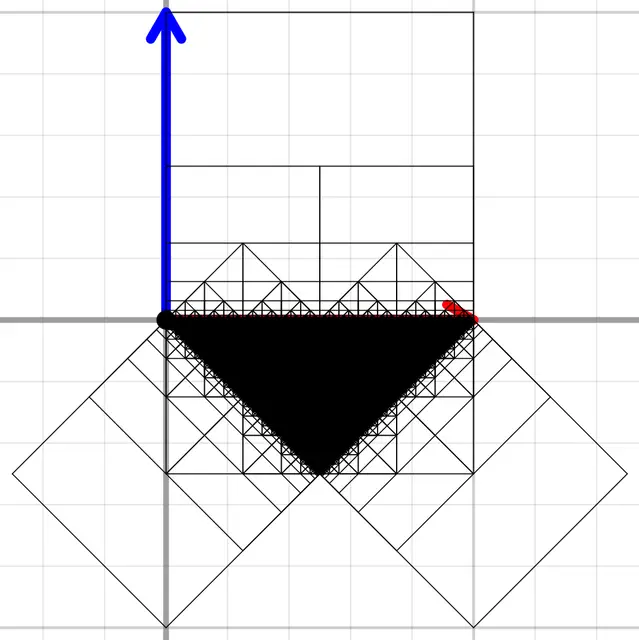
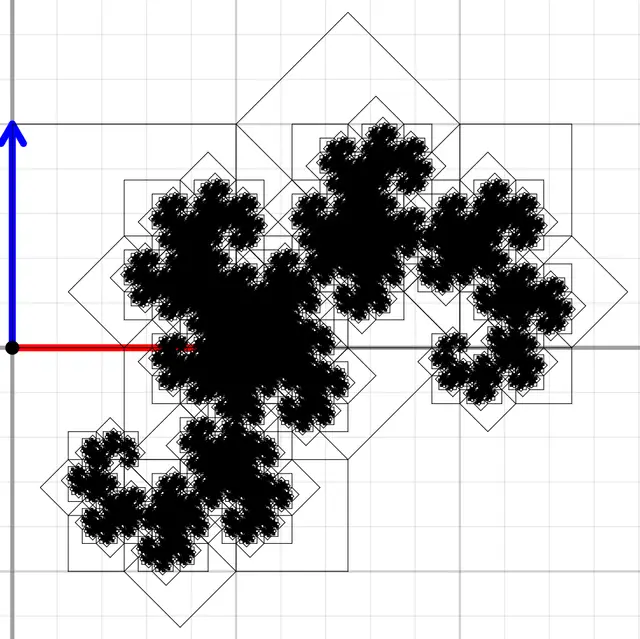
And here, for example, is the Pythagoras tree built on sides 0 and 1 of the square:
space2 tr_line = makeLine2(b, a);
png
space2 tr_line = makeLine2(a, c);
png
Next, I changed the drawing a bit: instead of just lines, it now draws filled polygons, and as a result the picture looks much prettier. Also, since the size changes all the time, I recompute the bounds of the image every time and shift the fractal so that it fits entirely in the image. Here's an animation for each Pythagoras tree based on a square:
#Drawing the Pythagoras tree on an arbitrary polygon
As mentioned earlier, the good solution can be used for basically any polygon, with small modifications. After writing that program in 10th grade I didn't stop there, and wanted to make a solution for a regular polygon. Here's how that turned out...
#2The old and nightmarish solution
procedure mnogoug(n,m:integer; x,y,x1,y1:real;var x2,y2,x3,y3:real);
{A very universal procedure for building regular polygons!!!}

{The procedure builds a polygon with n sides, and it is built so
 that its base is the side with coordinates x,y,x1,y1 , and with that side as its base
 it also has to return the coordinates of side number m, in x2,y2,x3,y3 ,
 and since only the number of sides and the base coordinates are given, the size of the shape is chosen
 according to the input data, and the tilt angle and the center coordinates too; also,
 it matters a lot where you put the first point, in x,y or in x1,y1 , depending
 on that your shape may come out upside down or not}
 var v:integer;
begin
  {Find the center coordinates}
	rx:=(x1+x)/2+((cos(pi/n)/sin(pi/n))*(y1-y))/2;
	ry:=(y1+y)/2-(cos(pi/n)/sin(pi/n)*(x1-x))/2;

	{Find the tilt angle of the polygon}
	if (y1=y) or (x1=x) then fi:=pi/n
	else                     fi:=-arctan((x1-x)/(y1-y))+pi/n;

  if (y1>y) then fi:=fi+pi;

  if y1=y then
    if x1>x then fi:=fi+pi/2
    else         fi:=fi+3*pi/2
  else;

  {Find the radius of the polygon}
	r:=sqrt(sqr(x1-x)+sqr(y1-y))/(2*sin(pi/n));

  {Build all the sides one by one}
	for v:=0 to n do
	   begin
         {Formulas for the coordinates of the polygon's vertices; to
          find them you need to know the center coordinates, the radius and the tilt angle, but since
          we've already found them, we can safely build the polygon. The formula is taken
          from Wikipedia}
	       xi:=rx+r*cos(fi+2*v*pi/n);
	       yi:=ry+r*sin(fi+2*v*pi/n);

	       {If we've reached the side we need, return
          its coordinates}
	       if (v=m) then
	          begin
	          	x2:=xb; y2:=yb;
	          	x3:=xi; y3:=yi;
	          end
	       else;

	       {Draw the line of one side of the polygon}
	       if v<>0 then
	       begin
         //line(trunc(xb),round(yb),trunc(xi),trunc(yi));
         line_m(trunc(xb),round(yb),trunc(xi),trunc(yi));
         end;
	       xb:=xi; yb:=yi;
	   end;
end;


var i,j:integer;
    alpha:real;


procedure recur(x,y,x1,y1:real; g:integer);
{The procedure builds a polygon with i sides on the side x,y,x1,y1 ,
 and on side j of this polygon it builds a right triangle with angle alpha
 ,and on its legs everything starts over again, and so in the end it builds the fractal called
 "Pythagoras tree", and not the usual square one, but one based on any polygon}
 var
    lx,ly:real; x2,y2,x3,y3:real;
begin
     if (g=0) or ((sqr(x-x1)+sqr(y-y1))<0.1) then
        {When the radius of the polygon is already less than one, there's no point building further,
         and also when the allowed depth limit is exceeded}
     else
         begin
               {Build a polygon with the given base and the given number of sides}
         	     mnogoug(i,j,x,y,x1,y1,x3,y3,x2,y2);

         	     {Since we've found the side we need, we find on it the apex
                of the right triangle whose hypotenuse is the side
                we found in the previous step, and the base angle
                of this triangle is alpha}
           {1)}dx:=x3-x2;
               dy:=y3-y2;
           {4)}lx:=sin(2*alpha)/2*dy-sqr(cos(alpha))*dx;
               ly:=sqr(cos(alpha))*dy+sin(2*alpha)/2*dx;

               {And now on the legs of this right triangle we build
                new polygons, and on them triangles again ... and this is what's called
                the "Pythagoras tree" fractal}
           {5)}recur(x2-lx,y2+ly,x2,y2,g-1);
               recur(x3,y3,x2-lx,y2+ly,g-1);
         end;
end;
Honestly, it scares me to look at this code and remember how I struggled with it... I tried to make it look as nice as I could, but at its core it's still all kludges and crappy hacks. And this picture (its caption says "A visual representation of how my code works") describes it perfectly:

jpg
But I'll try to walk you through it all, so you can feel the full horror.
The main problem in this code was the part that computes the angle in the mnogoug function (the name comes from the Russian word for "polygon"). There are lots of different ifs there that exist for god knows what reason and work god knows how. In fact, those angle lines were found empirically, by trial and error. It was this part, with all that trial and error, that cost me n hours of debugging.
And then, while learning C, I found out that there exists a heaven-sent function, atan2... Yes, those lines are my hacky, reinvent-the-wheel implementation of atan2. It was a real revelation! Be sure to read about this function and use it!
I also realized that I could have written that code much more simply, without all the voodoo, if I had derived those angle formulas strictly mathematically from the start.
Now, what is actually going on here? Basically everything is written in the comments. The main idea is that there's a formula for generating a regular polygon, taken from Wikipedia:
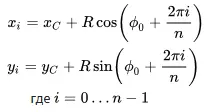
png
If you study it, you can see that a regular polygon has several parameters that define it uniquely: the center coordinates C, the radius R and the rotation angle φ. And these parameters can be computed if you know n and the coordinates of one side.
I derived the formulas for this on paper, and it took me much longer than just deriving the formulas for the Pythagoras tree. These are exactly the formulas you can see in the mnogoug function before the loop. Then the Wikipedia formula is applied to find the coordinates of the polygon's side on which the next iteration will be built. All the sides are drawn right there as well.
As for the recur function, not much has changed there; even the formulas for computing the triangle's coordinates stayed the same.
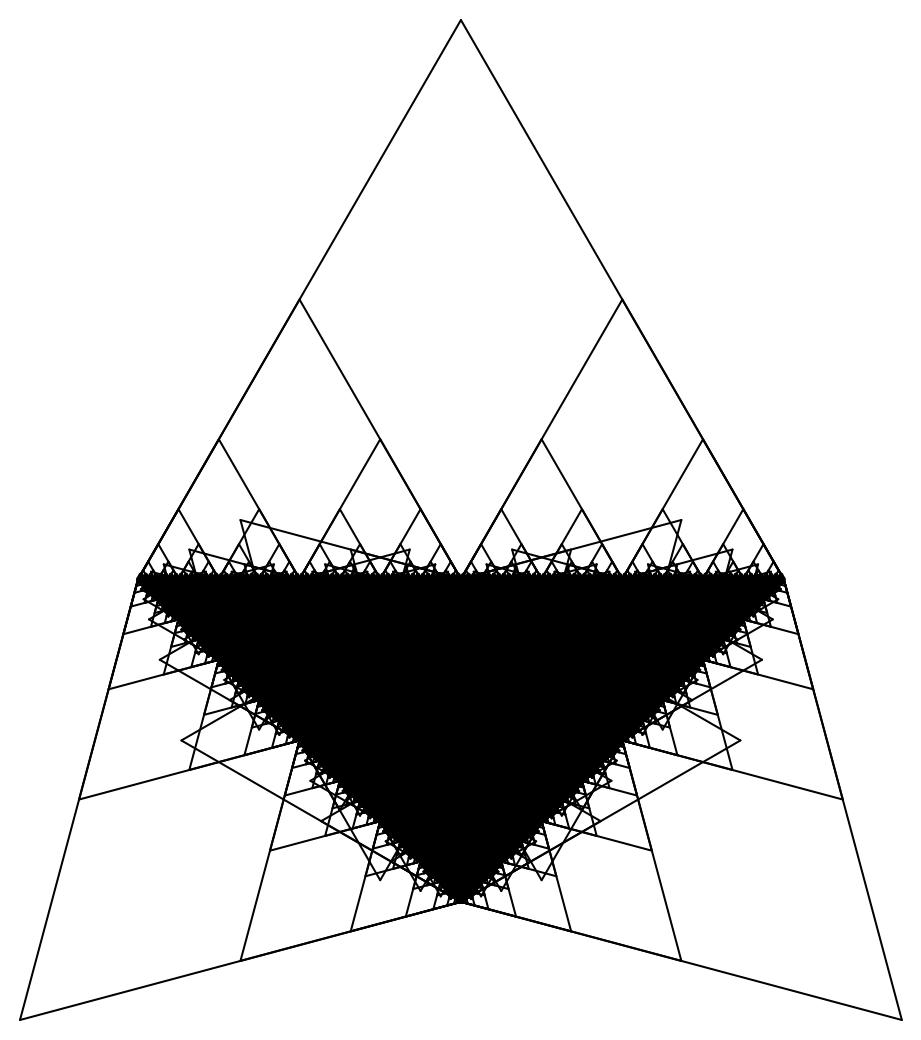
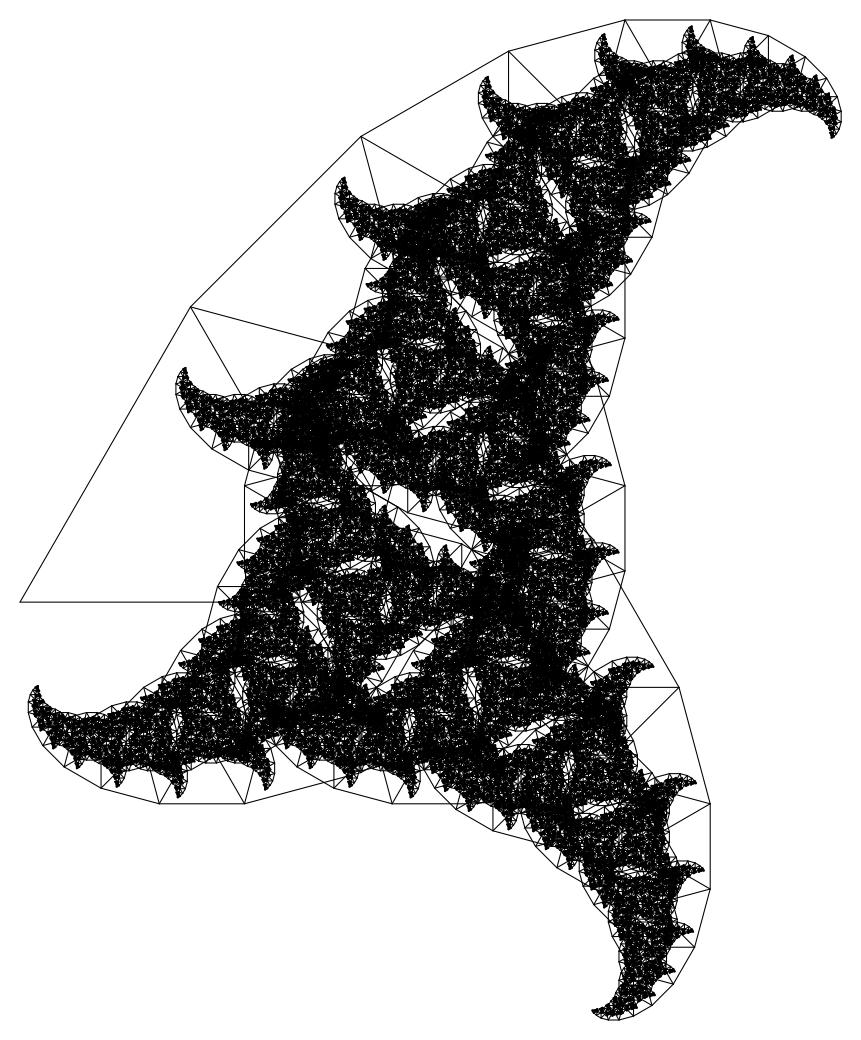
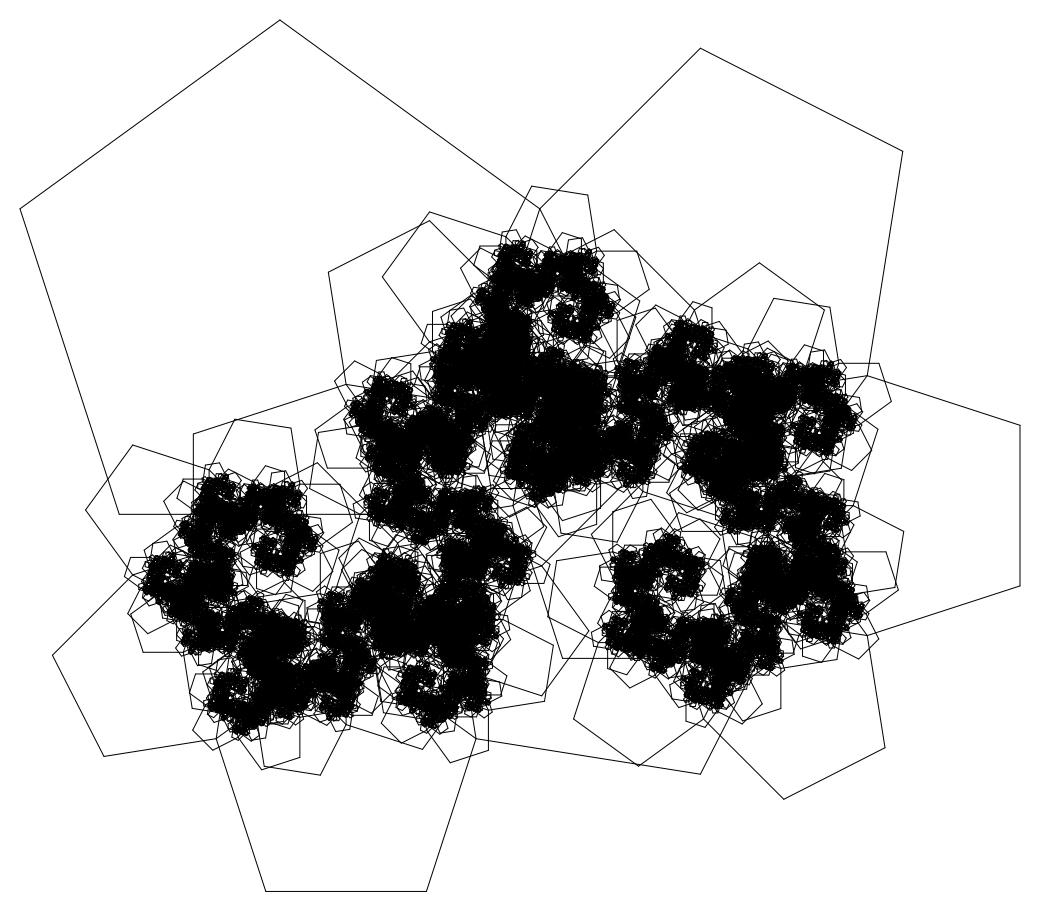
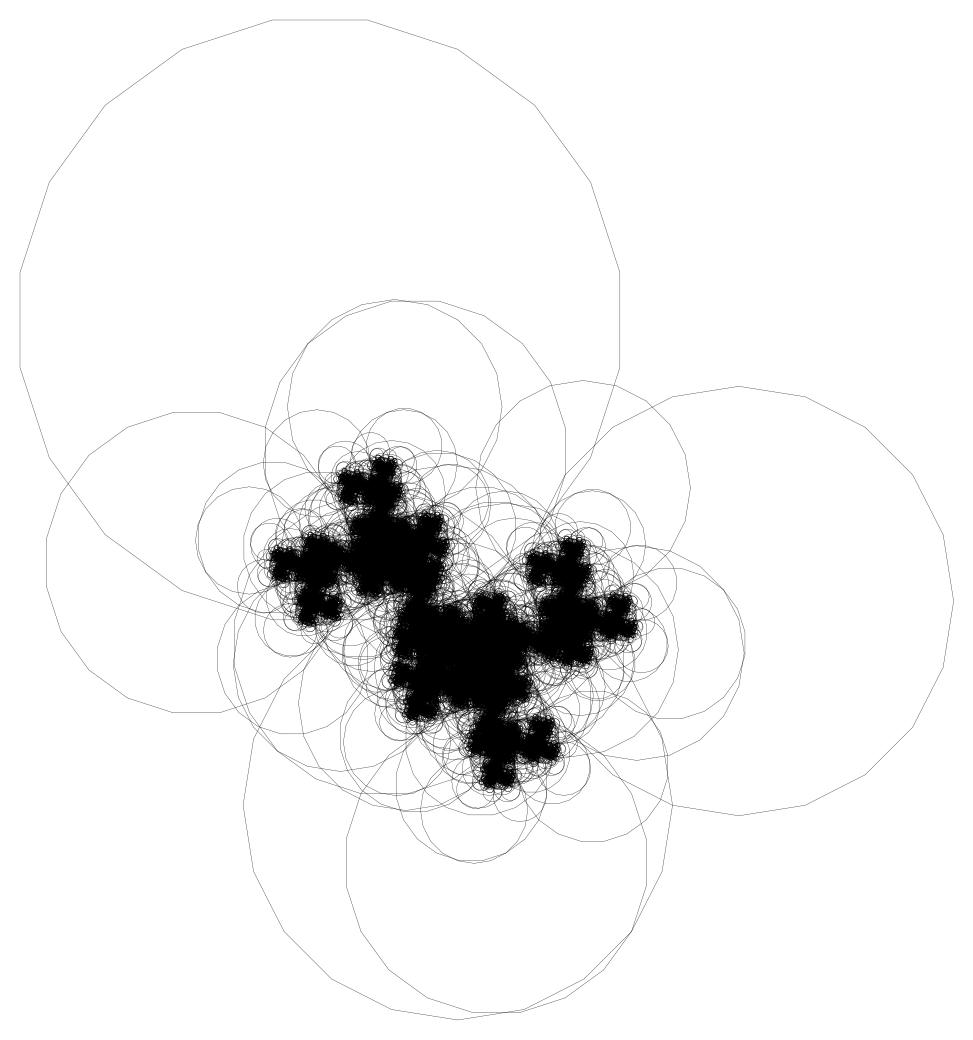
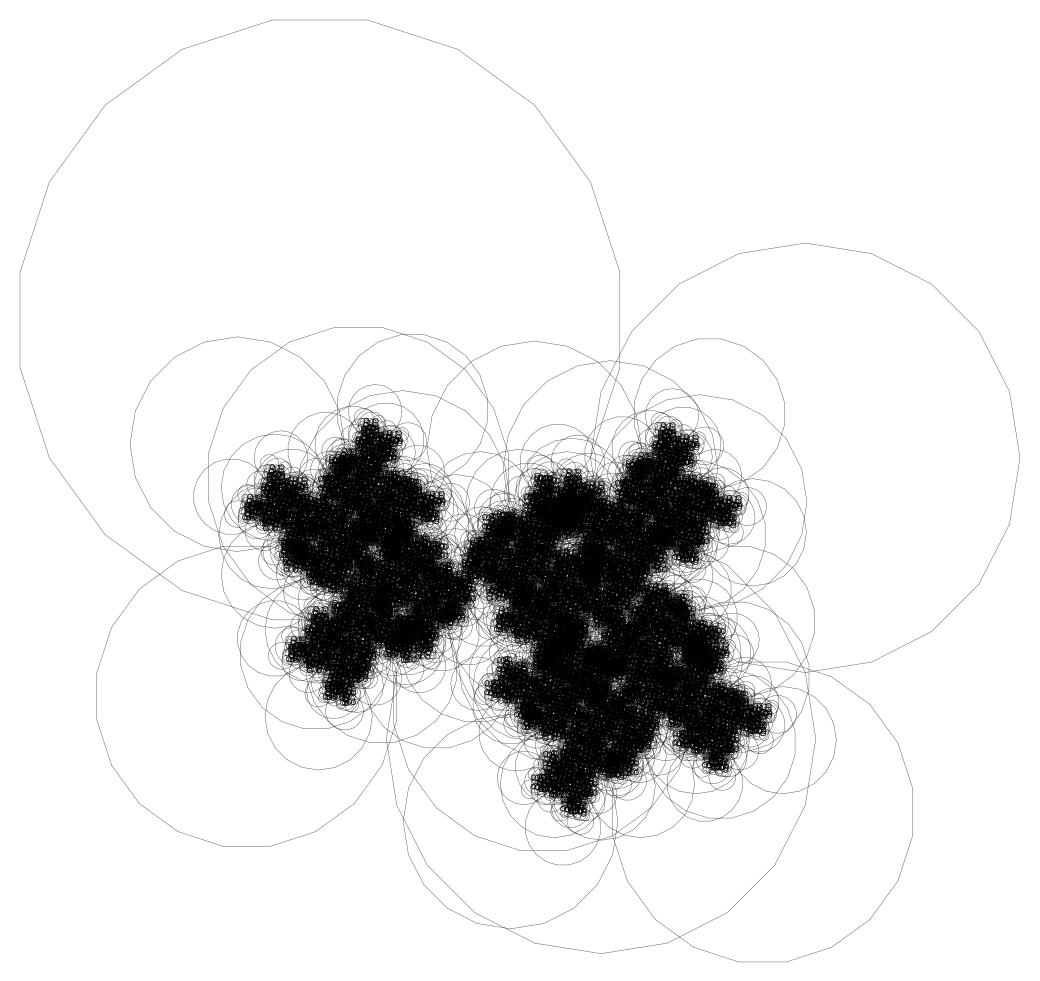
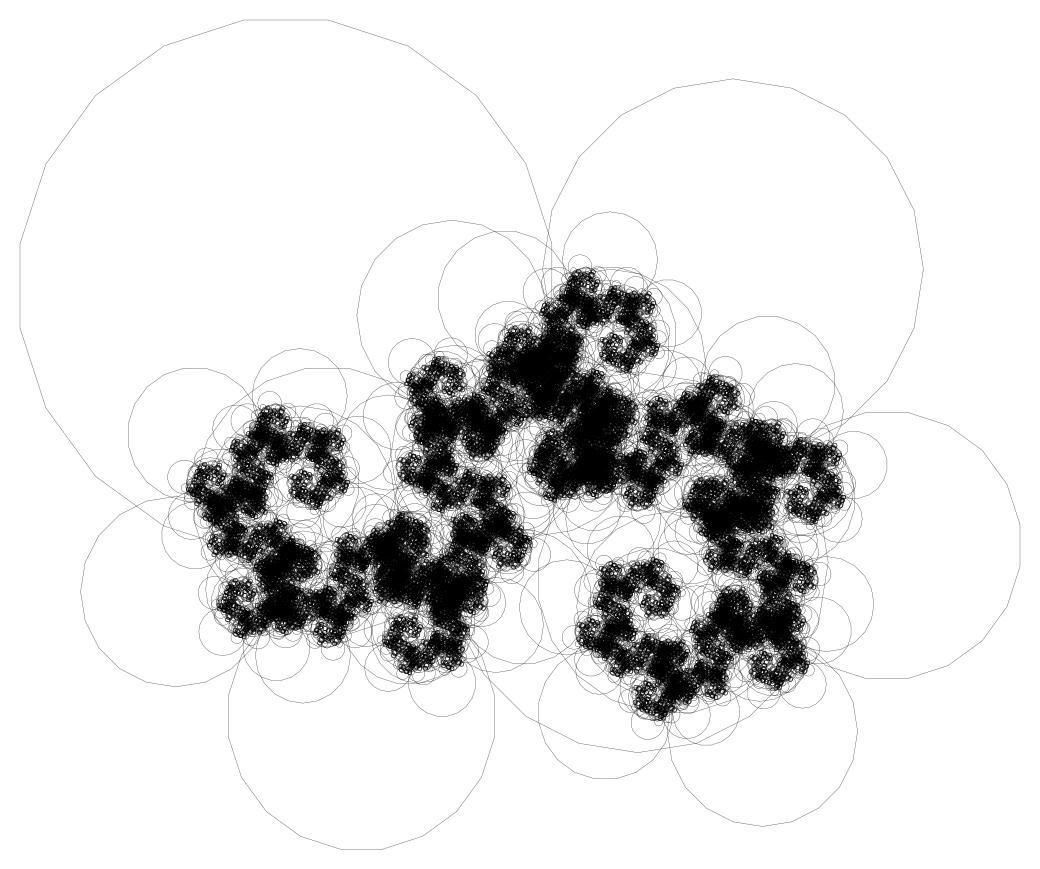
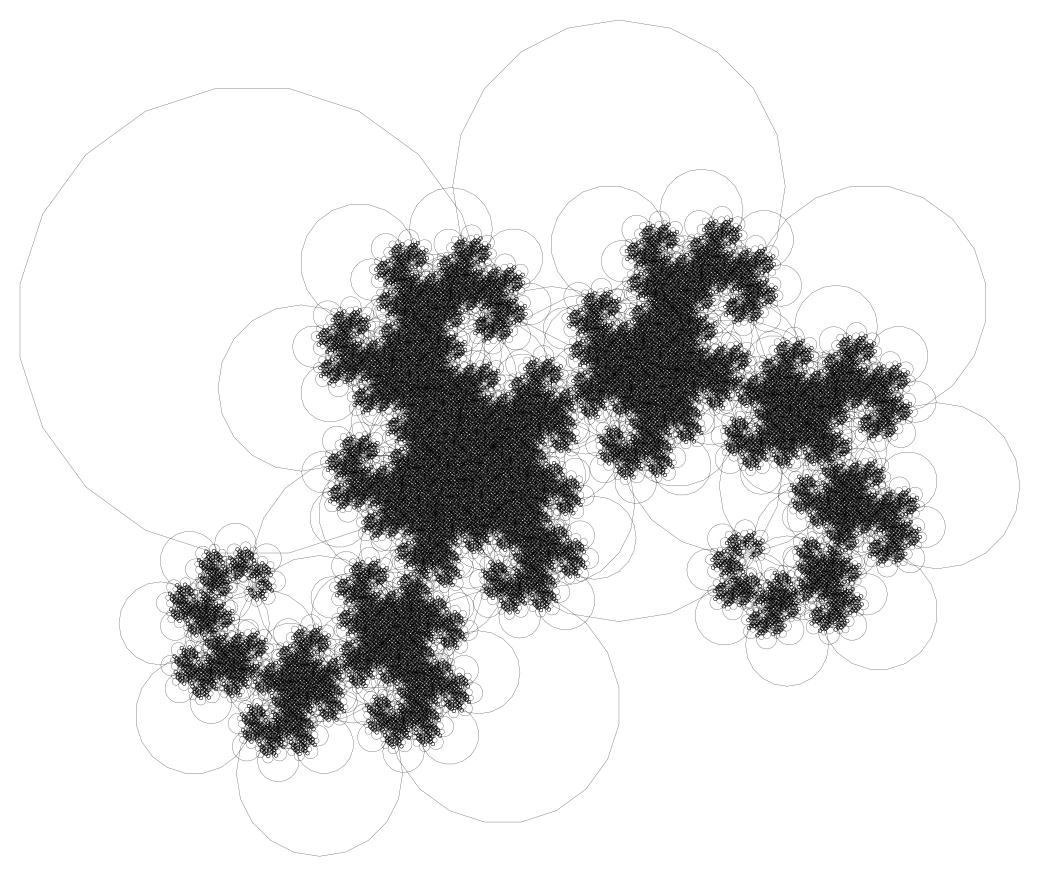
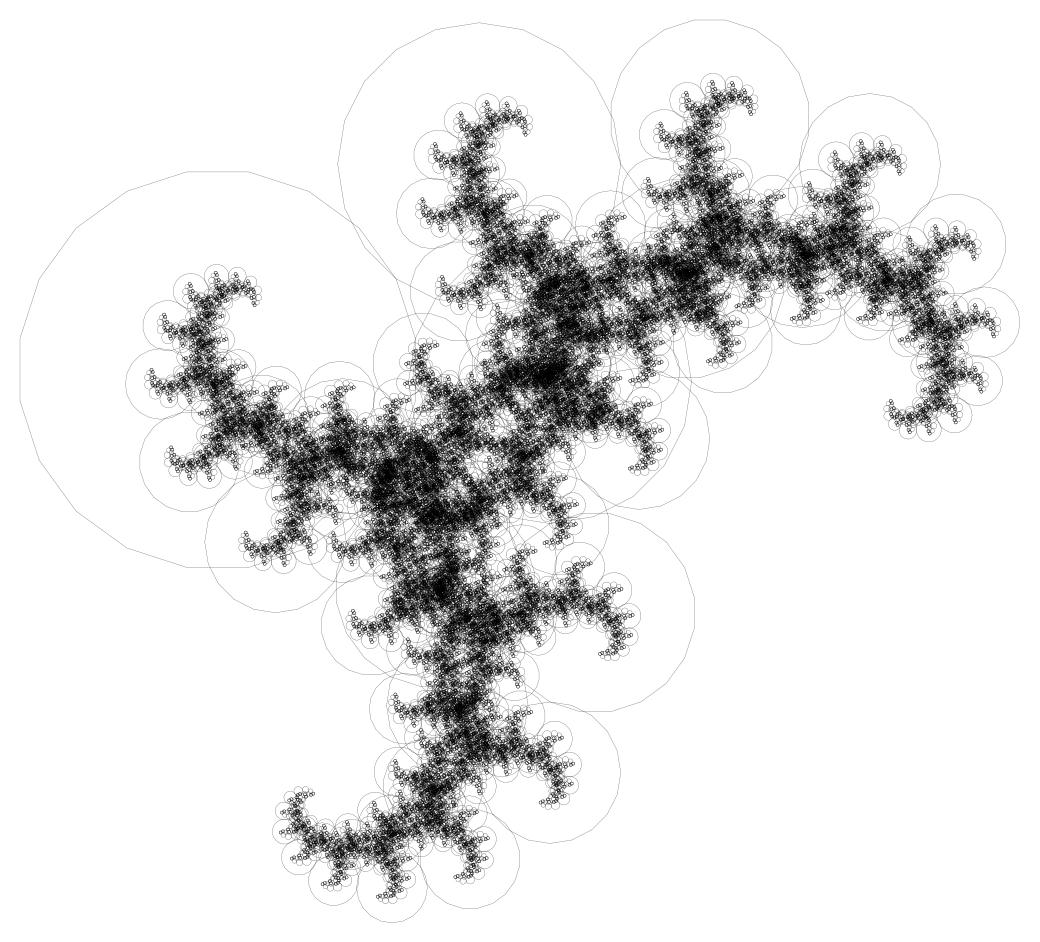
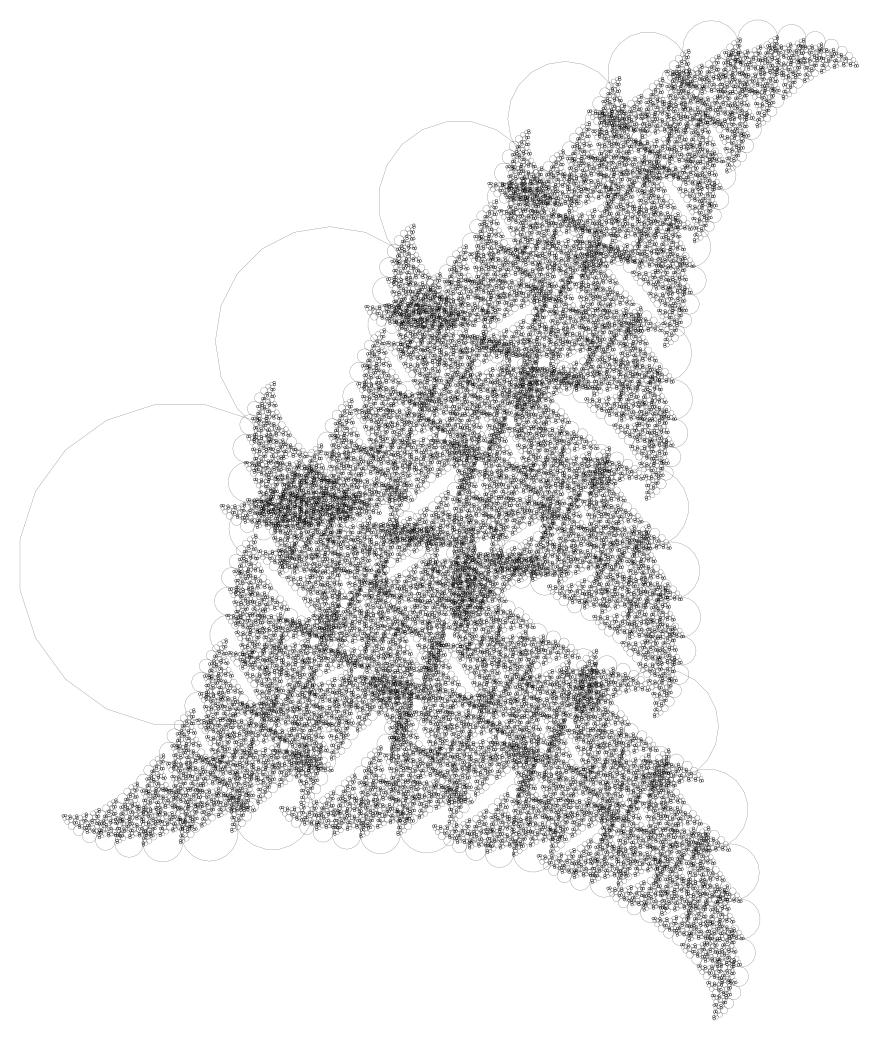
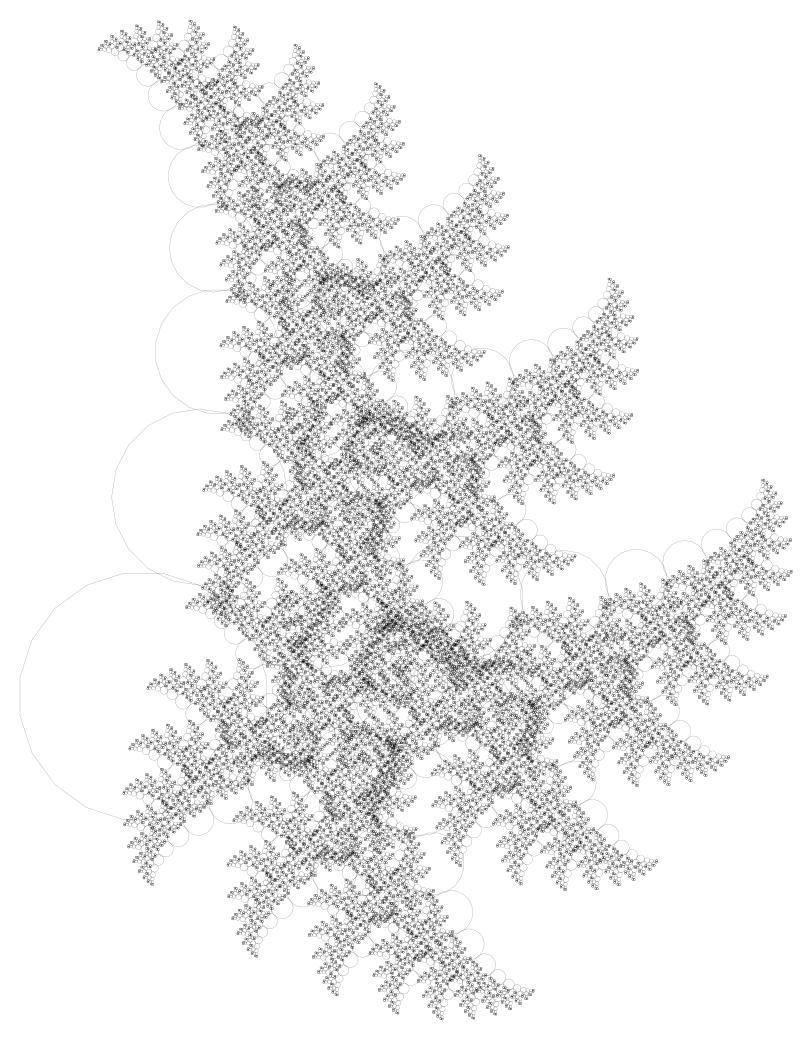
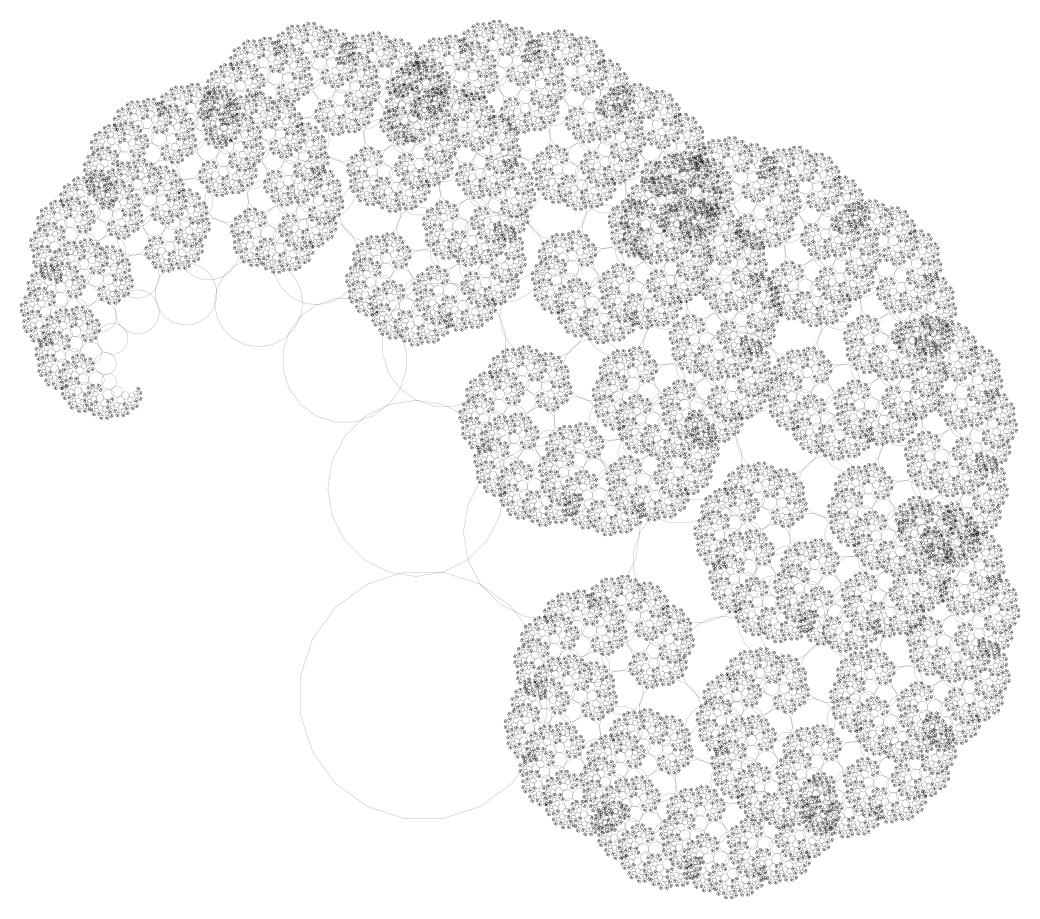
So here are the results of all that suffering:
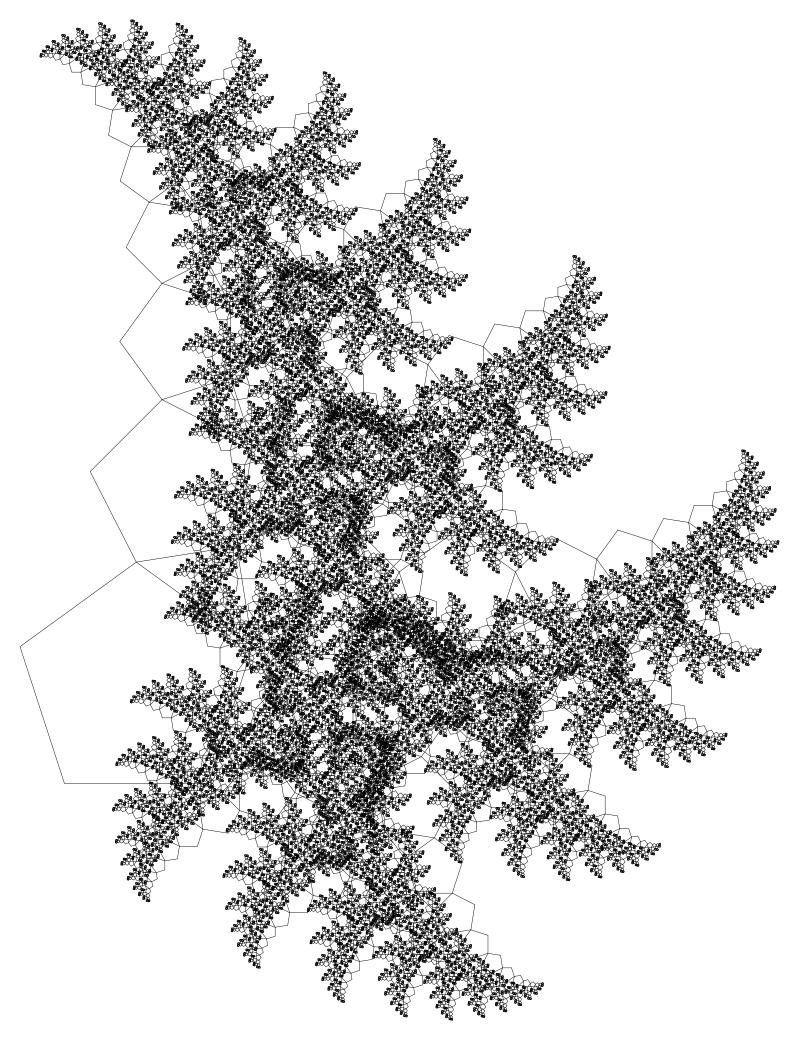
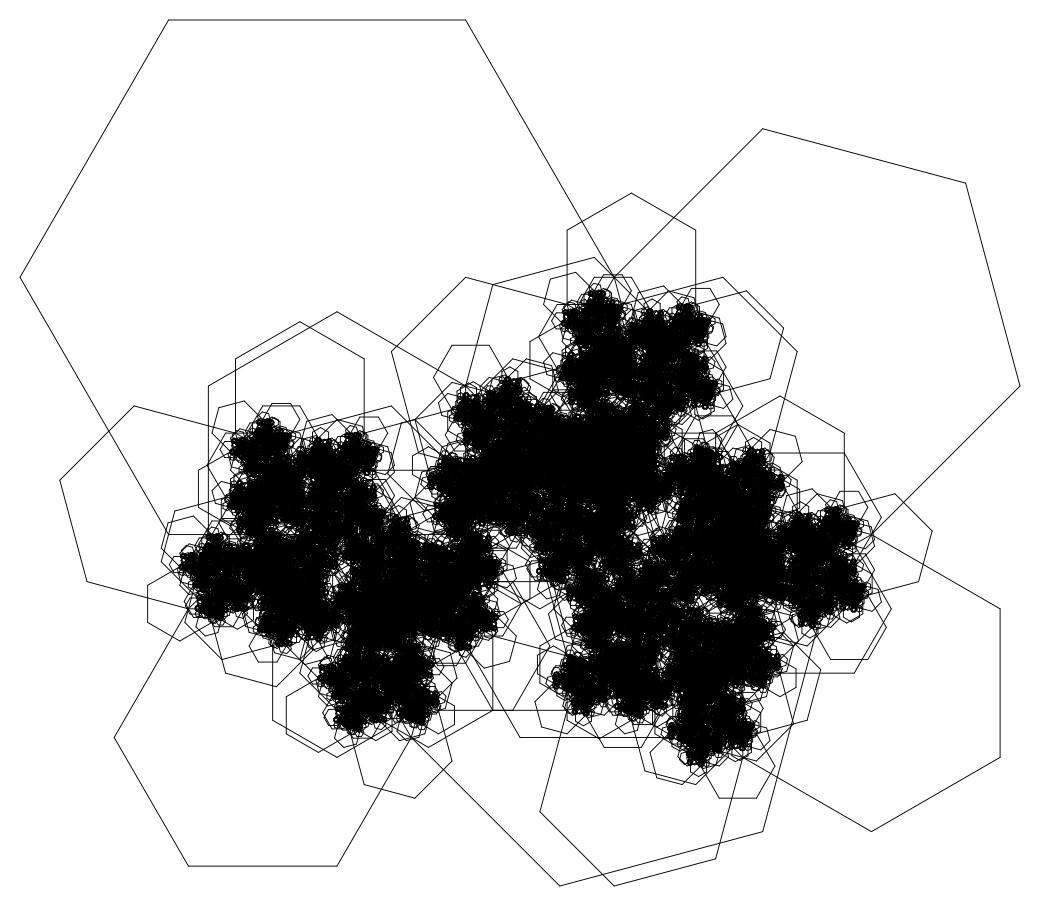
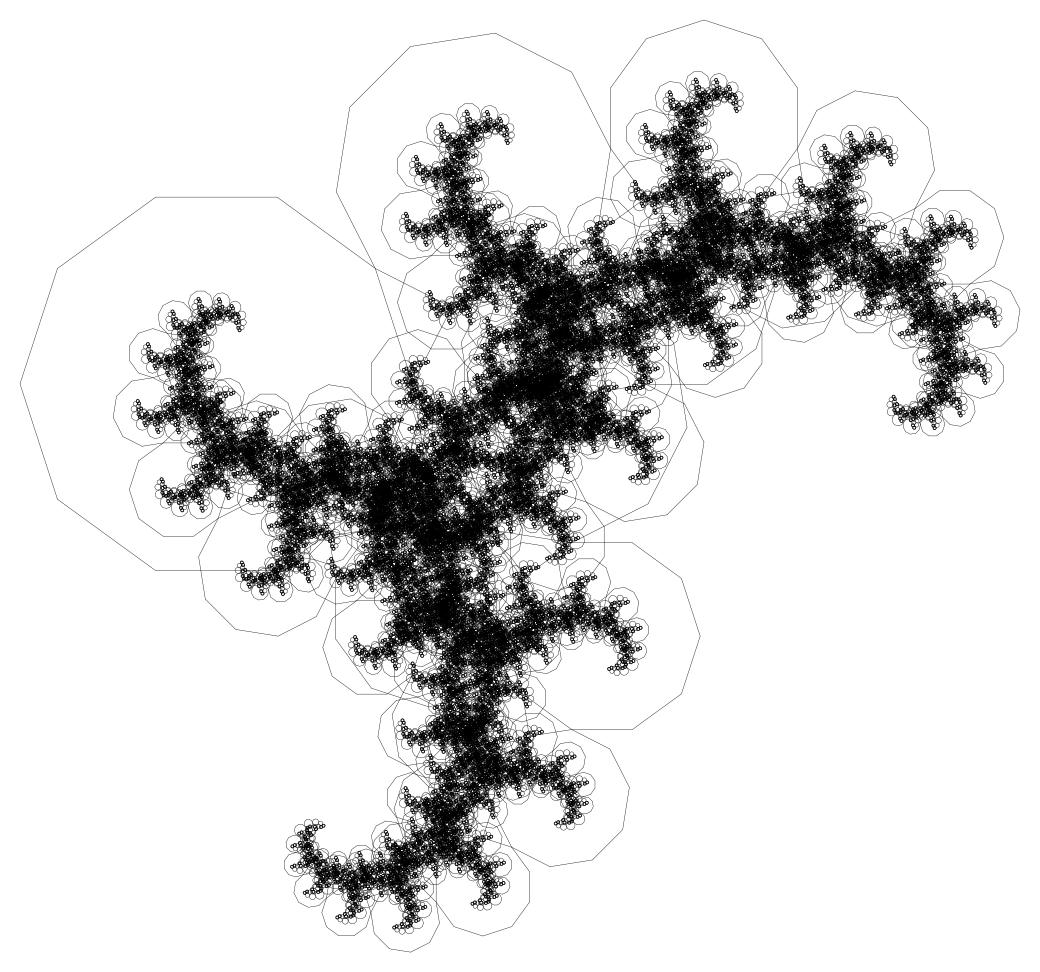
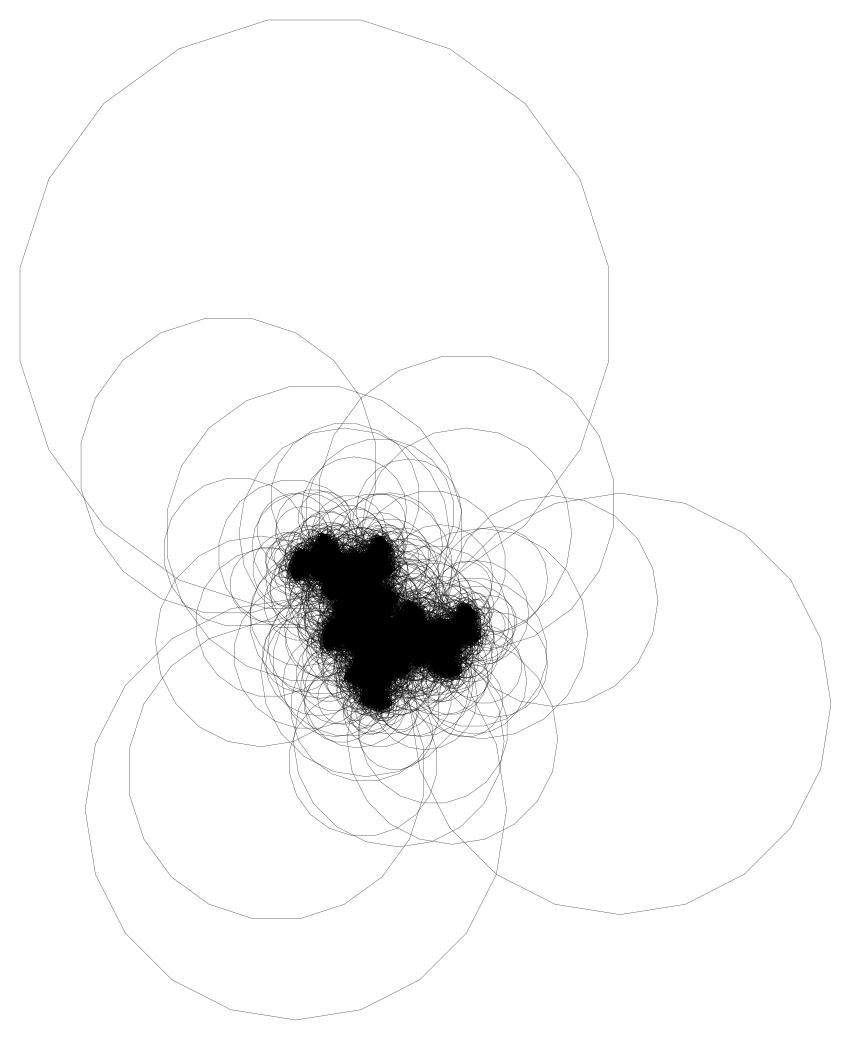
Note: the label 20_3 means that we take a 20-gon and build the rest of the fractal on its third side.
3_0
png
3_1
png
5_1
png
5_2
png
6_1
png
10_3
png
20_1
png
20_2
png
20_3
png
20_4
png
20_5
png
20_6
png
20_7
png
20_8
png
20_9
png
Downsides of this solution:
- It only works for regular polygons.
- It requires deriving even more complicated formulas.
- It has most of the downsides of the bad solution for the simple Pythagoras tree.
#2The good way, using the library
This may seem surprising, but compared to the previous good solution, this one differs only a little. The main differences: the shape's coordinates are no longer written as a, b, c, but stored in an array. There are also a few lines for computing a regular polygon.
void draw_pythagoras_tree(const space2& space) {
	// Exit the recursion if one of the axes (and likewise the side of the square) is shorter than 2
	if (space.i.length() < 2)
		return;

	// Compute a regular polygon
	const int n = 5;
	const int m = 1;
	std::vector<vec2> poly;
	for (int i = 0; i < n+1; ++i) {
		double angle = deg2rad(360.0/n * i);
		poly.push_back(vec2(cos(angle), sin(angle)));
	}

	// Transform the coordinates so that its first edge lies on the X axis
	space2 poly_line = makeLine2(poly[0], poly[1]);
	poly = toMas(poly_line, poly);

	// Compute the coordinates of a right triangle whose hypotenuse lies on the X axis, with base angle alpha
	double alpha = spob::deg2rad(45);
	std::vector<vec2> triangle = {
		vec2(0, 0),
		vec2(1, 0),
		rotate(vec2(cos(alpha), 0), vec2(0), alpha)
	};

	// Transform the polygon from the current coordinates to the coordinates of the given space
	poly = fromMas(space, poly);

	// Draw the polygon
	for (int i = 0; i < poly.size() - 1; i++)
		draw_line(poly[i], poly[i+1]);

	// Build a space that lies on the m-th side of the polygon
	space2 tr_line = makeLine2(poly[m+1], poly[m]);

	// Convert the triangle's coordinates to this space
	triangle = fromMas(tr_line, triangle);

	// Build spaces that lie on both legs of this triangle
	space2 l1 = makeLine2(triangle[0], triangle[2]);
	space2 l2 = makeLine2(triangle[2], triangle[1]);

	// Recursively build the tree in these spaces
	draw_pythagoras_tree(l1);
	draw_pythagoras_tree(l2);
}
A step-by-step explanation of how the polygon is created:
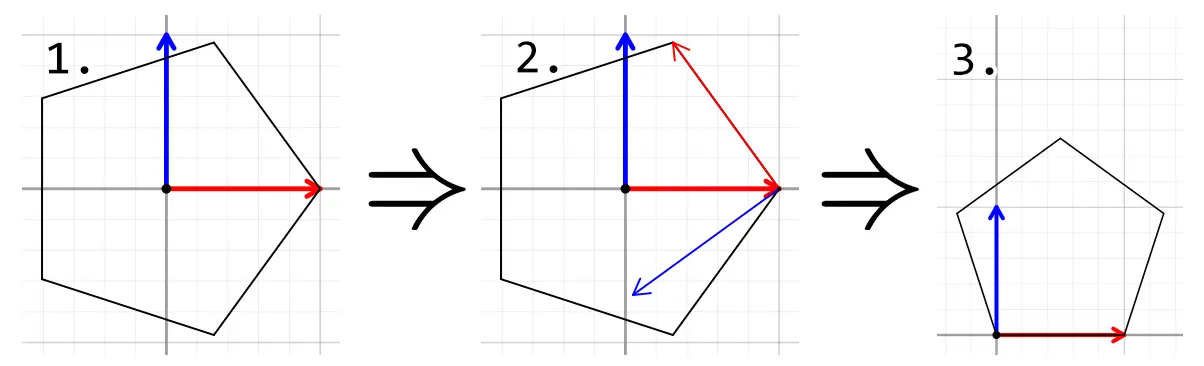
png
- First, the most important part: building the coordinates of a regular polygon:
You may notice that this is just the Wikipedia formula above, simplified as much as possible: no radius, no offset angle. But unfortunately the resulting polygon lacks an important property: having one side lie entirely on the X axis.const int n = 5; const int m = 1; std::vector<vec2> poly; for (int i = 0; i < n; ++i) { double angle = deg2rad(360.0/n * i); poly.push_back(vec2(cos(angle), sin(angle))); } - So first we create a coordinate system from the first side of the polygon
space2 poly_line = makeLine2(poly[0], poly[1]); - And then we convert every point of this polygon to this coordinate system.
As a result, our polygon now lies with its base entirely on the X axis, and we can use it for building.poly = toMas(poly_line, poly);
By the way, the triangle could have been created in exactly the same way:
std::vector<vec2> triangle = {vec2(0, 0), vec2(cos(alpha), 0), vec2(0, sin(alpha))};
space2 triangle_line = makeLine2(triangle[1], triangle[2]);
triangle = toMas(triangle_line, triangle);
After all, it's much easier to understand the coordinates of a triangle defined so that its right angle is at the origin and its legs point along the axes.
The toMas function is used here to shorten the code. It does the same as the following:
for (auto& i : poly) i = poly_line.to(i);There's also a little trick: in the loop that generates the regular polygon, the loop runs not up to n, but up to n+1. This is because we can't make the array wrap around to draw all the sides of the polygon. So the last point is a duplicate of the first one.
A bit of the construction process:
And now what I think are the most interesting animations of changing the angle for different polygons:
#Where to go from here
#2Generalization
Actually, all the fractals drawn here are variations of a single class of fractals, which are all built the same way. So, suppose we have some polygon. One of its sides is the base, and we also specify on which sides to build the fractal. Then the following algorithm is applied recursively:
Draw the polygon so that its base rests on the given coordinate system
Get the spaces of all the specified sides of the polygon
Apply the recursion to all these spaces
Then for the Pythagoras tree, this polygon is the union of a square and a right triangle. The sides to draw on are the legs of the triangle.
All the sides on which the fractal is built must be shorter than the base. If they are longer than or equal to the base, the fractal will be infinitely large, and it may grow in size with each iteration.
#2Improving efficiency
Generally speaking, this solution is very crude and isn't efficient enough at small angles. Here are my old measurements of frame generation time depending on the base angle of the right triangle, for the standard Pythagoras tree:
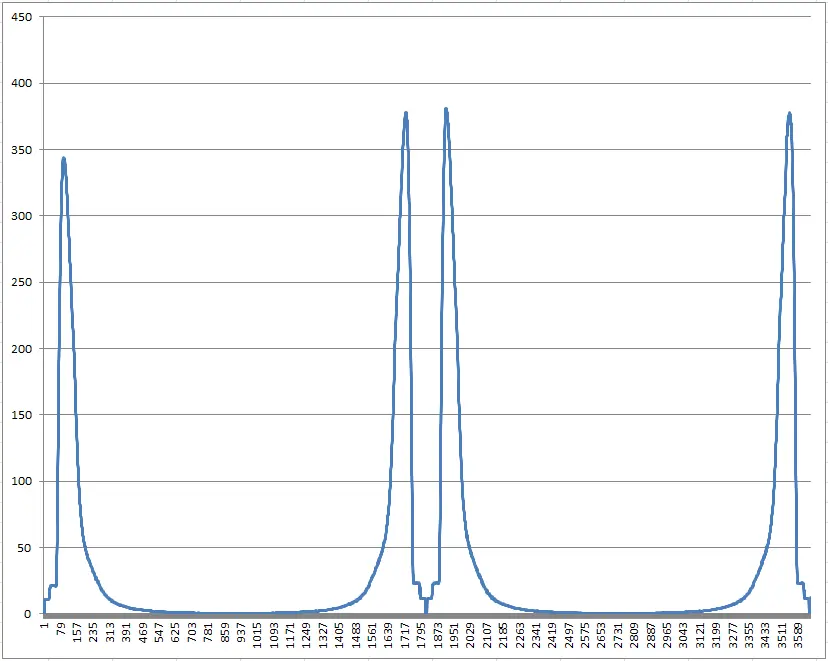
png
These spikes in time happen when drawing with a very small angle, or an angle close to 90 degrees. In that case the tree looks something like this:
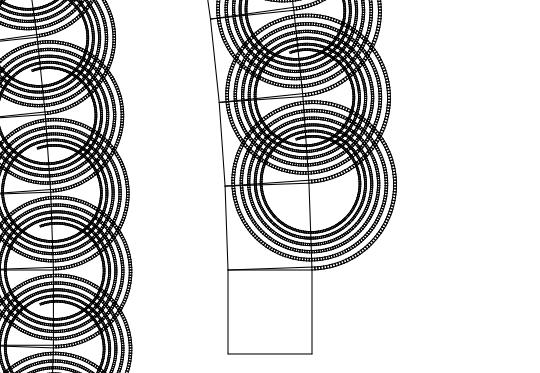
png
Mind you, the maximum depth here is set to 1000. The computation takes so long because the tree is too big.
To optimize this, you can use the self-similarity of this fractal: first draw it into an image at low resolution, and then simply redraw this picture instead of computing coordinates for each branch and drawing every square separately. Then apply this recursively somehow, to increase the precision of the image with each iteration.
But this is only a rough idea. It also applies to the general solution.
#Conclusions
You can see that in my code the problem is solved completely from scratch every time, as if nothing at all exists except this problem, and there are no plans to extend the problem in any way. Because of this, complicated formulas were derived that can't be applied to anything but this one problem. This is a bad method: programming would never have developed to the level it's at now if everyone kept using such a crude approach. Also, nothing was extracted into functions to simplify the code.
So what's radically different about the new solution? It raises the level of abstraction. When writing the first solution, I thought strictly in terms of coordinates and of formulas that use these coordinates (at a low level), while in the new solution I use some abstract objects: "coordinate systems", "vectors", and apply an abstract procedure like "coordinate transformation" (and that's already a higher level of abstraction). As you can see, this made the code much simpler: not only is it easy to write, but another person can also understand it. And it doesn't use any formulas at all, only human-readable function names.
Also, in the old code, a slight complication of the problem (going from a square to a regular polygon) made the code much, much more complicated. In the new solution, it took only a few lines to solve the new problem.
This is the essence of a higher level of abstraction: we don't think about low-level things like formulas, but think in terms of more complex abstract objects that let us solve the problem more efficiently.
Of course, this efficiency also depends on how well the library is written. For some problems, a slight complication leads to slight changes, and sometimes it's quite the opposite.
#How this library came to be
At first, as you can see, I didn't use any abstractions at all. Then, in a GUI project, GraphWinApi, I created a Point class, which was just an ordinary two-dimensional vector. I only wrote trivial methods for it, like move, rotate, +, *, etc., but then I was surprised how easy it is to draw rotated objects with the rotate function.
Next, in the TinyWindowsGraphics library, I wrote a PointBase class with essentially the same methods, only a bit better, plus the toBasis and fromBasis methods. And I even wrote code that generates a fractal on a line using these functions:
template<class Draw>
void drawFractal(ImageDrawing_aa& img,
				 Polygon_d& poly, const
				 Draw& draw,
				 int8u maxDepth = 30,
				 double minRadius = 0.5,
				 int32u depth = 0) {
	if (depth < maxDepth && (poly.array[1]-poly.array[0]).getLength() > minRadius) {
		draw(poly, depth);
		for (int8u i = 0; i < poly.array.size()-1; ++i) {
			Polygon_d poly1 = poly;
			poly1.move(-poly1.array[0]);

			Point_d ox = poly.array[poly.array.size()-1]-poly.array[0];
			ox /= ox.getLength();
			Point_d oy = ox;
			oy.rotate(pi/2.0);

			poly1.toBasis(ox, oy);

			Point_d nx = poly.array[i+1] - poly.array[i];
			nx /= (poly.array[poly.array.size()-1]-poly.array[0]).getLength();
			Point_d ny = nx;
			ny.rotate(pi/2.0);
			poly1.fromBasis(nx, ny);
			poly1.move(poly.array[i]);

			drawFractal(img, poly1, draw, maxDepth, minRadius, depth+1);
		}
	}
}
Actually, I could have written an article about that solution, but it's not that pretty, and back then I hadn't yet grasped the whole point.
Somewhere around this time I remembered linear algebra, and the idea got stuck in my head that coordinate systems are pretty handy in lots of problems.
Then, in a secret project, under the influence of this idea, the concept of a coordinate system was born; coordinate transformation was the very foundation of it there. At first this took the form of ugly functions toCoordSystem() and fromCoordSystem(), then, through many waves of refactoring, it evolved into what it is today. Because it was so convenient, I started using this code in all my other projects. And I had to drag the whole code of this secret project everywhere just for the coordinate transformations. That's when I realized that this part is so independent of the project itself that it should be extracted into a separate library.
Well, and as I said at the beginning, when I started coming up with examples for this library, I realized how powerful it is, and how well it applies to my old projects.
That's exactly why I've shown you this whole journey from nightmarish code to code that uses abstractions, using the simple example of a single fractal.
Raise the level of abstraction. See you!